
TL;DR

Get business pricing on tech for your team
- Business-only prices and quantity discounts
- Tax-exempt purchasing
- Multiple users, one account, clear invoices
BetterWispr has introduced a free, open-source dictation app for macOS 14 and later. It transcribes speech on the Mac using installed local models, with optional style and cleanup settings; the developer says speech is not sent to a cloud transcription service.
BetterWispr has introduced a free, open-source dictation app for Macs running macOS 14 or later, letting users speak into a keyboard shortcut and insert a transcript into the app they are using. The developer says speech is processed on the Mac with installed models, positioning the app as an alternative for people who want dictation without sending recordings to a transcription service.
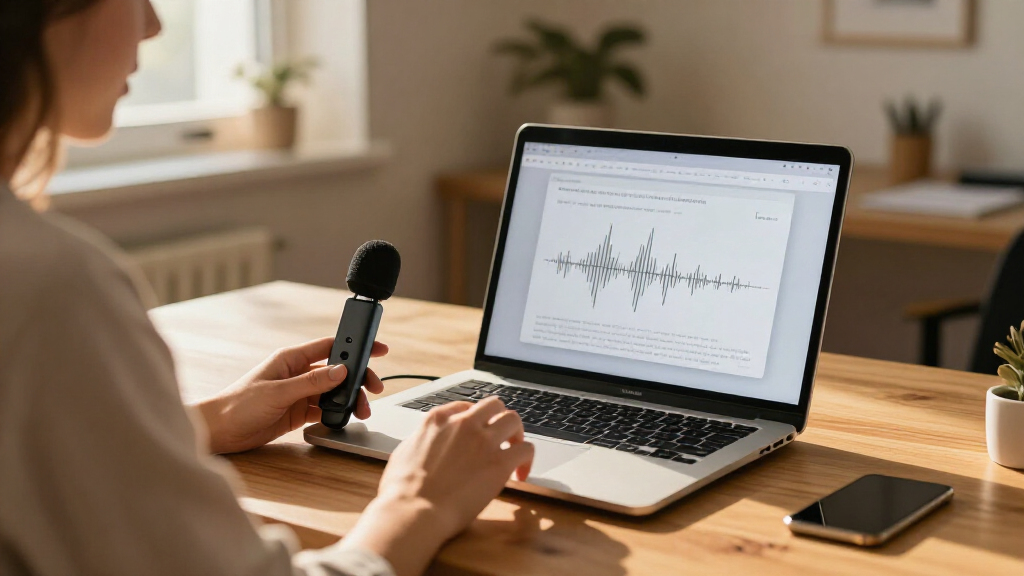
To dictate, users focus a text field, hold Option + Space while speaking, then release the keys. BetterWispr transcribes after recording ends rather than showing words live as the user talks. If an app blocks automatic insertion, the transcript can be copied from the app’s dashboard. The developer says the app needs microphone access to record and Accessibility permission to insert text into other apps; Apple speech features may also require Speech Recognition permission.
The app includes nine built-in models from Apple speech, Parakeet and Whisper, according to its product page. Users can also configure compatible services from Sarvam AI, Smallest AI or OpenAI, but those are alternatives to local processing rather than part of the local-only setup. BetterWispr says models must be downloaded before offline use, and that model support and performance depend on the Mac, language and selected model. Apple Silicon is recommended.
Dictation cleanup is configurable: the default Light setting removes English filler words, repetitions and false starts, while None preserves every word. Medium can also revise English for clarity using Apple Intelligence or Ollama on the Mac, according to the developer. Users can set writing tones for different apps, add names and terms, use spoken punctuation commands, and keep or disable a local history of raw and corrected text. The project is released under the Apache 2.0 license.
Local Dictation Without a Subscription
BetterWispr’s main distinction is the combination of local speech processing, editable text cleanup and a free, open-source license. Users who prefer not to upload voice recordings can run supported models on their own Mac, and the product says there is no required account or dictation subscription. That approach also allows offline use after the relevant model files and assets have been installed.
The design has trade-offs. Local inference depends on available hardware and model downloads, while language coverage varies by model. Some optional rewriting and external API connections may involve services outside the Mac, so users need to select the processing route that matches their privacy needs. The app’s controls over cleanup and history may appeal to people who want dictation to preserve their wording rather than rewrite it by default.
As an affiliate, we earn on qualifying purchases.
How the App Handles Speech
BetterWispr is presented as a system-wide writing tool: users speak while focused on a text field, and the resulting transcript is placed in that application. The product page describes separate controls for recording, transcription, insertion and cleanup. Transcription starts after the user releases the shortcut, so the workflow is not live captioning.
The developer says built-in models run locally and there is no cloud transcription fallback. Models download when users choose to install them, then can work offline if the required assets are present. The app also offers meeting notes that distinguish the user’s microphone audio from audio from other apps. Summaries, decisions and action items can be generated with Apple Intelligence or Ollama on the Mac, while selecting an outside provider or API changes where that processing occurs.
““Speech stays on your Mac.””
— BetterWispr product page
As an affiliate, we earn on qualifying purchases.
Performance and Language Limits
The supplied product information does not include independent testing of transcription accuracy, speed or resource use. It also gives no comparative benchmark against other dictation products. The page’s typing-time illustration is explicitly described as illustrative rather than a benchmark, so it should not be treated as measured performance evidence.
Actual results may vary with hardware, speech patterns, language and model choice. The product page says Parakeet and Whisper offer different language coverage, while cleanup, styles and voice commands work in English. It does not provide detailed model-by-model accuracy figures. Although the developer says speech processed by built-in models stays on the Mac, users who choose external APIs or services should check those providers’ handling of submitted audio or text. The supplied material does not establish independent verification of the app’s privacy claims.
As an affiliate, we earn on qualifying purchases.
Installation and User Testing
Users can download BetterWispr for macOS 14 or later, follow its setup guide, grant the required permissions and install a speech model. The project says updates are distributed from GitHub Releases through Sparkle and installed only when their EdDSA signature matches. Its Apache 2.0 licensing allows users to inspect the source, report issues or build the app themselves.
The next useful evidence will come from hands-on use across different Macs, languages and target apps, including tests of insertion failures and model quality. Until independent evaluations or more detailed performance data are available, readers should treat support and privacy descriptions as claims from the developer and test the chosen model with their own speech and setup.
As an affiliate, we earn on qualifying purchases.
Key Questions
Is BetterWispr free?
Yes. The developer says it is free and open source under Apache 2.0, with no required account, dictation subscription or API key. Downloaded model files use storage on the Mac.
Does dictation work offline?
It can work offline after a compatible local model and its required assets have been installed. Model downloads require an internet connection, and language availability depends on the model and, for Apple speech, supported system assets.
Does BetterWispr send recordings to the cloud?
The developer says its built-in models transcribe speech on the Mac and have no cloud transcription fallback. Users can separately choose outside services or APIs for some functions; those options are not the local-only configuration.
Which Macs and languages does it support?
BetterWispr requires macOS 14 or later, with Apple Silicon recommended for local model inference. Language support varies: the product page lists Parakeet coverage for Japanese and 25 European languages, with broader multilingual recognition from Whisper. Cleanup, styles and voice commands are described as English-only.
Does it show a transcript as I speak?
No. According to the product page, transcription begins after recording stops. Users hold Option + Space while speaking and release the shortcut to process the recording and insert the text.
Source: hn
Halloween Picks
halloween
As an affiliate, we earn on qualifying purchases.