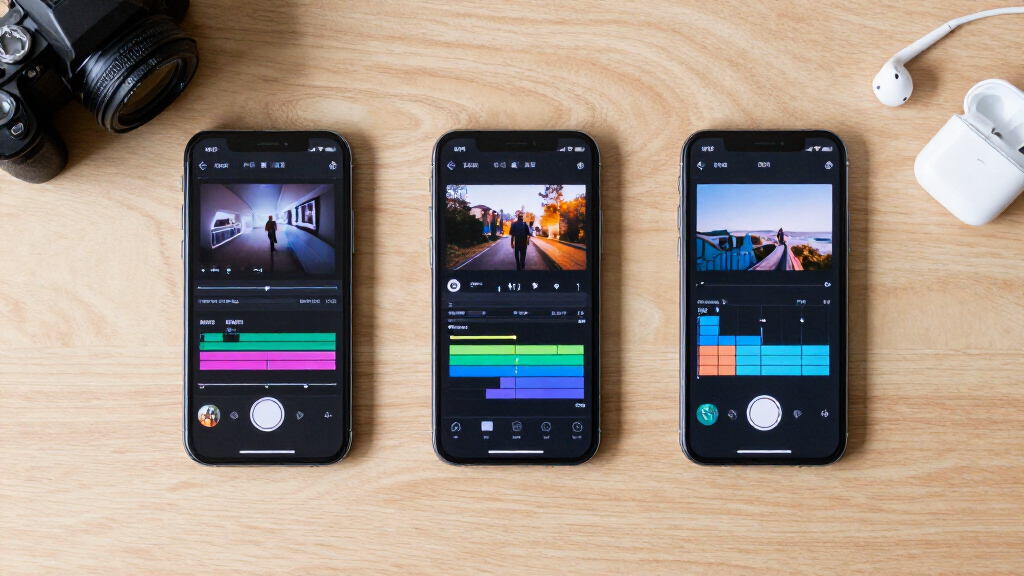

🔍 Read the full analysis: Choosing The 3 Best AI Video Tools 2027 on ThorstenMeyerAI.com

Get business pricing on tech for your team
- Business-only prices and quantity discounts
- Tax-exempt purchasing
- Multiple users, one account, clear invoices
TL;DR
The three options differ in kind: CyberLink PowerDirector 2027 Ultra is a specified Windows editing bundle, MiniMax H3 Mastery is a guide to building a self-hosted studio, and the AI Video Generator listing lacks enough information to assess its capabilities. The comparison is based on the supplied product descriptions, not hands-on testing, so buyers should verify current features, compatibility and usage terms before purchasing.
A comparison of three AI video options for 2027, as discussed in the original analysis, finds that CyberLink PowerDirector 2027 Ultra is the clearest documented software bundle, while MiniMax H3 Mastery is a guide to building a local system—not a ready-to-use application. A third listing, titled AI Video Generator, provides too little product information to establish what it does. The comparison is based on supplied descriptions, not independent testing of video quality or performance; see also AI video generator tools for learning and creating.
According to the supplied CyberLink product description, the package combines PowerDirector for video editing and PhotoDirector for image work, alongside AI tools for automating video editing. The description lists AI tools, screen recording and Auto Reframe, and specifies 800 AI credits for the first year. It says the software supports 64-bit Windows 10 and Windows 11, including Windows 11 on Arm, and requires an internet connection. These disclosed details make it the most straightforward of the three to evaluate for someone seeking a conventional desktop editing workflow, though they do not establish how well its features perform.
The supplied description presents MiniMax H3 Mastery as a how-to guide for building a self-hosted AI video studio. It describes local control and a workflow that can produce native 2K output, but users should not mistake the guide for a packaged generator. The description flags technical setup and potentially demanding hardware, including for real-time 2K rendering. The source material does not provide independent performance tests or a complete hardware specification.
The third option is listed simply as AI Video Generator. The material reviewed provides no accompanying description or specifications, so it does not establish supported platforms, output quality, editing controls, generation methods or usage limits. Its generic title is not evidence that it can turn text prompts into finished clips. The ranking therefore reflects clarity and disclosed tradeoffs, not a head-to-head quality test.
The 3 picks
- 1
 MiniMax H3 Mastery: The Local AI Video Studio – Build a Free, Self-Hosted AI…View on Amazon →
- 2
 AI Video GeneratorView on Amazon →
- 3
 CyberLink PowerDirector 2027 Ultra and PhotoDirector 2027 Ultra for WindowsView on Amazon →
Match the Tool to the Workflow
The distinction among these products matters because the label AI video tool can refer to an editor with AI features, a system users assemble themselves, or a direct generation service. Those formats carry different costs in time, equipment and setup. Based on the supplied descriptions, a buyer seeking to edit existing footage may have a clearer starting point with CyberLink; someone prioritizing a locally hosted workflow may find the MiniMax guide more relevant, provided they can manage the technical work.
The comparison also shows why product descriptions matter as much as broad AI claims. A specified platform and credit allowance help buyers check fit, while an unexplained listing leaves basic questions unanswered. Before paying, shoppers should check whether the product actually supports their intended task, what AI use is included, and whether additional costs or limits apply. The available information does not settle those questions for every option.
Products Worth Considering

Logitech MX Master 4 Ergonomic Wireless Mouse with Haptic Feedback, Graphite

LG UltraGear 32-inch QHD Curved Gaming Monitor, 180Hz, 1ms, FreeSync

Apple Watch Series 12 GPS 42mm Smartwatch
As an affiliate, we earn on qualifying purchases.
Three Different Product Formats
The comparison uses the supplied product descriptions to assess how clearly each option documents its intended use, platform and operational demands. It says this is not a software test and does not claim that one option creates better-looking video than another. The ranking favors specificity and workflow fit rather than measured output quality.
That approach is relevant here because the options are not direct substitutes. The supplied materials describe CyberLink as a named desktop software bundle and MiniMax H3 Mastery as implementation guidance for a local studio; the AI Video Generator listing does not say what kind of product it is. Comparing them as if they were three verified, plug-and-play generators would go beyond the available evidence.
Key Details Still Missing
The supplied material does not establish comparative video quality, generation speed, ease of use or reliability for any of the three options. It also does not include hands-on testing. The CyberLink description states that its allowance is 800 AI credits for the first year, but the material does not explain what different tasks cost in credits or what happens after that period.
For MiniMax, the supplied description does not fully specify setup steps, hardware requirements or ongoing operating costs. For AI Video Generator, nearly all buyer-critical details remain unknown: its maker, supported platforms, features, pricing, output limits and terms are not provided. Product features and availability may also change, so the descriptions should not be treated as a substitute for checking current seller information.
Verify Before You Buy
Before choosing, buyers should identify whether they need an editor, a direct generator or a guide to assembling a self-hosted system. They should then check the seller’s current listing for compatibility, feature access, AI-use limits and costs. Windows users considering CyberLink can confirm their system meets the requirements stated in the supplied description; readers interested in MiniMax should assess hardware and setup demands before committing.
The AI Video Generator listing needs a fuller description before it can be compared on a sound basis. Until its maker publishes verifiable specifications, buyers should treat its capabilities as undocumented rather than assumed. No further product announcements or testing results are provided in the source material.
Key Questions
Which option is the most clearly specified?
CyberLink PowerDirector 2027 Ultra has the most detailed supplied product description, including named applications, Windows requirements, an internet requirement and 800 AI credits for the first year. That does not establish that it produces better results than the others.
Is MiniMax H3 Mastery a ready-to-use video editor?
No. The supplied description presents it as a guide to building a self-hosted AI video studio. It also flags technical setup and potentially demanding hardware.
What does the AI Video Generator listing do?
The available listing does not say. It provides no specifications to verify its features, platform, output quality or usage limits, so its title alone is not enough to judge its capabilities.
Were the products tested against each other?
No hands-on comparison is described. The ranking is based on the supplied product information and disclosed tradeoffs, not measured video quality or performance.
Source: ThorstenMeyerAI.com