
🔍 Read the full analysis: 10 Best Mobile Workstations For Professional AI Workflows In 2027 on ThorstenMeyerAI.com

Get business pricing on tech for your team
- Business-only prices and quantity discounts
- Tax-exempt purchasing
- Multiple users, one account, clear invoices
TL;DR
The supplied material is a buying guide, not a report of a newly announced 2027 product lineup. It names several Lenovo and Dell workstations and discusses tradeoffs in sustained performance, portability, graphics, displays and battery life, but does not provide verified 2027 specifications or enough information to substantiate 10 distinct picks.
A buying guide attributed to ThorstenMeyerAI.com identifies the Lenovo ThinkPad P1 Gen 7 as its overall mobile workstation pick and names the ThinkPad P14s Gen 7 and Dell Precision 7680 for more specific needs, as detailed in the original analysis. The material describes considerations for professional AI and other demanding workloads, but it does not verify a complete 10-model 2027 shortlist or provide current configurations, prices or test results.
The guide says its recommendations weigh sustained performance, thermal management, build quality and serviceability, rather than relying only on short benchmark bursts, similar to the criteria discussed in another mobile workstation guide. It presents the ThinkPad P1 Gen 7 as a balance between a relatively sleek chassis and dedicated NVIDIA RTX graphics, the 14-inch ThinkPad P14s Gen 7 as a compact option, and the Precision 7680 as a thicker machine intended for demanding engineering work. These are the source’s characterizations; test data supporting the rankings is not included in the supplied material.
Other points in the guide concern professional graphics drivers, display technology and connectivity. It argues that professional NVIDIA RTX drivers and software certifications can matter for CAD and simulation, while OLED screens may suit color-focused creative work but draw more power than IPS alternatives. It also warns that some slim laptops have fewer built-in ports, potentially requiring a dock. The text mentions the ThinkPad P16s Gen 4 as an OLED example, but supplies no full specifications or direct comparison results.
The source discusses Intel Core Ultra and AMD Ryzen AI processors as part of a shift toward improved battery efficiency, while cautioning that they may not match older HX-series chips in peak multi-core workloads. That is a broad claim in the guide, not a verified benchmark finding: it gives no processor configurations, test methodology, power limits or workload results. It also refers to RTX Ada and Blackwell professional graphics, without identifying the exact GPU options in each recommended laptop.
The 10 picks
- 1
 Dell Precision 7680 16-Inch Workstation Laptop, Intel Core i7-13850HX, NVIDIA…View on Amazon →
- 2
 Dell Precision 7680 Laptop, NVIDIA RTX 2000 Ada 8GB, Intel i7-13850HX, 32GB DDR5View on Amazon →
- 3
 Lenovo ThinkPad P1 Gen 7, w/ Ultra 7, NVIDIA RTX 3000, 16" 2.8K, 32GB RAMView on Amazon →
- 4
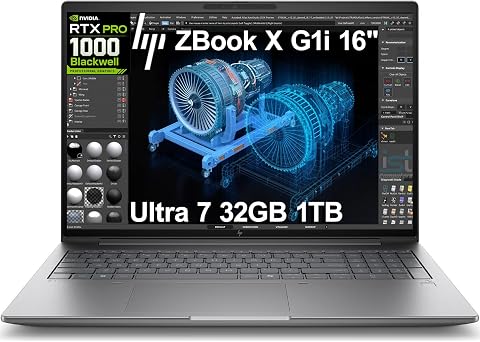 HP ZBook X G1i 16-inch Laptop, Intel Core Ultra 7 265H, NVIDIA RTX PRO 1000 B…View on Amazon →
- 5
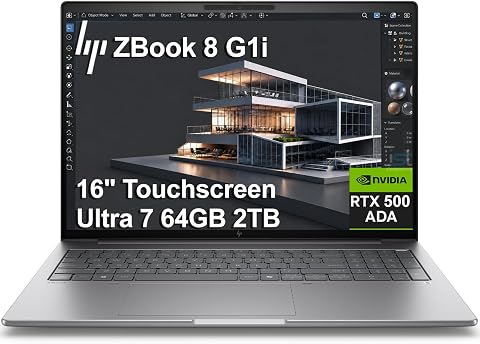 HP ZBook 8 G1i AI Mobile Workstation Laptop (16" FHD+ Touchscreen, Intel Ultr…View on Amazon →
- 6
 HP ZBook 8 G1i AI Mobile Workstation Laptop (16" 4K 120Hz, Intel Ultra 7 265H…View on Amazon →
- 7
 Lenovo ThinkPad P16s Gen 4 16-inch OLED Touchscreen Mobile WorkstationView on Amazon →
- 8
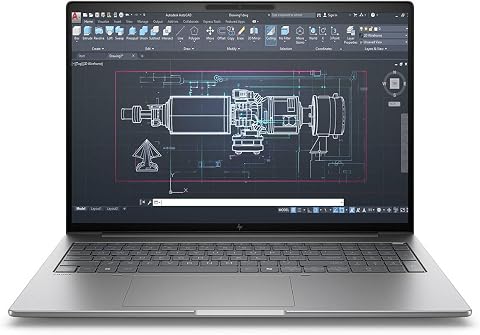 HP ZBook 8 G1i 16" Mobile Workstation – WUXGA – 60 Hz – Intel Core Ultra 7 25…View on Amazon →
- 9
 Lenovo ThinkPad P16s Gen 4 16-Inch Business LaptopView on Amazon →
- 10
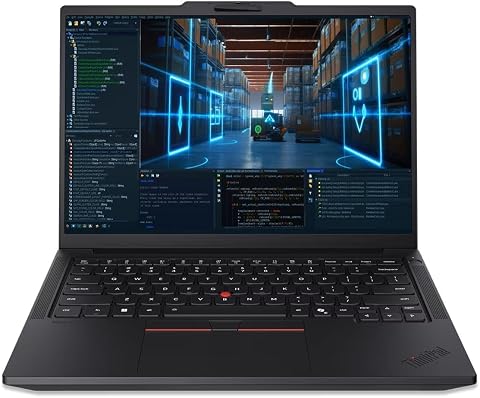 Lenovo ThinkPad P14s Gen 7 Mobile Workstation (2026) – 14" Touch, AMD Ryzen A…View on Amazon →
Choosing for Sustained AI Work
For buyers running local AI inference, data preparation, rendering or engineering software, the most useful distinction is between brief peak speed and performance sustained over time. A thin laptop may be easier to carry, but extended CPU and GPU work can expose limits in cooling and power delivery. The guide’s emphasis on thermal behavior is relevant, although its recommendations cannot substitute for configuration-specific tests.
Software compatibility also affects the choice. ISV-certified drivers may be valuable to professionals whose CAD or simulation tools depend on validated graphics support; users mainly compiling code or doing office work may have different priorities. Battery runtime, display power use, memory capacity and ports can matter as much as processor branding when a machine must serve both as a travel laptop and a workstation.
Products Worth Considering

Sonos One (Gen 2) Voice-Controlled Smart Speaker, White

Apple MacBook Air 15-inch Laptop with M5 Chip, 16GB Memory, 512GB SSD, and Liquid Retina Display (Midnight)

Bose QuietComfort Wireless Noise Cancelling Headphones, Ice Blue
As an affiliate, we earn on qualifying purchases.
The Tradeoffs Behind the Picks
The source is organized as a consumer buying guide, rather than coverage of a product launch, independent laboratory test or announced industry ranking. It presents a selection method centered on extended workloads, build quality, upgrade access, input devices and software compatibility. No named reviewer, testing dates, benchmark tables or methods are provided in the supplied text, so readers cannot assess how the rankings were reached.
Workstation models are sold in multiple configurations, and names alone do not establish the processor, graphics chip, memory, display or cooling setup a buyer will receive. The guide’s 2027 framing therefore needs confirmation against manufacturer listings and current regional availability. The supplied material names three distinct laptops clearly and mentions the P16s Gen 4 as an example, but does not identify seven additional models to complete the advertised ten.
Missing Models and Test Evidence
The supplied source does not substantiate a list of 10 distinct workstation picks. It clearly identifies three recommendations and mentions one additional model in a display discussion, but gives no further product names. Nor does it include prices, complete configurations, benchmark results, battery measurements or links to manufacturer specifications. The headline’s promise of ten selections cannot be verified from this material.
It is also unclear whether all named models and configurations will be available in 2027, or whether the processor and graphics comparisons apply to specific versions. Claims about thermal performance, driver stability and battery efficiency are not accompanied by cited tests or manufacturer statements in the supplied text. No direct quotations from a company or reviewer were provided, so none can be independently attributed here.
Verify Models Before Buying
Before treating these recommendations as a 2027 shortlist, readers should check manufacturer product pages, configuration options, regional availability and software certification listings. Independent reviews that measure performance over sustained workloads, battery life and display accuracy would help test the guide’s comparisons. A complete version of the ranking would also need to name and explain all ten picks.
Until that information is available, the named laptops are best read as source-attributed suggestions rather than verified current buying advice. Buyers should match a specific configuration to their software, workload, travel requirements and budget, and confirm that the required ports and graphics support are included.
Key Questions
Does the supplied guide list all 10 workstations?
No. The provided text names the ThinkPad P1 Gen 7, ThinkPad P14s Gen 7 and Dell Precision 7680, and mentions the ThinkPad P16s Gen 4 as a display example. It does not identify ten distinct picks.
Which model does the source call its overall pick?
The source identifies the Lenovo ThinkPad P1 Gen 7 as its best overall option, describing it as a balance of a sleek chassis and dedicated NVIDIA RTX graphics. Supporting test results are not supplied.
What should AI professionals compare before choosing?
Compare the exact CPU and GPU configuration, sustained performance under long workloads, memory, cooling, battery life and software compatibility. Check that the specific applications and versions you use support the machine’s professional graphics drivers.
Are these confirmed 2027 recommendations?
The source frames the guide for 2027, but the supplied material does not confirm 2027 availability, prices or configurations. Verify those details with manufacturers and current independent reviews before buying.
Source: ThorstenMeyerAI.com