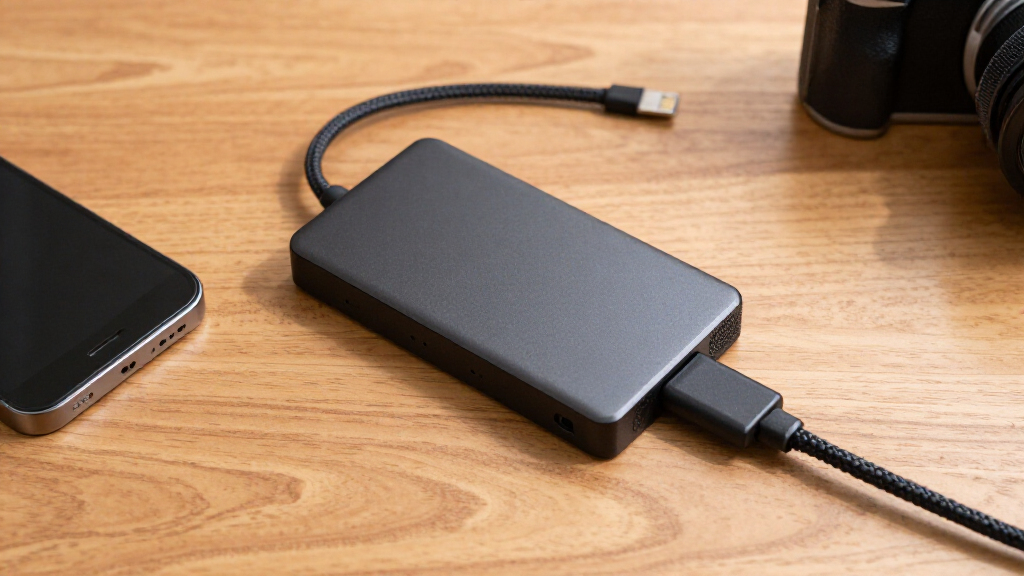

🔍 Read the full analysis: 8 Portable SSDs To Help You Choose Fast, Durable Storage In 2027 on ThorstenMeyerAI.com

Get business pricing on tech for your team
- Business-only prices and quantity discounts
- Tax-exempt purchasing
- Multiple users, one account, clear invoices
TL;DR
A buying guide from ThorstenMeyerAI.com compares eight portable SSDs, ranking the SanDisk Extreme Portable SSD 2TB as its best overall pick and the Samsung T9 2TB for peak throughput. Its recommendations are based on reported interface, durability and performance tradeoffs, but the source does not provide a complete model-by-model list or independent test results.
ThorstenMeyerAI.com has published a guide to eight portable SSDs for buyers weighing transfer speed, physical protection and cost, naming the SanDisk Extreme Portable SSD 2TB its best overall option and the Samsung T9 2TB its choice for higher peak throughput. The recommendations may help shoppers match a drive to their computer and workload, but the supplied guide does not identify all eight models or provide detailed test data for each; shoppers can also compare portable SSD recommendations.
The guide says the SanDisk Extreme Portable SSD 2TB combines a USB 3.2 Gen 2 interface with an IP65 rating and a rubberized exterior. It presents those features as a balance of performance and protection for everyday use, including work outside the home. An IP rating describes resistance under specified test conditions; it does not mean a drive is impervious to every kind of water exposure or impact.
For users seeking higher peak speeds, the guide favors the Samsung T9 2TB, which uses USB 3.2 Gen 2×2. That advantage depends on the computer having a compatible port. Without one, the drive operates at the limits of the host connection, so buyers may not see the performance implied by its interface. The source also identifies the SSK Portable 250GB as a lower-cost option for lighter transfers, while cautioning that it is not suited to large video projects.
The recommendations emphasize sustained writes, not just advertised peak read speeds. According to the guide, compact drives can slow during long transfers as they heat up, with smaller capacities potentially more affected by limited space for heat dissipation. It also warns that a cable can constrain throughput: a low-speed cable may prevent a fast SSD from reaching its potential. The source does not publish measured transfer times or test conditions alongside these claims.
The 8 picks
- 1
 Samsung T9 Portable SSD 2TB, USB 3.2 Gen 2×2 External Solid State DriveView on Amazon →
 - 2
 SanDisk Extreme Portable SSD, 2TB, Up to 2000MB/sView on Amazon →
 - 3
 SanDisk Extreme Portable SSD 2TB, USB-C, USB 3.2 Gen 2View on Amazon →
 - 4SanDisk 1TB Extreme Portable SSD (New Model)View on Amazon →
- 5
 Samsung T7 Portable SSD, 1TB, Titan Gray, USB 3.2 Gen 2View on Amazon →
 - 6
 SanDisk 1TB Portable SSD, Up to 1000 MB/s Read Speed, BlackView on Amazon →
 - 7SanDisk 500GB Portable SSD, Up to 1000 MB/s Read SpeedView on Amazon →
- 8
 SSK Portable 250GB External SSD with USB-CView on Amazon →
Choosing Speed Without Wasting Money
The buying decision is not simply a contest over maximum advertised speed. A Gen 2×2 drive requires a matching host port, and a buyer using an older or less capable computer may pay for throughput they cannot access. Checking the computer’s specifications before purchase can be more useful than comparing peak figures alone.
For photographers, video editors and people moving large backups, capacity and sustained performance can matter as much as speed bursts. A 250GB drive may suit occasional document transfers, but it can fill quickly with large media files. Rugged casing and water-resistance ratings also have practical value for field work, though they should be read as specific protections, not a guarantee against damage.
Because the source provides recommendations without full benchmark tables, readers should treat its rankings as a buyer’s guide assessment, not a universal performance verdict. Prices, computer ports and workloads all affect which drive represents value.
Products Worth Considering

Bose SoundLink Flex Bluetooth Speaker (2nd Gen), Portable Waterproof Speaker, Black

Samsung 32-Inch Odyssey OLED G8 (G80SH) 4K Gaming Monitor

Logitech MX Master 4 for Mac, Ergonomic Bluetooth Mouse with Haptic Feedback, Ultra-Fast Scrolling, USB-C Charging, for MacOS, iPadOS, Windo
As an affiliate, we earn on qualifying purchases.
The Guide’s Selection Criteria
ThorstenMeyerAI.com says it evaluated the drives across performance consistency, physical durability and interface compatibility. Its stated approach gives weight to sustained writes during large transfers, casing materials, IP ratings and compatibility across Mac and PC systems. The guide also says it considered cost per gigabyte and whether a speed premium would benefit typical users.
Its comparison contrasts the rubberized SanDisk Extreme line with the aluminum-bodied Samsung T7, describing the former as better protected against drops and the latter as lacking official water resistance. These are the guide’s characterizations; the material provided does not include independent drop-test results. It also advises considering at least 1TB for creative work and frames 2TB models as a longer-term option, rather than supplying a single capacity rule for every buyer.
“The Samsung T9 offers the highest peak speeds but requires a Gen 2×2 port to avoid bottlenecking.”
— ThorstenMeyerAI.com guide
Missing Models and Test Results
The supplied source refers to eight SSDs, but it does not name all eight models or provide a complete ranked list. It also includes no prices, dated benchmark results, exact sustained-write measurements, or detailed test setup. That makes it impossible to verify how large the performance differences are or to compare value using current prices.
The source’s comments about thermal throttling, cable quality and durability are not accompanied by measurements or test protocols. Drive performance can vary with the computer, cable, file size, available storage and ambient conditions. The guide also starts a discussion of encryption but the supplied material ends before listing which models include which security features, so those capabilities cannot be compared here.
Check Compatibility Before Buying
Before choosing a drive, buyers should check their computer’s USB port standard, then compare the drive’s capacity, protection rating and warranty against their planned use. People regularly transferring large files should look for independent sustained-write testing and confirm that the included or replacement cable supports the intended connection speed.
The guide gives no announced update schedule or follow-up test. A fuller comparison would need to identify all eight products, show current prices and explain the testing conditions behind speed and durability claims. Until that information is available, the recommendations are best used as a shortlist rather than a definitive ranking.
Key Questions
Which portable SSD does the guide recommend for most users?
The guide names the SanDisk Extreme Portable SSD 2TB as its best overall pick, citing its USB 3.2 Gen 2 connection and IP65-rated, rubberized design.
Does the Samsung T9 reach its highest speeds on every computer?
No. The guide says its USB 3.2 Gen 2×2 interface needs a compatible computer port. A slower host connection can limit the drive’s throughput.
Is the SSK Portable 250GB suitable for large video files?
The source recommends it mainly for light file transfers and cautions that its sustained write performance may make it unsuitable for large video projects.
Does the source provide benchmark results for all eight drives?
No. The supplied material does not name every model or include model-by-model measurements and test conditions, so the full ranking cannot be independently assessed from it.
Source: ThorstenMeyerAI.com