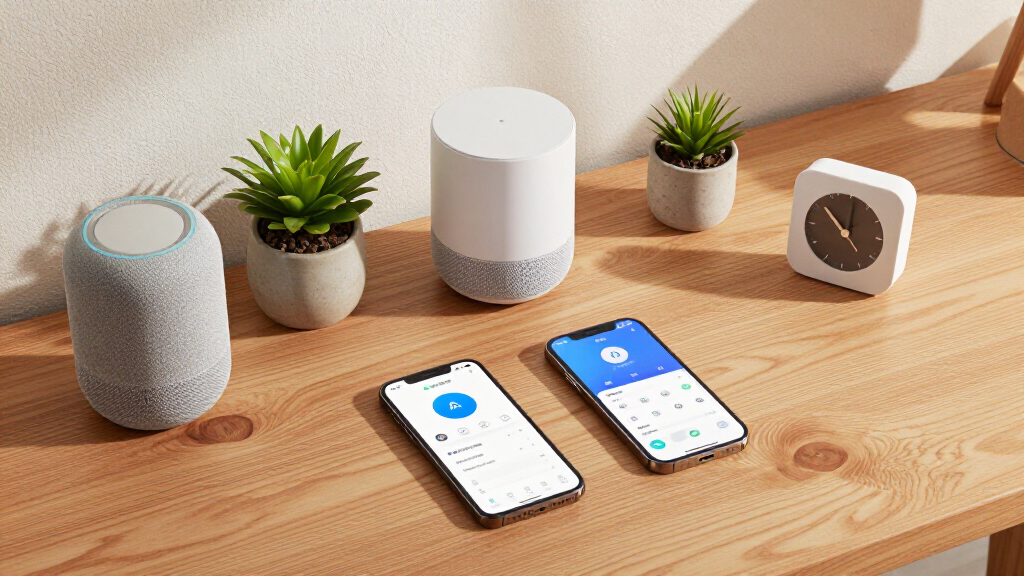

AI-powered home automation devices now go far beyond simple app-controlled plugs — they learn your routines, distinguish people from pets, adjust temperatures on their own, and run automations locally without shipping your data to the cloud. After comparing this year’s field, the Hubitat Elevation C-8 Pro earns my best overall pick for its unmatched protocol support and fast, fully local automation engine. Two other options stand out: the Amazon Echo Show 11 brings Alexa+ conversational AI into a polished everyday command center, and the SwitchBot AI Hub delivers remarkable value with Home Assistant pre-installed and Matter bridging. The biggest tradeoff in this category is between cloud convenience and local control — subscription cameras and voice assistants are easier to set up, while local hubs demand more tinkering but keep working when your internet drops. Keep reading for the full breakdown, including who each device suits and who should skip it.

Get business pricing on tech for your team
- Business-only prices and quantity discounts
- Tax-exempt purchasing
- Multiple users, one account, clear invoices
Key Takeaways
- Local processing is the dividing line in this roundup: the amazon.com/dp/B0CR4G1G8M?tag=adiust.com-20&ascsubtag=dc-1073833″ target=”_blank” rel=”nofollow sponsored noopener”>Hubitat C-8 Pro, HomeClaw Gateway, and SwitchBot AI Hub all run AI logic on-device, while camera picks like the Blurams 4K lean on cloud subscriptions for their smartest features.
- This list is not all hardware — three books made the cut because AI automation fails at the planning stage more often than the hardware stage, and beginners consistently benefit from a structured setup guide before buying any hub.
- Solar power changed the camera rankings: the 4MP solar system with 10-inch monitor and the Blurams 4K eliminated wiring as a constraint, making them the only camera picks practical for renters and outbuilding coverage.
- The Aqara Smart Thermostat W200’s Apple Adaptive Temperature support makes it the only pick here whose AI works largely without user input — every other device requires at least some routine-building effort.
- Pre-installed Home Assistant (SwitchBot AI Hub, HomeClaw Gateway) dramatically lowers the barrier to serious automation, but buyers who want zero configuration still get a better experience from the Echo Show 11.
| Hubitat Elevation C-8 Pro Smart Home Hub |  | Best Overall Hub | Protocols: Matter 1.5, Z-Wave 800 Series (with Long Range), Zigbee 3.0, Bluetooth | Dimensions: 3.23 x 2.95 x 0.67 inches | Weight: 0.16 lbs | VIEW LATEST PRICE | See Our Full Breakdown |
| HomeClaw Smart Home Gateway with Home Assistant & OpenClaw AI |  | Best for Beginners Wanting Home Assistant | Pre-installed Software: Home Assistant with OpenClaw AI | Setup: One-click installation, no coding required | AI Features: Routine learning and automation recommendations | VIEW LATEST PRICE | See Our Full Breakdown |
| AI-Powered Smart Home Guide 2026 |  | Best Planning Companion | Format: Step-by-step guide book | Focus: Designing, optimizing, and mastering automated smart ecosystems | Technology Coverage: Latest AI-powered smart home technologies | VIEW LATEST PRICE | See Our Full Breakdown |
| Blurams 4K Ultra HD Wireless Outdoor Security Camera with Solar Power |  | Best Single AI Camera | Resolution: 4K Ultra HD | Battery: 12000mAh rechargeable | Solar Panel: 5W detachable | VIEW LATEST PRICE | See Our Full Breakdown |
| 4MP Solar Wireless Security Camera System with 10″ Monitor, 4 Cameras, AI Human Detection |  | Best Multi-Camera Security System | Resolution: 4MP per camera | Cameras Included: 4 (expandable to 10) | Monitor: 10 inches | VIEW LATEST PRICE | See Our Full Breakdown |
| AI Powered Smart Home Guide for Beginners 2026 |  | Best Starter Read | Format: Beginner guide book | Topics Covered: Home automation, energy efficiency, smart security, AI assistants, connected devices | Audience Level: Beginner | VIEW LATEST PRICE | See Our Full Breakdown |
| Aqara Smart Thermostat W200 with Apple Adaptive Temperature |  | Best for Apple Homes | Controller Type: Apple HomeKit | Display: 4-inch full-color touchscreen | HVAC Compatibility: Most HVAC systems (85%), C-wire with adapter | VIEW LATEST PRICE | See Our Full Breakdown |
| AI-Powered Smart Home Devices |  | Budget Entry Kit | Category: Multi-device smart home kit | Primary Functions: Automation, remote control, security, energy efficiency | Control Method: Remote control via app | VIEW LATEST PRICE | See Our Full Breakdown |
| SwitchBot AI Hub with OpenClaw Support, Local NVR Camera Storage, Home Assistant Pre-Installed, Matter Bridge, Dual-Band Wi-Fi, 16GB MicroSD Included |  | Best for Privacy-Minded Tinkerers | AI Platform: OpenClaw support (AI+ subscription required) | Pre-installed Software: Home Assistant | Storage: 16GB microSD included, external hard drive supported | VIEW LATEST PRICE | See Our Full Breakdown |
| Indoor Home Security Camera with 3K 5MP Resolution, AI Color Night Vision, Dual-Band WiFi, Motion Detection, Two-Way Audio, and Smart Screen Display |  | Best Indoor Monitoring Pick | Resolution: 3K 5MP Ultra-HD | Night Vision: AI Color Night Vision | Wi-Fi: Dual-band 2.4/5GHz | VIEW LATEST PRICE | See Our Full Breakdown |
| Amazon Echo Show 11 (newest model), 11″ Full-HD Display with Spatial Audio and Alexa+ |  | Best Smart Display for Whole-Home Control | Display: 11-inch Full-HD touchscreen | Viewing Area: 60% more than Echo Show 8 | Audio: Spatial audio with up to 2x bass | VIEW LATEST PRICE | See Our Full Breakdown |
| AI Powered Smart Home: Using ChatGPT and Claude to Set Up, Automate, and Troubleshoot Your Network and Devices |  | Best Guide for AI-Assisted Troubleshooting | Format: Guide book (print/digital) | Topic: Smart home setup, automation, and troubleshooting | AI Tools Covered: ChatGPT and Claude | VIEW LATEST PRICE | See Our Full Breakdown |
More Details on Our Top Picks
Hubitat Elevation C-8 Pro Smart Home Hub
The C-8 Pro stands out as the most capable hub in this lineup because everything runs locally — automations execute in milliseconds and keep working even when your internet drops. Compared with the HomeClaw Gateway, which leans on a simplified one-click setup, the C-8 Pro trades convenience for depth: its Rule Machine can build AI-assisted routines that respond to device states, time, and sensors without any cloud dependency. The external Z-Wave and Zigbee antennas give it better range for larger homes than compact alternatives. The tradeoff is real — this is a hub for people who already know what Z-Wave is. Buyers coming from the AI-Powered Smart Home Guide 2026 world of planning will find the interface dated and the learning curve steep, but the payoff is privacy and speed no cloud hub can match.
Pros:- Local processing delivers instant response and keeps working during internet outages
- Broad protocol support across Z-Wave 800, Zigbee 3.0, Matter 1.5, and Bluetooth
- No subscription required for any feature
- External antennas extend wireless range for larger homes
Cons:- Setup and Rule Machine automation have a steep learning curve
- Interface is utilitarian compared with polished consumer apps
- Requires an existing device ecosystem to deliver value on day one
Best for: Smart home enthusiasts with 20+ devices who want fast local automation and full protocol flexibility without subscriptions
Not ideal for: Beginners setting up their first smart device — the interface and Rule Machine assume prior experience
- Protocols:Matter 1.5, Z-Wave 800 Series (with Long Range), Zigbee 3.0, Bluetooth
- Dimensions:3.23 x 2.95 x 0.67 inches
- Weight:0.16 lbs
- Antennas:External Z-Wave and Zigbee
- Voice Assistant Compatibility:Alexa, Google Home, Apple HomeKit
- Subscription:None required
Our verdict“This pick makes the most sense for serious automators who prioritize speed and privacy over ease of setup.”
HomeClaw Smart Home Gateway with Home Assistant & OpenClaw AI
Where the Hubitat C-8 Pro assumes you already speak automation fluently, the HomeClaw Gateway gets you running Home Assistant with one click and no coding. That single difference defines who should buy it: anyone who wants the power of the most flexible open-source platform without spending a weekend on YAML files. Its OpenClaw AI layer learns your routines and suggests automations, a gentler on-ramp than Hubitat’s manual Rule Machine. It also doubles as a compact local AI server, which the SwitchBot AI Hub — its closest rival here — doesn’t attempt. The tradeoffs matter, though. Out of the box it lacks built-in Zigbee and Z-Wave radios, so you’ll need a USB dongle for many sensors, and the published specs are thin, making planning harder than it should be.
Pros:- One-click Home Assistant installation removes the biggest barrier to entry
- AI learns routines and proactively recommends automations
- Doubles as a compact local AI server for other tasks
- Local control with secure remote access built in
Cons:- Requires a separate Zigbee or Z-Wave USB dongle for many devices
- Detailed technical specifications are sparse, complicating pre-purchase planning
Best for: DIY-curious beginners who want Home Assistant and AI-suggested automations without writing any code
Not ideal for: Buyers wanting a plug-and-play closed ecosystem — this still requires dongles and tinkering for full protocol coverage
- Pre-installed Software:Home Assistant with OpenClaw AI
- Setup:One-click installation, no coding required
- AI Features:Routine learning and automation recommendations
- Control:Local control with secure remote access
- Protocol Support:Multiple protocols (Zigbee/Z-Wave via optional USB dongle)
- Weight:4.3 ounces
- Dimensions:6.57 x 3.98 x 2.05 inches
Our verdict“The easiest path into Home Assistant with AI assistance, as long as you accept buying protocol dongles separately.”
AI-Powered Smart Home Guide 2026
Not every smart purchase is hardware. This step-by-step design guide earns its slot as the thing you read before buying hubs like the Hubitat C-8 Pro or HomeClaw Gateway, because the biggest smart home mistakes happen at the planning stage, not the device level. Where the companion title AI Powered Smart Home: Using ChatGPT and Claude focuses on wiring AI chatbots into your setup, this one takes a broader architectural view — designing, optimizing, and maintaining a full ecosystem with current AI-powered technology. The tradeoff is straightforward: it’s a book. There are no radios, no cameras, and no specs table, and readers who already run a mature Home Assistant install will find early chapters cover ground they know. Compared with the Beginners 2026 edition, this version skews toward enthusiasts building whole-home systems rather than first-device buyers.
Pros:- Structured step-by-step approach to designing a complete ecosystem
- Covers current AI-powered home automation technologies
- Helps readers avoid costly architecture mistakes before purchasing hardware
Cons:- No technical specifications or product data — it’s guidance only
- Content depth is better suited to enthusiasts than casual users
Best for: Homeowners planning a whole-home automation build who want a structured design roadmap before buying hardware
Not ideal for: Anyone who just bought their first smart bulb and wants quick tips — the scope is far larger than a starter setup
- Format:Step-by-step guide book
- Focus:Designing, optimizing, and mastering automated smart ecosystems
- Technology Coverage:Latest AI-powered smart home technologies
- Audience Level:Enthusiast to professional
- Edition:2026
Our verdict“Read this before you buy hubs or cameras if you’re building a whole-home system from scratch.”
Blurams 4K Ultra HD Wireless Outdoor Security Camera with Solar Power
For buyers who need one camera rather than a system, this Blurams model is the sharpest single-point option here — its 4K resolution out-resolves the 4MP footage from the 4-Camera Solar System with 10″ Monitor, which matters when you need to read a license plate or identify a face at distance. The 355° pan and 90° tilt mean one unit can cover what would otherwise take two fixed cameras, and the detachable 5W solar panel feeding a 12000mAh battery makes placement genuinely wire-free. On-device AI detection distinguishes people, vehicles, and pets, cutting false alerts from swaying branches. The tradeoffs: no microSD card is included, the solar panel needs careful placement for reliable charging, and unlike the four-camera system, monitoring multiple areas means buying multiple units with no bundled monitor to view them on.
Pros:- 4K resolution captures identifying detail the 4MP competition misses
- Pan and tilt let a single camera cover a wide area
- On-device AI detection filters people, vehicles, and pets accurately
- Detachable solar panel with a large 12000mAh battery enables true wire-free placement
Cons:- MicroSD card not included — budget for storage
- Solar panel requires optimal sun placement for reliable charging
- Outdoor-only design limits indoor monitoring use
Best for: Homeowners securing one key area — a driveway, front door, or backyard — who want maximum detail and flexible coverage
Not ideal for: Properties needing whole-perimeter coverage — a multi-camera system like the 4MP solar kit covers more ground for less per-camera cost
- Resolution:4K Ultra HD
- Battery:12000mAh rechargeable
- Solar Panel:5W detachable
- Field of Control:355° pan, 90° tilt
- AI Detection:Person, vehicle, pet, sound, motion
- Night Vision:Color, up to 40 feet
- Storage:MicroSD up to 256GB (not included)
Our verdict“The best choice when one high-detail, self-powered camera beats spreading budget across a multi-camera kit.”
4MP Solar Wireless Security Camera System with 10″ Monitor, 4 Cameras, AI Human Detection
Where the Blurams 4K camera wins on per-image sharpness, this kit wins on coverage and convenience: four solar-powered cameras, a bundled 10-inch monitor, a 64GB SD card in the box, and room to expand to ten cameras total. That monitor is the real differentiator — you get a dedicated always-on viewing point without tying up a phone or paying for a cloud subscription, something no single-camera option here offers. AI human detection keeps alerts relevant, and the included spotlight-enhanced night vision covers approach paths after dark. The tradeoffs are honest ones: 4MP resolution per camera is a visible step down from Blurams’ 4K when you need identifying detail, the system leans hard on a stable dual-band WiFi network, and the upfront cost of a four-camera kit is higher than buying one great camera. It’s a perimeter solution, not a detail solution.
Pros:- Four expandable-to-ten solar cameras cover an entire property
- Bundled 10-inch monitor provides dedicated live viewing without subscriptions
- Includes a 64GB SD card and supports up to 6TB for long local storage
- Two-way audio and spotlight-enhanced night vision add deterrence value
Cons:- 4MP per camera is noticeably softer than competing 4K single cameras
- Performance depends heavily on a stable dual-band WiFi network
- Higher upfront cost than a single-camera setup
Best for: Homeowners securing a full property perimeter who want multiple cameras, two-way audio, and a dedicated monitor out of one box
Not ideal for: Renters or buyers covering a single entry point — four cameras and a monitor is overkill for one location
- Resolution:4MP per camera
- Cameras Included:4 (expandable to 10)
- Monitor:10 inches
- WiFi:Dual-band 5G/2.4G
- Storage:SD up to 6TB, 64GB card included
- Night Vision:Long-range IR with spotlight
- AI Features:Human detection, two-way audio
- Power:Solar
- Warranty:2 years
Our verdict“The pick for whole-property surveillance where breadth of coverage and a dedicated monitor matter more than maximum resolution.”
AI Powered Smart Home Guide for Beginners 2026
Not every entry in this roundup is a gadget — this one is the knowledge layer that makes the other picks work together. Compared with AI-Powered Smart Home: Using ChatGPT and Claude, which assumes some networking comfort, this guide targets true beginners, walking through energy efficiency, security, and AI assistants in plain language. It’s the book I’d hand someone before they buy a hub like the SwitchBot AI Hub, because understanding platform ecosystems first prevents expensive mismatches. The tradeoff is depth: it skims topics that dedicated communities cover exhaustively, and it offers no hands-on labs or troubleshooting trees. Still, as a low-risk on-ramp to home automation, it beats trial-and-error and is far cheaper than buying the wrong devices first.
Pros:- Written in plain language for genuine beginners
- Covers a wide range of topics: security, energy, assistants, and connected devices
- Helps readers avoid platform-mismatch mistakes before buying hardware
- Practical, step-oriented structure rather than theory
Cons:- No deep technical specifications or advanced automations covered
- Content ages quickly as platforms and AI assistants change
Best for: Complete beginners who want to understand smart home platforms and AI assistants before spending money on devices
Not ideal for: Intermediate or technical users who already run Home Assistant or HomeKit — the content will feel too basic
- Format:Beginner guide book
- Topics Covered:Home automation, energy efficiency, smart security, AI assistants, connected devices
- Audience Level:Beginner
- Focus:Practical setup and modernizing everyday living
- Technical Depth:Introductory, non-technical
- Edition:2026
Our verdict“Buy this before your first hub or thermostat if you’re starting from zero — skip it if you’ve already automated anything.”
Aqara Smart Thermostat W200 with Apple Adaptive Temperature
The W200 stands out for genuinely adaptive AI: mmWave presence detection means it heats rooms based on whether people are actually there, not just a schedule. Compared with the SwitchBot AI Hub, which centralizes control but charges a subscription for AI features, the W200’s Adaptive Temperature and Clean Energy Guidance work out of the box with Apple HomeKit. The 4-inch touchscreen also doubles as a smart home hub supporting Zigbee, Thread, and Matter, so it replaces an extra box on the shelf. The catch: Adaptive Temperature requires an Apple TV or HomePod acting as a home hub, and Clean Energy Guidance is U.S.-only. Budget for the C-wire adapter and optional sensors too, since they’re sold separately — the sticker price understates the real cost.
Pros:- mmWave presence detection adjusts climate to actual occupancy for real energy savings
- Doubles as a Zigbee, Thread, and Matter smart home hub
- Works with roughly 85% of HVAC systems
- Large 4-inch color touchscreen is easy to read and operate
Cons:- Adaptive Temperature requires an Apple TV or HomePod as a home hub
- C-wire adapter and add-on sensors sold separately
- Clean Energy Guidance limited to the U.S.
Best for: Apple-centric households already running HomePod or Apple TV who want smarter, presence-based climate control
Not ideal for: Android-only households or homes without a HomeKit home hub — the headline features simply won’t activate
- Controller Type:Apple HomeKit
- Display:4-inch full-color touchscreen
- HVAC Compatibility:Most HVAC systems (85%), C-wire with adapter
- Connectivity:Wi-Fi 2.4/5GHz, Zigbee, Thread, Matter
- AI Features:Adaptive Temperature, Clean Energy Guidance, mmWave Presence Detection
- Hub Function:Built-in smart home hub
Our verdict“The strongest AI thermostat pick for Apple households — everyone else should look elsewhere.”
AI-Powered Smart Home Devices
This bundle earns its spot as the cheapest way to test the AI-automation waters. Where the Aqara W200 refines one function beautifully, this kit spreads across automation, remote control, security, and energy efficiency at an entry-level price — useful for renters or anyone unsure which category matters most to them. The tradeoffs are real: setup leans technical compared with plug-and-play rivals like the 3K indoor security camera, and everything depends on a stable internet connection, meaning an outage takes your automations down with it. I’d position it as a learning purchase rather than a long-term backbone — once you know which functions you actually use, graduating to a dedicated hub like the SwitchBot or Hubitat makes sense.
Pros:- Low-cost way to try automation, security, and energy features at once
- Remote control from anywhere adds daily convenience
- Covers multiple smart home categories in one package
Cons:- Setup can be technical for non-hobbyists
- Fully dependent on internet connectivity — no meaningful local control
- Limited documentation and no detailed specifications available
Best for: Renters and first-time buyers who want to experiment with AI automation across multiple categories without a big commitment
Not ideal for: Homeowners building a permanent, reliable setup — internet dependence and limited expandability become frustrating fast
- Category:Multi-device smart home kit
- Primary Functions:Automation, remote control, security, energy efficiency
- Control Method:Remote control via app
- Connectivity:Internet-dependent
- Setup:May require technical configuration
- Documentation:Limited specifications available
Our verdict“A reasonable experiment for curious beginners, but not the foundation for a serious smart home.”
SwitchBot AI Hub with OpenClaw Support, Local NVR Camera Storage, Home Assistant Pre-Installed, Matter Bridge, Dual-Band Wi-Fi, 16GB MicroSD Included
This is the most hands-on pick in the lineup, and proudly so. With Home Assistant pre-installed and local NVR storage via the included 16GB microSD or an external hard drive, it appeals to the same buyer who’d otherwise consider the Hubitat Elevation C-8 Pro — but the SwitchBot adds OpenClaw AI support for camera integration and faster local automations, something Hubitat doesn’t natively do. The privacy angle matters: footage and automations stay on your network rather than a cloud server, unlike the 3K indoor camera’s optional cloud plans. The costs are a subscription wall for AI features and no IR control for TVs or air conditioners, which cheaper SwitchBot hubs include. Compatibility is also narrower than the specs suggest, limited to supported cameras and devices.
Pros:- Home Assistant comes pre-installed, skipping a complicated install
- Local NVR storage with 16GB microSD and external hard drive support keeps footage private
- OpenClaw support unifies cameras and devices in one interface
- Local automations run faster and survive internet outages
Cons:- AI features locked behind an AI+ subscription
- No IR blaster for TVs or air conditioners
- Works only with compatible cameras and SwitchBot-ecosystem devices
Best for: DIY enthusiasts who want Home Assistant, local camera recording, and on-device automation without monthly cloud fees
Not ideal for: Casual users wanting simple voice control — the Home Assistant learning curve is steep and AI features cost extra
- AI Platform:OpenClaw support (AI+ subscription required)
- Pre-installed Software:Home Assistant
- Storage:16GB microSD included, external hard drive supported
- Protocols:Matter bridge, dual-band Wi-Fi
- NVR Function:Local camera recording, multiple cameras supported
- Dimensions:7.8 x 5.79 x 2.2 inches
- Weight:1.17 pounds
Our verdict“The best pick for tinkerers who value local control and privacy — everyone else will find it overkill.”
Indoor Home Security Camera with 3K 5MP Resolution, AI Color Night Vision, Dual-Band WiFi, Motion Detection, Two-Way Audio, and Smart Screen Display
The built-in screen is what separates this camera from every rival here — check a live feed without unlocking a phone, which matters for nurseries, pet rooms, and elderly-care check-ins. Compared with the Blurams 4K outdoor solar camera, this one trades weatherproofing and solar power for sharper indoor convenience: AI color night vision on 3K 5MP video and flexible local or cloud storage. Alexa and Google Assistant support covers both major camps, unlike the Aqara W200’s Apple-leaning ecosystem. Be clear about the limits, though: it’s indoor-only, corded, and fully dependent on Wi-Fi — the SwitchBot AI Hub remains the better choice if you want footage stored locally on your own hardware without subscription pressure.
Pros:- Built-in display shows live feeds without opening an app
- 3K 5MP resolution with AI color night vision captures usable detail after dark
- Two-way audio lets you speak to people or pets remotely
- Works with both Alexa and Google Assistant, plus local or cloud storage
Cons:- Indoor-only design with no weather resistance
- Requires constant Wi-Fi and a power outlet
- Setup and app options may overwhelm non-technical users
Best for: Parents, pet owners, and caregivers who want instant phone-free monitoring of an indoor space
Not ideal for: Anyone needing outdoor coverage — it has no weather resistance and requires a wall outlet nearby
- Resolution:3K 5MP Ultra-HD
- Night Vision:AI Color Night Vision
- Wi-Fi:Dual-band 2.4/5GHz
- Audio:Two-way audio
- Display:Built-in smart screen
- Storage:Local supported, cloud optional
- Power Source:Corded electric
- Dimensions:2.36 x 2.36 x 1.46 inches
- Compatibility:Amazon Alexa, Google Assistant
Our verdict“The easiest way to keep eyes on one indoor room — pick an outdoor model if your property extends past the front door.”
Amazon Echo Show 11 (newest model), 11″ Full-HD Display with Spatial Audio and Alexa+
This option stands out as the most complete command center in this lineup for buyers who want AI-driven automation without touching a single line of code. The 11-inch Full-HD touchscreen delivers 60% more viewing area than the Echo Show 8, which matters if you plan to monitor camera feeds or manage dashboards from across the room. Compared with the SwitchBot AI Hub, which hides automation logic behind a headless box, the Echo Show 11 puts it all on screen — the Omnisense technology learns routines and surfaces them visually, and the built-in smart home hub handles Zigbee and Matter devices directly. The tradeoff is footprint and ecosystem lock-in: this is not a small device, and unlike the Hubitat Elevation C-8 Pro, deep customization runs through Alexa’s rules rather than fully local control.
Pros:- Large 11-inch Full-HD touchscreen ideal for camera feeds and dashboards
- Built-in smart home hub reduces the need for extra hardware
- Omnisense personalizes routines automatically rather than requiring manual rule-building
- Auto-framing camera and spatial audio make it genuinely useful for video calls
Cons:- Full automation features depend on Alexa-compatible devices, limiting flexibility
- The 11-inch footprint is overkill for nightstands, bathrooms, or small counters
- Most intelligence is cloud-dependent, unlike locally controlled hubs in this lineup
Best for: Alexa households who want a visual, voice-first hub that manages routines, cameras, and video calls from one screen
Not ideal for: Privacy-focused users or Home Assistant enthusiasts who prefer fully local processing like the Hubitat Elevation C-8 Pro offers
- Display:11-inch Full-HD touchscreen
- Viewing Area:60% more than Echo Show 8
- Audio:Spatial audio with up to 2x bass
- Processor:AZ3 Pro chip
- Camera:Centered, auto-framing, 3.3x zoom
- Smart Home Hub:Built-in
- Privacy:Microphone and camera disable buttons
- AI Technology:Omnisense for personalized routines
Our verdict“This pick makes the most sense for households that want an all-in-one screen, speaker, and AI hub rather than piecing together separate components.”
AI Powered Smart Home: Using ChatGPT and Claude to Set Up, Automate, and Troubleshoot Your Network and Devices
Where every other entry in this roundup is hardware, this book takes a different angle: it teaches you to use ChatGPT and Claude as your smart home support team. The value here is problem-solving — instead of scouring forums when a device drops off the network, you learn to prompt AI tools to diagnose and fix issues. Compared with AI-Powered Smart Home Guide 2026, which focuses on designing an ecosystem from scratch, this one leans harder into setup, automation, and troubleshooting workflows, making it a better companion for someone who already owns devices like the HomeClaw Gateway or SwitchBot AI Hub and keeps hitting configuration walls. The real tradeoff: it is not a device, so it adds no capability on its own, and readers comfortable with AI chat tools will get far more from it than complete beginners.
Pros:- Teaches a reusable skill — prompting AI to solve device problems — rather than covering one brand
- Covers the full lifecycle: setup, automation, and troubleshooting
- Brand-agnostic advice works with any hub or ecosystem you already own
- Timely focus on ChatGPT and Claude, matching how people actually get tech help today
Cons:- Not a product — adds no functionality without existing smart home hardware
- Assumes some familiarity with AI chat tools, which may frustrate newcomers
- Content can age quickly as both smart home platforms and AI tools evolve
Best for: DIY smart home owners who already have devices installed and want to use AI chat tools to automate and debug their setups
Not ideal for: Absolute beginners with no smart home devices yet — a foundational guide like AI Powered Smart Home Guide for Beginners 2026 is the better starting point
- Format:Guide book (print/digital)
- Topic:Smart home setup, automation, and troubleshooting
- AI Tools Covered:ChatGPT and Claude
- Focus Areas:Network setup, device automation, problem-solving
- Ecosystem:Brand-agnostic
- Audience Level:Intermediate users familiar with AI tools
Our verdict“This makes the most sense for hands-on owners who want to fix and refine their existing setup with AI assistance rather than buy another gadget.”

How We Picked
I evaluated each product through one lens: how much genuine intelligence it adds to a home, and at what cost in setup effort, ecosystem lock-in, and ongoing fees. Local versus cloud AI carried the most weight — devices that learn routines and process sensor data without an internet connection or monthly subscription ranked higher than equally capable hardware dependent on cloud services. I also weighed protocol flexibility (Matter, Zigbee, Z-Wave support), setup difficulty for non-technical buyers, and how well each product actually delivers on its AI claims rather than using them as marketing gloss.
The ranking reflects distinct buyer needs rather than a single quality score. The Hubitat C-8 Pro leads because it balances power, privacy, and protocol breadth better than anything else here, while the Echo Show 11 and Aqara W200 serve buyers who prioritize simplicity. The three books earned places lower in the lineup because they solve the problem most AI devices create: powerful tools with no roadmap. Cameras were judged on detection accuracy, night performance, and power flexibility, which is why the solar-powered picks outranked wired alternatives for most homes.
Factors to Consider When Choosing AI-powered Home Automation Devices
Before committing to any single device, step back and think about how these pieces interact. The most common mistake in AI home automation is buying devices one at a time without a unifying strategy, which is how people end up with three apps, two hubs, and automations that conflict with each other.Local AI vs. Cloud AI: Know What You’re Trading
This is the single biggest decision, and it shapes everything downstream. Cloud AI — what you get with Alexa+, most camera subscriptions, and Google-based devices — offers better natural language understanding and zero maintenance, but it requires internet, usually costs a monthly fee, and sends your home’s activity patterns to third-party servers. Local AI, as implemented in the Hubitat C-8 Pro and the hubs running Home Assistant, keeps everything in your house: faster response times, no subscriptions, and continued operation during outages. The honest tradeoff is that local systems demand an evening or two of configuration and occasionally break in ways you have to fix yourself. If privacy or subscription fatigue matters most, go local; if you want your smart home to behave like an appliance, cloud is still the smoother path.
Protocol Support Determines Your Future Options
A hub that only speaks Wi-Fi and Bluetooth will strand you the moment you want a better sensor ecosystem. Zigbee and Z-Wave devices — door sensors, leak detectors, buttons, smart bulbs — form the backbone of reliable automation because they respond faster and stay off your crowded Wi-Fi network. Matter support is the forward-looking piece: it lets devices from different brands talk to each other, which is your best insurance against a company shutting down its cloud and bricking your hardware. A hub like the Hubitat C-8 Pro covers all three, which is exactly why multi-protocol support factored so heavily in my ranking. Buyers who skip this consideration often end up replacing an entire ecosystem rather than a single device.
The Subscription Trap in AI Cameras
Camera marketing rarely makes the true cost clear: the advertised AI features — person detection, package alerts, rich notifications, cloud recording — are frequently locked behind monthly plans that can exceed the camera’s price within two years. When comparing cameras, calculate the three-year total cost, not the sticker price. Systems with local storage, like the SwitchBot AI Hub’s onboard NVR capability or the 4MP solar system’s included monitor and recorder, shift that math dramatically in your favor. Also check whether AI detection runs on the camera itself or in the cloud — on-device detection keeps working and stays free even if the manufacturer changes its pricing. Solar power deserves a mention here too, since a wire-free install often means you can place cameras where they’re actually useful instead of where an outlet happens to be.
Ecosystem Lock-In Is a One-Way Door
Alexa, Apple Home, and Google Home each work beautifully — until you want to leave. Automations, routines, and voice integrations you build inside one ecosystem rarely transfer to another, so your investment compounds in a way that’s hard to unwind. The Echo Show 11 is a fantastic entry point, but a household full of Alexa-only devices makes switching to HomeKit painful five years later. Matter bridge devices soften this problem by making your Zigbee and Z-Wave gear visible across ecosystems simultaneously. My advice: anchor your expensive, permanent devices (thermostats, locks, hardwired lighting) to open standards, and let the cheap, replaceable stuff live inside whichever assistant you prefer.
Books Are Hardware Multipliers
It surprises people that guides earned spots in a device roundup, but AI automation has a knowledge problem, not a gadget problem. Most hubs ship with documentation written for engineers, and the difference between a smart home that impresses guests and one that randomly turns off the heating is almost always design, not hardware. A structured guide pays for itself by preventing a single bad purchase — the wrong hub for your protocols, a camera ecosystem that doesn’t scale, a thermostat incompatible with your HVAC wiring. If you’re starting from zero, buy the beginner guide alongside your first hub rather than after things go wrong. The ChatGPT-and-Claude guide is aimed at a different buyer: someone who already owns devices and wants AI to help write automations and diagnose failures.
Match the Device to the Person, Not the Spec Sheet
The strongest pattern across this entire comparison is that the best device depends on who’s using it. A tinkerer will be bored and frustrated by the Echo Show 11 within a month; a busy parent will curse the HomeClaw Gateway’s configuration screens on day one. Be honest about your tolerance for troubleshooting, because every local-first hub in this lineup assumes some technical comfort. Households with mixed skill levels actually benefit from a hybrid approach — a local hub handling the invisible automation work underneath, with a voice assistant as the friendly interface everyone actually touches. Spec sheets can’t tell you this, but a weekend spent fighting your own smart home certainly will.
Frequently Asked Questions
Do I need a hub if I already have Alexa or Google Assistant?
Not necessarily, but the answer depends on how far you want automation to go. Alexa and Google handle basic routines — schedules, voice commands, simple if-this-then-that triggers — well enough for most casual users. Where they fall short is complex, reliable local automation: sensor-driven logic that must respond in under a second, automations that keep working when the internet drops, and rules involving dozens of devices. Hubs like the Hubitat C-8 Pro or SwitchBot AI Hub excel there, and both can sit underneath Alexa as a bridge, giving you the best of both worlds. If you only plan to control lights and a thermostat by voice, skip the hub; if you’re building sensor-driven scenes, you’ll outgrow an assistant-only setup quickly.
Are solar-powered security cameras reliable in winter or cloudy climates?
Solar cameras have improved, but physics still applies. Most modern solar cams, including the two solar picks in this roundup, ship with batteries sized to run for weeks on a full charge, so a stretch of gray days rarely kills them outright. The real risk is placement: a panel mounted under an eave or facing north may trickle-charge so slowly that you’re recharging manually by February. In genuinely cloudy climates, treat the solar panel as a battery extender rather than an infinite power source, and pick a model with a large internal battery — the 4MP solar system’s larger cells handle this better than compact single-camera units. Also note that cold weather temporarily reduces lithium battery capacity, so expect shorter runtime in winter regardless of solar input.
What’s the real advantage of Matter support in 2026?
Matter matters most as insurance against ecosystem shutdowns and lock-in. A Matter-certified device can be controlled by Alexa, Apple Home, Google Home, and Home Assistant simultaneously, so you’re never forced to replace hardware because you switched assistants or a company discontinued its cloud. That said, Matter is not a full replacement for Zigbee and Z-Wave — it handles standard devices like bulbs, plugs, and thermostats well, but exotic sensors and advanced automations often still work best through their native protocols. This is why my top-ranked hubs support all three: Matter for future-proofing, Zigbee and Z-Wave for depth. If you’re buying your first hub in 2026, Matter support is non-negotiable; just don’t assume it makes other protocols obsolete.
Is it worth buying a book when free tutorials exist online?
Free tutorials are good at answering specific questions and terrible at giving you a coherent architecture — which is exactly where beginner smart homes fail. A well-structured guide walks you through decisions in the right order: which protocols to commit to, where to place sensors, how to design automations that don’t conflict, and how to troubleshoot when a routine silently stops working. Scattered blog posts and videos can’t do that because each one assumes a different starting point. The beginner guide in this roundup is aimed at people who haven’t bought hardware yet and want to avoid the classic wrong-first-purchase mistake, while the ChatGPT/Claude guide targets owners who want AI assistance writing and debugging automations. If you’ve already built a working system, skip the books; if you’re starting from a blank slate, they’ll save you more than they cost.
How much does a fully local setup actually cost compared to cloud subscriptions?
The math favors local more each year you own it. A typical cloud camera subscription runs a recurring monthly fee per device, so a four-camera home pays that cost repeatedly, indefinitely — and voice ecosystems increasingly gate their best AI features behind premium tiers too. Local hubs charge once up front: the Hubitat C-8 Pro or SwitchBot AI Hub is a single purchase, and local camera storage on a microSD or NVR costs essentially nothing after the initial buy. Over a five-year horizon, a local setup for a multi-camera home typically costs a fraction of the subscription path. The hidden cost of local is your time — expect an evening or two of configuration and occasional maintenance. If your time is scarce, the subscription model is a legitimate convenience purchase, not a rip-off.
Conclusion
For best overall, the Hubitat Elevation C-8 Pro remains the pick — its tri-protocol support, local automation engine, and privacy-first design make it the most capable foundation on this list, provided you’re willing to configure it. The SwitchBot AI Hub takes best value: Home Assistant pre-installed, Matter bridging, and local NVR storage deliver serious capability for far less commitment than building a system from scratch. On the premium side, the Amazon Echo Show 11 with Alexa+ offers the most polished AI experience here — conversational, visual, and effortless — for buyers who’d pay for convenience over control. Beginners have two smart paths: pair the AI Powered Smart Home Guide for Beginners 2026 with an Echo Show 11 for a gentle start, or grab the full AI-Powered Smart Home Guide 2026 if you want to design a whole-home system properly from day one.
For specific needs: the Aqara Smart Thermostat W200 is the clear choice for hands-off climate control in Apple households, the Blurams 4K solar camera suits single-camera outdoor coverage without wiring, and the 4MP solar system with monitor covers whole-property surveillance with no subscription. Tinkerers who want maximum flexibility should look hard at the HomeClaw Gateway, while the indoor 3K smart-screen camera fits nurseries and pet monitoring. Whatever you choose, pick one ecosystem strategy first and buy hardware second — that single decision separates smart homes that delight from ones that frustrate.
Fall Picks
fall essentials
As an affiliate, we earn on qualifying purchases.