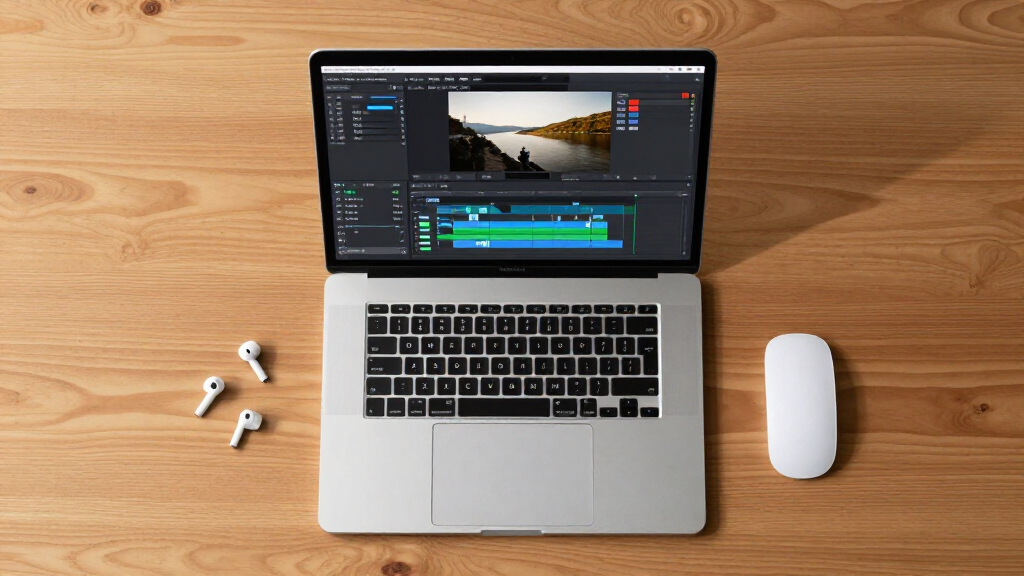

AI video editing software now handles the tasks that used to eat entire afternoons — cutting silences, masking objects, stabilizing shaky footage, and generating captions. After comparing twelve leading editors, CyberLink PowerDirector 2026 stands out as the best overall pick because it pairs genuinely useful AI tools with a timeline fast enough for real projects. Corel VideoStudio Ultimate 2021 remains a strong runner-up for its AI highlights and object tracking, while Movavi Video Editor 2026 is the easiest entry point for casual creators. The main tradeoff in this category is power versus simplicity: pro-grade suites like VEGAS Pro Edit 21 give you deeper AI audio restoration but demand a steeper learning curve, while consumer editors automate more but lock you into simpler workflows. Licensing is another split — subscription-free one-time purchases dominate this list, which matters if you hate recurring fees. Keep reading for the full breakdown, including which older versions are still worth buying and which to skip.

Get business pricing on tech for your team
- Business-only prices and quantity discounts
- Tax-exempt purchasing
- Multiple users, one account, clear invoices
Key Takeaways
- CyberLink PowerDirector 2026 earned the top spot because its AI features (wind removal, sky replacement, speech enhancement) are practical time-savers rather than gimmicks, and its editing engine keeps up on mid-range hardware.
- The two Movavi Video Editor 2026 entries (Mac and PC) are functionally the same editor — buy based on your operating system, not on feature differences, because there are none worth paying extra for.
- Older Corel VideoStudio releases (2020 and Pro 2021) still deliver most of the AI toolkit of Ultimate 2021 at a lower cost, but Ultimate’s extra effects pack and refined masking justify the gap for serious hobbyists.
- VEGAS Pro Edit 21 is the only true professional-grade option in this lineup; its AI audio restoration outclasses the consumer picks, but beginners will pay for that power in learning time.
- Several budget options — VideoPad and Nero Video Maker — advertise AI-assisted tools, but in practice these are basic automation. Anyone buying primarily for AI should expect to step up to CyberLink, Corel, or Movavi.
| Corel VideoStudio Pro 2021 Video Editing Software (PC Download) |  | Best for Beginners Who Want Room to Grow | Platform: PC (Windows) | Operating System: Windows 10, 8, 7 (64-bit only) | Minimum RAM: 4 GB (8+ GB recommended for HD/UHD) | VIEW LATEST PRICE | See Our Full Breakdown |
| Movavi Video Editor 2026 for Mac, Personal License |  | Best AI Toolkit for Mac Users | Platform: Mac | License: Personal | Version: 2026 | VIEW LATEST PRICE | See Our Full Breakdown |
| VEGAS Pro Edit 21 Video and Audio Editing Software, 1 License for PC (Online Code) |  | Best Premium Pick for Serious Projects | Platform: PC | License: 1 license | Delivery: Online code | VIEW LATEST PRICE | See Our Full Breakdown |
| Nero Video Maker Video Editing Software for Windows |  | Best Value for One-Time Buyers | Supported Resolutions: HD, 4K, 8K | License: Lifetime license | Device Limit: 1 PC | VIEW LATEST PRICE | See Our Full Breakdown |
| VideoPad Video Editor for Windows |  | Best Budget Pick for Older Machines | Platform: Windows | Supported OS: Windows 8, 7, Vista, XP | Minimum Processor: Celeron 2.1 | VIEW LATEST PRICE | See Our Full Breakdown |
| Movavi Video Editor 2026 Personal License [PC Download] | ” image=”https://m.media-amazon.com/images/I/619PZtyn1fL._AC_SY445_SX342_QL70_FMwebp_.jpg” link=”0″] | Best AI Time-Savers | Platform: PC | License Type: Personal (non-commercial) | Delivery Method: Download | VIEW LATEST PRICE | See Our Full Breakdown |
| Corel VideoStudio Ultimate 2021 [PC Download] | ” image=”https://m.media-amazon.com/images/I/613NQJXqBFL._AC_SX342_SY445_QL70_ML2_.jpg” link=”0″] | Best Effects Library | Platform: PC (Windows) | Version: 2021 | OS Support: Windows 10, 8, 7 (64-bit) | VIEW LATEST PRICE | See Our Full Breakdown |
| VideoPad Video Editor |  | Best Free Entry Point | Software Type: Video editing software | License: Free version, non-commercial use only | Audio Sources: Recorded audio, imported clips, NCH Sound Library | VIEW LATEST PRICE | See Our Full Breakdown |
| CyberLink PowerDirector and PhotoDirector 2026 |  | Best Two-in-One Creator Suite | Suite: PowerDirector + PhotoDirector 2026 | Operating System: Windows 11 | Delivery Method: Download code | VIEW LATEST PRICE | See Our Full Breakdown |
| Corel VideoStudio Pro 2020 Video Editing Software (PC Download) |  | Best Budget Creative Suite | Platform: PC | Version: 2020 | OS Support: Windows 7, 8, 10 (64-bit) | VIEW LATEST PRICE | See Our Full Breakdown |
| CyberLink PowerDirector 2026 Video Editing Software for Windows |  | Best for Content Creators and Screen Recorders | Operating System: Windows 11 | Platform: PC only (Windows download) | AI Features: Frame interpolation, object masking | VIEW LATEST PRICE | See Our Full Breakdown |
| Adobe Premiere Elements 2026 Video Editing Software, 3-Year License for PC and Mac |  | Best Guided Editing for Casual Editors | Software: Adobe Premiere Elements 2026 | Platform: PC and Mac | License Term: 3 years from redemption | VIEW LATEST PRICE | See Our Full Breakdown |
| AI video editing software | Platform |
|---|---|
| Corel VideoStudio Pro 2021 Vid | PC (Windows) |
| Movavi Video Editor 2026 for M | Mac |
| VEGAS Pro Edit 21 Video and Au | PC |
| Nero Video Maker Video Editing | — |
| VideoPad Video Editor for Wind | Windows |
| Movavi Video Editor 2026 Perso | PC |
| Corel VideoStudio Ultimate 202 | PC (Windows) |
| VideoPad Video Editor | — |
| CyberLink PowerDirector and Ph | — |
| Corel VideoStudio Pro 2020 Vid | PC |
| CyberLink PowerDirector 2026 V | PC only (Windows download) |
| Adobe Premiere Elements 2026 V | PC and Mac |
More Details on Our Top Picks
Corel VideoStudio Pro 2021 Video Editing Software (PC Download)
VideoStudio Pro 2021 earns its place by striking a rare balance: drag-and-drop simplicity up front, with genuinely advanced tools underneath. Where VideoPad stops at around 50 effects, Corel ships over 1,500 creative effects plus AR stickers, 360° editing, and multi-cam capture — capabilities that would cost far more elsewhere. Compared with Nero Video Maker, Corel’s slideshow and stop-motion tools feel more polished for family projects, though Nero counters with 8K export and a lifetime license. The tradeoffs are real: this is the 2021 release, so it trails newer editors like Movavi 2026 on AI features, and Blu-ray burning demands a paid plug-in. Still, for a newcomer who wants to start simple and graduate to color grading and green screen without switching software, this pick makes the most sense.
Pros:- Beginner-friendly drag-and-drop interface that hides advanced depth
- Over 1,500 effects plus AR stickers and 360° editing
- Multi-cam capture and screen recording included
- Direct upload to YouTube and social platforms
Cons:- Blu-ray burning requires a separate paid plug-in
- 2021 release lacks the newest AI features found in current versions
- Internet connection required for installation and updates
Best for: Windows beginners creating family movies, slideshows, and YouTube content who want pro-level tools without a steep learning curve
Not ideal for: Mac users and anyone who needs the newest AI features — the 2021 version lags behind 2026 releases like Movavi
- Platform:PC (Windows)
- Operating System:Windows 10, 8, 7 (64-bit only)
- Minimum RAM:4 GB (8+ GB recommended for HD/UHD)
- Storage Required:6 GB available space
- Graphics:Minimum 512 MB VRAM
- Key Features:Slideshow Maker, screen recorder, DVD burner, 360° editing, green screen, stop motion
- Version:2021
Our verdict“Choose this if you’re new to editing on Windows but don’t want to outgrow your software within a year.”
Movavi Video Editor 2026 for Mac, Personal License
Most editors in this lineup are Windows-only, which makes Movavi’s Mac version stand out immediately — but the real story is its practical AI toolset. Automatic subtitles with SRT export, background noise removal, silence removal, and AI background swapping solve the tedious chores that eat most editing time. Compared with Corel VideoStudio Pro, Movavi’s 2026 release feels more current, trading Corel’s sprawling effects library for smarter, task-focused automation. Against VEGAS Pro Edit 21, it sacrifices pro-grade color grading and VST3 audio support in exchange for an interface a first-timer can learn in an afternoon. The 100x speed control is unusually generous for this tier. The catch: the personal license restricts commercial use, and there’s no Windows version here — PC buyers should look at the sibling Movavi PC download instead.
Pros:- AI tools for automatic subtitles, noise removal, and silence removal
- AI background swapping without a green screen rig
- Speed control up to 100x for timelapse-style effects
- Clean drag-and-drop timeline with hundreds of customizable effects
Cons:- Mac only — Windows users need the separate PC version
- Personal license excludes business and commercial use
- Lacks the pro-level audio and grading depth of VEGAS Pro Edit
Best for: Mac hobbyists and content creators who want AI to handle subtitles, audio cleanup, and background swaps automatically
Not ideal for: Freelancers or businesses — the personal license doesn’t cover commercial work, and professionals will miss deeper color and audio tools
- Platform:Mac
- License:Personal
- Version:2026
- Effects:Hundreds of filters, transitions, titles, and overlays
- Automatic Subtitles:30+ styles, exportable as SRT
- Video Speed Control:Up to 100x
- AI Features:Noise removal, silence removal, background swapping
Our verdict“The strongest AI-per-dollar option for Mac owners who edit for personal projects or social channels.”
VEGAS Pro Edit 21 Video and Audio Editing Software, 1 License for PC (Online Code)
VEGAS Pro Edit 21 sits at the top of this lineup’s capability range, and it’s aimed at a different buyer entirely. Its unified video and audio timeline with VST3 plug-in support means you can mix a soundtrack properly without separate audio software — something neither Movavi nor Corel VideoStudio can claim. AI-assisted masking, video repair, and style transfer push it closer to professional workflows, while GPU-accelerated export saves hours on long projects. The tradeoffs are equally clear: it demands 16 GB of RAM minimum, Windows 10 or 11, and an internet connection, so casual editors and older PCs are shut out. If you’re producing paid client work or a serialized YouTube channel and find Nero or Corel limiting, this upgrade makes sense. If you edit vacation clips twice a year, skip it.
Pros:- Combined video and audio editing with VST3 plug-in support in one timeline
- AI-assisted masking, compositing, video repair, and style transfer
- Built-in color grading and GPU-accelerated export
- Professional compositing tools rare at this tier
Cons:- Demands 16 GB RAM minimum and a modern Windows 10/11 machine
- Steeper learning curve than Corel or Movavi
- Internet connection required for the online-code activation and use
Best for: Aspiring professionals and serious YouTubers on Windows who need integrated audio mixing, AI masking, and fast exports
Not ideal for: Casual editors or anyone with an older PC — the 16 GB RAM minimum and Windows 10/11 requirement rule out lightweight setups
- Platform:PC
- License:1 license
- Delivery:Online code
- Operating System:Microsoft Windows 10 or 11
- Minimum CPU:4 × 2.5 GHz
- Minimum RAM:16 GB
- Audio Plug-in Support:VST3
- Internet Connection:Required
Our verdict“The most capable option here — worth the investment only if your projects outgrew beginner editors.”
Nero Video Maker Video Editing Software for Windows
Nero’s pitch is simple: pay once, own it forever. In a roundup full of versions and licenses, its lifetime one-PC license with no subscription is the standout value play — and the feature sheet doesn’t skimp, with HD, 4K, and even 8K export, green screen, motion tracking, and over 1,000 templates. Compared with Corel VideoStudio Pro 2021, Nero covers similar creative ground while supporting 8K resolution Corel doesn’t, and its AI media management helps organize large clip libraries. Against VEGAS Pro Edit, Nero is far less demanding on hardware and far easier to learn, though it can’t match VEGAS’s audio tooling. Be realistic about the ceiling: this is versatile consumer software, not a professional suite, and the license locks you to a single Windows machine — upgrade your PC and you’ll need to sort out activation again.
Pros:- Lifetime license with no recurring subscription fees
- Exports up to 8K resolution — rare at this price tier
- Over 1,000 templates and effects plus green screen and motion tracking
- AI-powered media management for organizing large libraries
Cons:- Locked to a single PC — no second-device flexibility
- Windows only
- Consumer-grade toolset lacks pro audio and grading depth
Best for: Budget-conscious Windows users who hate subscriptions and want 4K/8K capability for family videos and hobby projects
Not ideal for: Multi-device households or Mac users — the license is locked to one Windows PC with no cross-platform support
- Supported Resolutions:HD, 4K, 8K
- License:Lifetime license
- Device Limit:1 PC
- Compatible OS:Windows 11, 10, 8, 7
- Templates and Effects:Over 1,000
- Key Features:Multi-track editing, AI media management, green screen, picture-in-picture, motion tracking
Our verdict“The smartest one-time purchase here for Windows hobbyists who refuse to rent their software.”
VideoPad Video Editor for Windows
VideoPad is the lightweight of this lineup, and that’s its whole value proposition. With requirements as low as 512 MB of RAM and a 2.1 GHz Celeron, it runs on hardware that would choke on VEGAS Pro Edit 21 and its 16 GB minimum. The feature set is honest rather than flashy: a drag-and-drop timeline, chroma key, over 50 effects, and export to DVD, mobile, and YouTube. Compared with Corel VideoStudio Pro, VideoPad offers a fraction of the creative arsenal — no 360° editing, no multi-cam, no AR stickers — but that simplicity is the point for someone editing on an aging laptop. The permanent license activation and registration requirement adds friction, and the dated spec sheet (Windows XP through 8) signals exactly where this tool sits. It’s a starter editor, and a capable one.
Pros:- Extremely low system requirements — runs on very old hardware
- Drag-and-drop timeline with chroma key included
- Broad format support for imports and exports
- Direct export to DVD, Blu-ray disc, mobile, and YouTube
Cons:- Small effects library compared with Corel or Nero
- Dated compatibility listings (Windows XP–8 era)
- Permanent license activation and registration required
Best for: Owners of old or low-spec Windows computers who need basic editing, chroma key, and YouTube or DVD export
Not ideal for: Anyone with a modern PC or ambitions beyond simple projects — Corel and Nero offer far more capability for modest extra cost
- Platform:Windows
- Supported OS:Windows 8, 7, Vista, XP
- Minimum Processor:Celeron 2.1
- Minimum RAM:512 MB
- Hard Disk Space:100 MB
- Video Card:16 MB
- Effects and Transitions:Over 50
- Export Formats:DVD, CD, Blu-ray, HD-DVD, AVI, WMV, ASF, MPG, 3GP, MP4, MOV
Our verdict“A serviceable entry point if your hardware rules out everything else in this guide.”
Movavi Video Editor 2026 Personal License [PC Download]
” image=”https://m.media-amazon.com/images/I/619PZtyn1fL._AC_SY445_SX342_QL70_FMwebp_.jpg” link=”0″]Best AI Time-Savers
View Latest PriceMovavi Video Editor 2026 earns its spot by focusing on the AI features that actually save time for everyday editors: one-click silence removal, auto-subtitles, AI noise reduction, and background swapping. Where Corel VideoStudio Ultimate 2021 buries similar capabilities inside a sprawling effects suite, Movavi puts them front and center on a clean drag-and-drop timeline. This makes it the pick for anyone whose biggest bottleneck is tedious cleanup work rather than creative styling. The tradeoff is scope — its 180+ filters feel modest next to VideoStudio’s 2,000-plus effects library, and the personal license blocks commercial use. Compared with VideoPad, which offers no comparable automation, Movavi’s AI toolset justifies the paid license for hobbyists who edit regularly and want repetitive tasks handled automatically.
Pros:- AI silence removal and auto-subtitles eliminate the most tedious editing chores
- AI noise reduction and background swapping clean up imperfect footage in one click
- Intuitive drag-and-drop timeline with a gentle learning curve
- Fast export speeds and high-speed playback controls speed up review and output
Cons:- Personal license forbids commercial or monetized projects
- PC-only with no Mac support in this version
- Effects library is far smaller than Corel VideoStudio’s
Best for: Hobbyist YouTubers and family-video editors who want AI to handle subtitle generation, silence cutting, and audio cleanup automatically
Not ideal for: Commercial creators or Mac users — the personal license restricts use to non-commercial projects and this version is PC-only
- Platform:PC
- License Type:Personal (non-commercial)
- Delivery Method:Download
- Version:2026
- AI Features:Noise Removal, Auto Subtitles, Silence Removal, Background Swap
- Effects Library:180+ filters and effects
Our verdict“Buy this if AI-assisted cleanup would save you hours per project and you only need a personal, PC-based editing workflow.”
Corel VideoStudio Ultimate 2021 [PC Download]
” image=”https://m.media-amazon.com/images/I/613NQJXqBFL._AC_SX342_SY445_QL70_ML2_.jpg” link=”0″]Best Effects Library
View Latest PriceIf creative styling matters more to you than AI automation, Corel VideoStudio Ultimate 2021 is the strongest option in this batch. Its 2,000+ visual effects, bundled NewBlueFX and proDAD premium collections, AR stickers, and 360° editing give it a depth of creative tooling that Movavi Video Editor 2026 simply can’t match. It also covers technical groundwork well, with video stabilization, color grading, and motion tracking that hobbyist tools like VideoPad lack entirely. The compromises are real, though: this is a 2021 release, so it misses the newer generative AI features found in CyberLink’s 2026 suite, Blu-ray burning needs a separate plug-in purchase, and installation requires an internet connection. For editors who think in visual flair rather than workflow shortcuts, this remains the richer creative playground.
Pros:- Over 2,000 effects plus premium NewBlueFX and proDAD collections
- Advanced tools including 360° editing, motion tracking, and color grading
- Instant Project Templates and AR stickers speed up stylized content
- Direct YouTube uploads and wide export format support
Cons:- Older 2021 version missing modern AI capabilities
- Blu-ray burning requires a separate paid plug-in
- Internet connection required for installation and updates
Best for: Creative hobbyists making slideshows, social content, and stylized home movies who want a massive palette of effects and templates
Not ideal for: Buyers wanting current AI tools — as a 2021 release it lacks the generative features and frame interpolation of 2026 editions
- Platform:PC (Windows)
- Version:2021
- OS Support:Windows 10, 8, 7 (64-bit)
- Processor:Core i3 / AMD A4 minimum; i7 / Athlon A10 for HD/UHD
- RAM:4 GB minimum; 8+ GB recommended
- Graphics:512 MB VRAM minimum
- Hard Drive Space:10 GB minimum
- Key Features:Video Stabilization, Color Grading, 360° Editing, Motion Tracking, AR Stickers
Our verdict“This pick makes the most sense for editors who prioritize effects variety over cutting-edge AI, provided they accept the older feature set.”
VideoPad Video Editor
VideoPad occupies the no-cost entry slot in this lineup, and it’s honest about what that means. You get basic video and picture editing, transitions, and surprisingly capable audio tools with pan, reverb, and echo effects, plus access to the NCH Sound Library for stock sounds — more audio flexibility than Movavi offers at its core. Sharing is straightforward too, with direct uploads to YouTube and Facebook or disc burning. But the limitations define the experience: the free version includes trial features and is restricted to non-commercial use, and there’s no AI assistance whatsoever — no auto-subtitles, no noise removal, no stabilization like Corel VideoStudio Ultimate 2021 provides. This option stands out as a place to learn editing fundamentals before committing money, not as a long-term solution.
Pros:- Free entry point for learning editing basics
- Audio editing with pan, reverb, and echo effects
- Stock sound library included for added production value
- Direct sharing to YouTube and Facebook plus disc burning
Cons:- Free version includes trial features and nags toward upgrading
- Restricted to non-commercial use
- No AI tools or advanced features compared with paid rivals
Best for: Absolute beginners and casual users who want to try video editing at no cost before deciding whether to invest in a paid tool
Not ideal for: Anyone monetizing content or wanting AI automation — the free license bars commercial use and the feature set is basic
- Software Type:Video editing software
- License:Free version, non-commercial use only
- Audio Sources:Recorded audio, imported clips, NCH Sound Library
- Audio Effects:Pan, reverb, echo
- Sharing Options:YouTube, Facebook, disc burning
- AI Features:None
Our verdict“Choose this only if you’re testing the waters; regular editors will quickly outgrow its basic toolset.”
CyberLink PowerDirector and PhotoDirector 2026
CyberLink’s 2026 bundle is the only option here that treats video and photo editing as one workflow, pairing PowerDirector’s AI video tools with PhotoDirector’s generative editing and object removal. For creators producing thumbnails, stills, and video together, that eliminates buying and learning a second app — something Movavi Video Editor 2026, with its video-only focus, can’t offer. The AI frame interpolation and object removal are genuinely current-generation features that the older Corel VideoStudio 2021 release simply doesn’t have, and the enhanced screen recording with separate clip export suits tutorial makers. The drawbacks are mostly environmental: it’s locked to Windows 11, excluding anyone on Windows 10 or macOS, and activation plus updates require an internet connection. This model is better suited to all-in-one creators than to specialists who only cut video.
Pros:- Combines full video and photo editing in a single purchase
- Modern generative AI features including object removal and frame interpolation
- Enhanced screen recording with separate clip export for tutorial content
- Interface approachable for beginners yet deep enough for advanced work
Cons:- Windows 11 only — no Windows 10 or macOS support
- Internet connection required for activation and updates
- Bundle pricing is wasted if you only need video editing
Best for: Content creators who produce both video and photography — YouTubers, bloggers, and small businesses building complete visual packages
Not ideal for: Windows 10 or macOS users, and anyone who edits video exclusively and would pay for photo tools they never touch
- Suite:PowerDirector + PhotoDirector 2026
- Operating System:Windows 11
- Delivery Method:Download code
- AI Features:AI Video Editing, Generative Photo Editing, AI Object Removal, Frame Interpolation
- Extras:Screen recording with separate clip export
- Activation:Internet connection required
Our verdict“If your workflow spans video and photos and you’re on Windows 11, this dual suite beats buying separate single-purpose apps.”
Corel VideoStudio Pro 2020 Video Editing Software (PC Download)
Corel VideoStudio Pro 2020 delivers a disproportionate amount of creative tooling for its vintage — 1,500+ filters and overlays, green screen effects, stop motion animation, and screen recording — capabilities that VideoPad can’t approach at any tier. Compared with its sibling VideoStudio Ultimate 2021, you give up some premium effects collections and 360° editing, but the core creative toolkit remains intact for less money, which is why it earns the budget slot rather than duplicating the Ultimate pick. It also handles stop motion, a niche feature none of the other products in this roundup offer at all. The honest tradeoffs: it’s a 2020 release with zero AI assistance, HD/UHD editing realistically wants an i7 and 8 GB of RAM, and registration demands an internet connection. It suits self-directed creators who style everything manually.
Pros:- 1,500+ filters, overlays, and titles for extensive creative styling
- Stop motion animation and green screen tools rarely found at this price
- Built-in screen recording for tutorials and gameplay
- Direct export to YouTube, Vimeo, and DVD
Cons:- 2020 version with no AI features or recent improvements
- HD/UHD editing realistically requires i7 processor and 8+ GB RAM
- Internet connection required for installation and registration
Best for: Budget-conscious hobbyists who want a deep effects library and unique tools like stop motion without paying for the Ultimate tier
Not ideal for: Buyers wanting AI shortcuts or the newest features — the 2020 release predates the automation now standard in 2026 editions
- Platform:PC
- Version:2020
- OS Support:Windows 7, 8, 10 (64-bit)
- Processor:Intel Core i3 / AMD A4 minimum; i7 / Athlon A10 for HD/UHD
- RAM:4 GB minimum; 8+ GB recommended
- Graphics:512 MB VRAM minimum; higher for hardware acceleration
- Storage:6 GB minimum
- Key Features:Screen Recording, Stop Motion, Green Screen, 1,500+ Filters
Our verdict“A sensible budget choice for hands-on creators who value effects variety over modern AI conveniences.”
CyberLink PowerDirector 2026 Video Editing Software for Windows
CyberLink PowerDirector 2026 stands out for creators who need AI frame interpolation and object masking without climbing the steep learning curve of a pro suite like VEGAS Pro Edit 21. The ability to record screen and webcam simultaneously and export them as separate clips makes this pick a natural fit for tutorial makers and streamers — a workflow that simpler editors like VideoPad simply can’t match. Compared with Adobe Premiere Elements 2026, PowerDirector leans harder into creator-style effects and speed, while Elements focuses on guided consumer editing. The tradeoff is platform lock-in: Windows 11 only, which shuts out Mac users entirely. The inclusion of brand kits also gives it an edge for small businesses producing consistent marketing content on a budget.
Pros:- AI frame interpolation smooths slow motion and action footage effectively
- Simultaneous screen and webcam recording exports as separate clips for easy editing
- Object masking enables selective effects and background removal
- Brand asset management keeps logos, colors, and intros consistent across projects
Cons:- Windows 11 only — no Mac support and no compatibility with older Windows installs
- Single-platform perpetual model means fewer cross-device workflow options than Adobe’s PC/Mac licensing
Best for: YouTubers, tutorial creators, and small businesses who record screen-plus-webcam content and want AI-assisted polish without pro-suite complexity
Not ideal for: Mac users or anyone on older Windows versions — the Windows 11 requirement is a hard limit
- Operating System:Windows 11
- Platform:PC only (Windows download)
- AI Features:Frame interpolation, object masking
- Recording:Screen and webcam recording with separate clip export
- Color Tools:Color adjustment suite
- Extra Tools:Visual effects, slideshow maker, brand kits
- Delivery Format:Windows digital download
Our verdict“If you build screen-based video content on a modern Windows machine and want AI tools that save real editing time, this is the strongest fit in the lineup.”
Adobe Premiere Elements 2026 Video Editing Software, 3-Year License for PC and Mac
Adobe Premiere Elements 2026 makes the most sense for buyers who want to learn while editing, thanks to its Quick, Guided, and Advanced modes — a structure no other option here, including Movavi Video Editor 2026 or Nero Video Maker, offers as explicitly. Where CyberLink PowerDirector 2026 targets creators with effects-heavy workflows, Elements prioritizes AI-driven organization: automatic tagging, face recognition, and curation mean your clip library manages itself. The 360° and VR editing support is rare at this level, though most casual users will never touch it. The honest tradeoff is the license — three years from redemption with no automatic renewal is clearer billing than a subscription, but it isn’t perpetual, unlike the one-time purchases elsewhere in this roundup.
Pros:- Quick, Guided, and Advanced modes grow with your skill level instead of overwhelming beginners
- AI-assisted automatic sorting, tagging, and face recognition keep large clip libraries organized
- Cross-platform support for both PC and Mac from a single license
- 360° and VR editing plus stop-motion tools go beyond typical consumer editors
Cons:- License expires after three years from redemption — not a perpetual purchase
- Requires online code activation, which adds a step and an internet dependency at setup
Best for: Home moviemakers and hobbyists on either platform who want guided lessons, automatic media organization, and set-and-forget highlight reels
Not ideal for: Buyers who want a permanent license — access ends after three years unless repurchased
- Software:Adobe Premiere Elements 2026
- Platform:PC and Mac
- License Term:3 years from redemption
- License Renewal:No automatic renewal
- Editing Modes:Quick, Guided, Advanced
- Video Features:360° and VR editing, stop-motion, color correction and grading
- Organization:Automatic sorting, backup, tagging, curation, face recognition
- Delivery:Online code, activation required
Our verdict“Casual editors and family-archive builders who value hand-holding and cross-platform flexibility will get the most from this three-year license.”

How We Picked
My ranking logic starts with one question: does the AI actually save time on real projects? Plenty of editors now slap an “AI” label on features that are little more than auto-filters. I weighted tools that solve genuine editing bottlenecks — silence removal, speech-to-text captions, object masking, motion tracking, and audio cleanup — far more heavily than cosmetic one-click effects. The depth of the underlying editor mattered too, because AI features are worthless if the timeline stalls the moment you add a second camera angle.
Beyond the AI itself, I evaluated ease of learning, hardware demands, licensing model, and format support. Consumer editors that render 4K smoothly on ordinary laptops ranked well for their audience; pro suites were judged on precision and workflow depth instead. I also compared version-to-version value — several older releases on this list still hold up, and calling out those bargains is part of what makes this roundup useful. Finally, cross-platform availability and whether the license is a one-time purchase or time-limited (as with Premiere Elements’ three-year term) affected final placement.
| AI video editing software | Platform |
|---|---|
| Corel VideoStudio Pro 2021 Vid | PC (Windows) |
| Movavi Video Editor 2026 for M | Mac |
| VEGAS Pro Edit 21 Video and Au | PC |
| Nero Video Maker Video Editing | — |
| VideoPad Video Editor for Wind | Windows |
| Movavi Video Editor 2026 Perso | PC |
| Corel VideoStudio Ultimate 202 | PC (Windows) |
| VideoPad Video Editor | — |
| CyberLink PowerDirector and Ph | — |
| Corel VideoStudio Pro 2020 Vid | PC |
| CyberLink PowerDirector 2026 V | PC only (Windows download) |
| Adobe Premiere Elements 2026 V | PC and Mac |
Factors to Consider When Choosing AI Video Editing Software
Before settling on an editor, it helps to understand what actually separates a good AI editing purchase from a disappointing one. These are the factors that shaped this ranking — and the mistakes buyers make most often.Real AI Versus Marketing AI
The biggest trap in this category is the label itself. Some products use machine learning to genuinely analyze footage — detecting faces, isolating voices from background noise, or tracking a moving object across hundreds of frames. Others simply renamed old one-click presets and called it AI. Before buying, look at which specific named features the editor offers and ask whether each one removes a task you personally hate. If you never record interviews, an editor famous for AI transcription offers you nothing. A common mistake is paying for a suite whose AI strengths target professional workflows you’ll never touch, while missing the simple automation (auto-trim, auto-captions) you actually wanted.
Your Hardware Sets Your Ceiling
AI features are computationally hungry — often more so than basic editing. Background removal, style transfer, and AI upscaling can bring an average laptop to a crawl, and no software spec sheet will warn you clearly. Check the recommended (not minimum) system requirements, and if you’re on integrated graphics, favor lighter editors like Movavi or VideoPad rather than pro suites like VEGAS. A related mistake: buyers with older machines purchase flagship software, then run every AI feature in a degraded mode that produces worse results than a mid-tier tool would. Matching the editor to your hardware matters more in this category than almost any other software purchase.
License Type and Long-Term Cost
This list mixes one-time purchases, version-locked downloads, and time-limited licenses — and the differences add up. A perpetual license keeps working forever but may stop receiving new AI models as the developer moves on, which matters because AI features age faster than editing tools. Adobe Premiere Elements’ three-year license is a middle path: newer AI models during the term, but a renewal decision later. My advice: if AI is the reason you’re buying, newer versions justify their cost because the models improve year over year. If you mainly want a solid editor with some AI assistance, an older perpetual release like VideoStudio 2020 is the smarter buy.
Output Goals: Speed, Platform, and Destination
Where your videos end up should shape your choice more than it usually does. YouTube creators need fast export presets, reliable 4K rendering, and captioning tools for accessibility. Someone cutting family footage cares more about automatic slideshow and highlight generation than color grading wheels. Social-first editors should check vertical-format and aspect-ratio handling, which some older editors handle clumsily. Also verify export format flexibility — a few budget editors quietly restrict resolution or add watermarking on free tiers, which buyers discover only after hours of editing. Work backward from your destination platform before comparing feature lists.
Learning Curve Versus Room to Grow
Beginners routinely overbuy. A pro suite with a six-week learning curve can kill a creative habit before it starts, while a beginner editor can be outgrown in six months if your ambitions expand. The honest middle ground: editors like PowerDirector and VideoStudio layer complexity, letting you start with automated tools and gradually adopt manual controls. If you suspect you’ll eventually want multi-cam editing or advanced keyframing, buy an editor that scales with you rather than the simplest option available. But if your projects will stay casual, paying for depth you’ll never use is money wasted — the easy tools win.
Frequently Asked Questions
Is it worth paying for the latest 2026 versions, or are older releases like VideoStudio 2020 good enough?
It depends on why you’re buying. If AI features are your main draw, newer versions are worth the premium because the underlying models improve meaningfully each year — CyberLink’s 2026 audio cleanup and sky replacement are noticeably better than what shipped even two iterations earlier. However, if you want a reliable traditional editor with a few AI conveniences, VideoStudio 2020 still covers highlights, masking, and basic automated edits competently. The honest compromise is often a one-generation-old release, which keeps most current AI capability at a lower price. Just avoid versions so old that the developer has stopped updating them, since AI features are the first thing to stagnate.
Do I need a powerful computer to run AI video editing features?
Generally yes, though the threshold varies by product. AI features like background removal, object tracking, and speech enhancement lean heavily on your processor and sometimes a dedicated graphics card. On integrated graphics, lighter editors such as Movavi or VideoPad will run acceptably, while VEGAS Pro and PowerDirector will feel sluggish when AI tools are active. A practical rule: if your machine struggles with basic 4K playback, prioritize editors with proxy editing support, which creates lightweight working files and only demands full power at export. Also check whether the software runs AI processing on-device or in the cloud — cloud-based processing shifts the burden off your hardware but requires a steady internet connection.
What’s the difference between the Movavi Mac and PC versions of Video Editor 2026?
Functionally, almost nothing — the two entries in this lineup are the same editor built for different operating systems, with the same AI-driven tools, interface, and feature set. The decision comes down to your platform, not a feature comparison. One caveat worth knowing: license terms differ slightly between listings, and a personal license typically covers one machine, so households with both a Mac and a PC may need two licenses rather than assuming one carries over. Compared with cross-platform options like Adobe Premiere Elements, which explicitly supports both systems under one license, Movavi’s platform-split approach is slightly less flexible. If you only edit on one device, this distinction won’t matter at all.
Can these AI editors fully replace a human editor for professional work?
Not yet, and any product claiming otherwise is overselling. What current AI does well is the repetitive middle of the workflow — trimming dead air, syncing audio, stabilizing footage, generating first-pass captions, and masking objects that would take hours by hand. What it still does poorly is creative judgment: pacing, story structure, music selection, and knowing which take has the right emotional beat. Professionals on this list, particularly VEGAS Pro users, treat AI as an assistant that handles drudgery while they make the decisions that define the final piece. Hobbyists producing social content can get away with heavy automation, but anyone delivering client work should expect to refine every AI output manually.
Should I choose a one-time purchase editor or a subscription-style license like Premiere Elements’ three-year term?
A one-time purchase wins if you dislike recurring costs, edit occasionally, or are happy freezing your feature set at purchase — Corel and CyberLink’s perpetual licenses keep working indefinitely even after updates stop. The three-year license model makes sense when AI capability is central to your purchase, because it guarantees newer features and model improvements during the term, and AI tools age faster than any other part of an editor. Budget-wise, calculate cost per year: a modest perpetual license used for five years often beats a shorter-term license renewed twice. The risk with perpetual licenses is obsolescence — your editor will still run, but its AI will gradually fall behind what competitors offer.
Conclusion
Mapping this lineup to buyer types makes the choice straightforward. For best overall, CyberLink PowerDirector 2026 delivers the most genuinely useful AI tools alongside a professional-grade timeline, and its PhotoDirector bundle adds photo editing without much extra cost. For best value, Movavi Video Editor 2026 automates the basics elegantly at a consumer-friendly price, and Corel VideoStudio 2020 is the bargain hunter’s pick if you want a deeper editor for less. For best premium, VEGAS Pro Edit 21 is the clear choice — its AI audio restoration and precision workflow are a class above everything else here, provided you’re willing to learn a professional tool.
Best for beginners goes to Movavi again or Nero Video Maker, both of which trade power for approachability. For specific needs: choose Corel VideoStudio Ultimate 2021 if you want creative AI effects like sky replacement in a consumer package, Adobe Premiere Elements 2026 if you split time between Mac and PC under one license, and VideoPad if you just need lightweight edits on modest hardware. Whatever you pick, match the editor to your hardware and your actual editing habits — that decision will shape your satisfaction more than any feature list.
Fall Picks
fall essentials
As an affiliate, we earn on qualifying purchases.