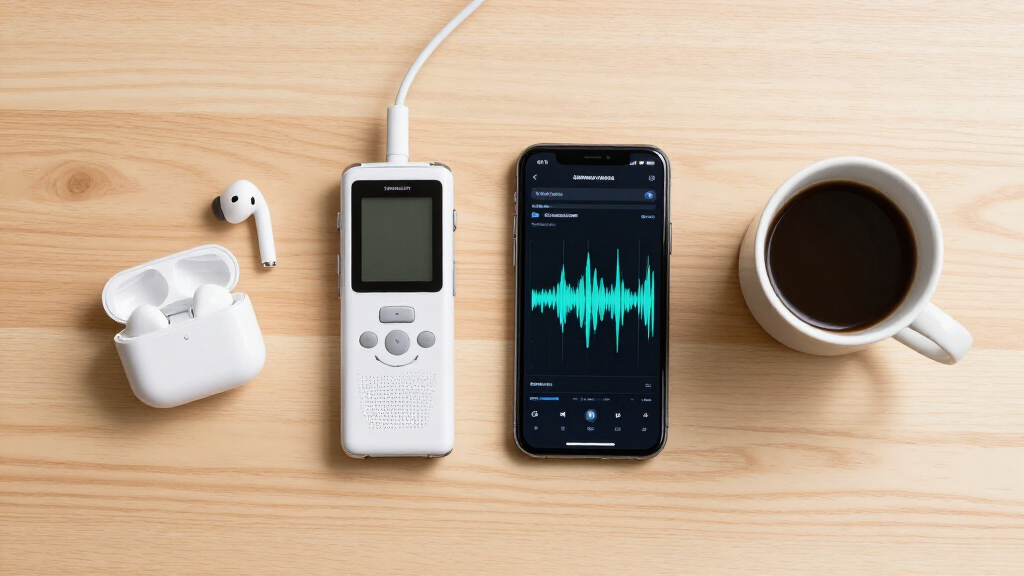

Choosing an AI meeting transcription tool means deciding whether you need a dedicated recorder, broad language support, or a plug-and-play productivity hub. I rank the GELAMI Black Smart Recorder first for its stated recording capacity, battery life, and range of transcription and language tools. The GELAMI Purple Smart Recorder is a close alternative with meeting and phone-call modes plus keyword search, while the AI Voice Hub suits buyers who want translation and document tools across several device types.

Get business pricing on tech for your team
- Business-only prices and quantity discounts
- Tax-exempt purchasing
- Multiple users, one account, clear invoices
The tradeoff is how much of the workflow each listing explains. Both GELAMI models give concrete hardware details but rely on an app and cloud services for AI features; the Purple listing also mentions a monthly allowance without clarifying additional-use terms. The Voice Hub describes a wider set of software functions, yet gives little detail about its connection, recording process, or AI access. I weigh practical meeting capture, stated capabilities, and clarity of the tradeoffs over claims such as advertised transcription accuracy.
Key Takeaways
- The GELAMI Black is my overall pick because its listing combines dedicated recording hardware, 64GB storage, up to 30 hours of battery life, and transcription, translation, interpretation, and summaries.
- The GELAMI Purple adds meeting and phone-call modes and keyword search, but its stated 400 complimentary monthly transcription minutes leave ongoing usage terms unclear.
- Both GELAMI recorders rely on a companion app and cloud services for AI functions, so neither is a clearly self-contained, offline transcription system.
- The AI Voice Hub is the software-oriented alternative, with translation, ChatGPT and DeepSeek integration, and document conversion, but its recording and connection details are sparse.
- Do not treat the GELAMI listings’ claimed accuracy or noise reduction figures as independently established performance; check whether the app workflow and usage terms fit your meetings.
| GELAMI AI Smart Recorder with Real-Time Transcription and Interpretation, 64GB, Black |  | Best Overall | Storage: 64GB | Recording capacity: Up to 500 hours, as stated | Battery life: Up to 30 hours, as stated | VIEW LATEST PRICE | See Our Full Breakdown |
| GELAMI AI Smart Recorder with Real-Time Transcription and Interpretation, 64GB, Purple |  | Best for Meeting Modes and Search | Storage: 64GB | Recording capacity: Up to 500 hours, as stated | Battery life: Up to 30 hours, as stated | VIEW LATEST PRICE | See Our Full Breakdown |
| AI Voice Hub with Real-Time Transcription, Translation, and ChatGPT Integration |  | Best for a Broader AI Productivity Workflow | Transcription: Real-time speech-to-text, as stated | Translation: Multilingual voice translation, as stated | AI integrations: ChatGPT and DeepSeek | VIEW LATEST PRICE | See Our Full Breakdown |
| AI meeting transcription tool | Storage | Recording capacity | Battery life | Microphones |
|---|---|---|---|---|
| GELAMI AI Smart Recorder with | 64GB | Up to 500 hours, as stated | Up to 30 hours, as stated | Two omnidirectional built-in microphones |
| GELAMI AI Smart Recorder with | 64GB | Up to 500 hours, as stated | Up to 30 hours, as stated | Two omnidirectional microphones |
| AI Voice Hub with Real-Time Tr | — | — | — | — |
More Details on Our Top Picks
GELAMI AI Smart Recorder with Real-Time Transcription and Interpretation, 64GB, Black
The GELAMI Black Smart Recorder makes the strongest all-around case for buyers who want a physical device to capture meetings and an app-based layer to turn recordings into text and summaries. Its listing specifies two omnidirectional microphones, stereo and noise-cancellation modes, 64GB of storage, and up to 30 hours of battery life. Those details make it easier to judge the basic recording setup than the AI Voice Hub’s less specific description.
Its language functions are broad on paper: the product advertises transcription, translation, interpretation, and summaries in more than 100 languages. That breadth is useful for multilingual discussions, but the listing does not establish how each function performs in real meeting conditions. The claimed 98% transcription accuracy is a manufacturer figure, so I would not use it as a guarantee for accents, overlapping speech, specialist terms, or poor microphones.
Compared with the Purple GELAMI, the Black listing is less explicit about keyword search and separate meeting and phone-call modes. Its advantage is a relatively clear hardware and storage profile, including a claimed capacity of up to 500 recording hours. Both models require the companion app and cloud services for AI features, so the recorder alone is not the whole workflow. I’d choose this one for broad meeting capture needs, while buyers seeking local-only transcription or clearly stated ongoing AI terms should look elsewhere.
Pros:- Lists two omnidirectional microphones with stereo and noise-cancellation modes.
- Offers transcription, translation, interpretation, and summaries across 100+ languages.
- Specifies 64GB storage, up to 500 recording hours, and up to 30 hours of battery life.
- Magnetic attachment and app-based editing and sharing support a portable recording workflow.
Cons:- AI functions depend on the companion app and cloud services.
- The 98% accuracy figure is a manufacturer claim, not an independently established result.
- The listing provides less detail than the Purple model about meeting and phone-call modes and keyword search.
Best for: People who want a dedicated recorder with substantial stated storage and a broad set of transcription and multilingual tools for meetings.
Not ideal for: Buyers who need offline or local transcription, verified accuracy results, or a complete description of cloud access and usage terms before purchase.
- Storage:64GB
- Recording capacity:Up to 500 hours, as stated
- Battery life:Up to 30 hours, as stated
- Microphones:Two omnidirectional built-in microphones
- Microphone modes:Stereo and noise cancellation
- Supported languages:100+ for AI features, as stated
- Connectivity:Bluetooth 5
- Material:Aluminum alloy
Our verdict“I’d choose the Black GELAMI for the clearest balance of dedicated recording hardware, stated capacity, and multilingual meeting features, provided its app and cloud workflow suits you.”
GELAMI AI Smart Recorder with Real-Time Transcription and Interpretation, 64GB, Purple
The Purple GELAMI is the more workflow-specific choice of the two recorders. Its listing calls out separate modes for meetings and phone calls, along with keyword search and meeting summaries. That makes it a more natural fit for someone who expects to capture different kinds of conversations and later retrieve a particular topic. The Black model has a comparable core recording profile, but these search and mode details are not stated as clearly for it.
On the hardware side, the Purple version lists 64GB storage, up to 500 hours of recordings, up to 30 hours of battery life, and two omnidirectional microphones with noise reduction. It also identifies transcription as powered by OpenAI Whisper. That name helps describe the listed transcription technology, though it does not tell a buyer how the recorder handles consent, connectivity interruptions, speaker labeling, or specialized vocabulary.
The key caveat is ongoing use. The listing says 400 minutes of monthly ChatGPT transcription and summarization are complimentary, but leaves additional usage terms unspecified. I would clarify those terms before relying on this device for frequent or long meetings. Like the Black model, it depends on its app and cloud services for AI features, and its claims about 98% accuracy and filtering background noise are product claims. Pick Purple over Black for its more explicit search and recording modes; choose Black if those details matter less than a straightforward hardware-centered listing.
Pros:- Lists distinct meeting and phone-call recording modes.
- Includes keyword search and meeting summaries in the app description.
- Specifies Whisper-powered real-time transcription and support for 100+ languages.
- States 64GB storage, up to 500 recording hours, and up to 30 hours of battery life.
Cons:- The listing does not explain charges or limits after the 400 complimentary monthly minutes.
- AI transcription and summaries depend on the app and cloud services.
- Accuracy and background-noise reduction percentages are product claims.
Best for: People who record both meetings and phone calls and want the listing to specify keyword search and meeting summaries.
Not ideal for: Frequent transcribers who need predictable ongoing usage terms, offline processing, or verified performance claims.
- Storage:64GB
- Recording capacity:Up to 500 hours, as stated
- Battery life:Up to 30 hours, as stated
- Transcription:Real-time; listing says powered by OpenAI Whisper
- Supported languages:100+, as stated
- Microphones:Two omnidirectional microphones
- Interface:USB Type-C
- Monthly allowance:400 complimentary minutes for ChatGPT transcription and summarization, as stated
Our verdict“I’d favor Purple over the Black model when meeting modes and searchable notes matter, after confirming the terms for transcription beyond its stated monthly allowance.”
AI Voice Hub with Real-Time Transcription, Translation, and ChatGPT Integration
The AI Voice Hub takes a different route from the two GELAMI products: its pitch centers on a collection of software functions rather than a clearly specified portable recorder. The listing describes real-time speech-to-text, multilingual voice translation, ChatGPT and DeepSeek integration, and conversion among PDF, Word, PNG, and PPT formats. For a buyer who wants transcription to sit alongside document tasks, that wider tool set may be more relevant than the GELAMI models’ stated microphone and battery details.
Its claimed plug-and-play compatibility spans PCs, Chromebooks, tablets, and gaming consoles, with no drivers required. That range could suit a mixed-device setup, but important practical details are absent: the listing does not say what kind of connection it uses, give dimensions or weight, or explain whether the hub itself records audio. Nor does it explain how the included AI functions work, what services they require, or whether use is limited.
That lack of detail puts it third for buyers whose main goal is dependable meeting capture. Both GELAMI recorders specify microphones, storage, and battery life, giving a clearer picture of what arrives as recording hardware. The Voice Hub may be the more appealing option for someone who values its claimed translation and document tools, but I would first confirm connection requirements and the actual transcription workflow. Its breadth is the differentiator; its unclear operating details are the tradeoff.
Pros:- Combines real-time speech-to-text and multilingual voice translation.
- Lists ChatGPT and DeepSeek AI integration.
- Describes document conversion for PDF, Word, PNG, and PPT files.
- Claims plug-and-play compatibility with PCs, Chromebooks, tablets, and gaming consoles.
Cons:- The listing does not provide dimensions, weight, or connection type.
- It does not explain how its AI features are accessed or what usage terms apply.
- Recording hardware, storage, and battery specifications are not provided.
Best for: People who want transcription and translation alongside document conversion and AI integrations across several device types.
Not ideal for: Buyers seeking a well-specified standalone recorder with stated microphones, storage, battery life, and a clearly described meeting workflow.
- Transcription:Real-time speech-to-text, as stated
- Translation:Multilingual voice translation, as stated
- AI integrations:ChatGPT and DeepSeek
- Document conversion:PDF, Word, PNG, and PPT
- Setup:Plug and play; listing says no drivers required
- Compatible devices:PCs, Chromebooks, tablets, and gaming consoles
- Connection type:Not specified
- Recording hardware:Not specified
Our verdict“I’d consider the Voice Hub for its wider translation and document workflow, but the GELAMI recorders are easier to evaluate as meeting capture devices.”

How We Picked
I compared these three products on the questions that matter when choosing a meeting transcription setup: how audio is captured, what transcription and language features are described, what the buyer must do in an app or connected service, and how clearly the listing explains capacity and limitations.
I gave the strongest position to the product with the clearest combination of recorder hardware and meeting-relevant functions. The GELAMI Black lists two omnidirectional microphones, noise cancellation modes, 64GB storage, and up to 30 hours of battery life, alongside transcription, translation, interpretation, and summaries. The Purple model shares much of that foundation and adds explicit meeting and phone-call modes and keyword search. I treat those as meaningful workflow distinctions, while recognizing that the listings do not establish how well either performs in a particular room or call.
The Voice Hub is included for buyers whose need extends beyond a standalone recorder. Its described translation, AI integrations, and document conversion may appeal to people moving between transcription and other tasks, but the product details omit recording hardware, connection type, and the way its AI functions are accessed. I therefore rank clarity and meeting capture ahead of breadth of software claims. Across all three, I distinguish stated specifications from manufacturer claims and avoid treating claimed accuracy or noise reduction percentages as verified results.
| AI meeting transcription tool | Microphones | Transcription |
|---|---|---|
| GELAMI AI Smart Recorder with | Two omnidirectional built-in microphones | — |
| GELAMI AI Smart Recorder with | Two omnidirectional microphones | Real-time; listing says powered by OpenAI Whisper |
| AI Voice Hub with Real-Time Tr | — | Real-time speech-to-text, as stated |
Factors to Consider When Choosing AI Meeting Transcription Tools
For meeting transcription, I would start with the capture workflow rather than the longest feature list. A useful choice depends on where the conversation happens, what happens to the audio afterward, and whether the listing provides enough detail to judge the setup.
Decide whether you need a recorder or a software hub
The GELAMI models are presented as dedicated recorders, with microphones, onboard storage, and battery life specified. That can matter when you want a separate device to capture a conversation rather than relying entirely on a computer or phone. The AI Voice Hub is described more as a plug-and-play productivity device, but its listing leaves the recording hardware and connection method unclear. If your priority is simply turning an existing computer meeting into text, first confirm that any product you choose supports the actual source and software you use.
Check how audio becomes a transcript
Both GELAMI listings place their AI features in a companion app and cloud services. That means buyers should understand what connection is needed, how recordings are transferred, and what account or service terms apply. Purple specifically names OpenAI Whisper for transcription; the Black listing describes the AI functions without that same detail. The Voice Hub mentions ChatGPT and DeepSeek integration but does not explain how a meeting recording reaches those tools. A named model or service is useful context, but it is not a promise of accuracy across every room, language, or speaker.
Match language features to the meeting
For multilingual meetings, the GELAMI devices claim support for more than 100 languages and list transcription, translation, and interpretation. Those are distinct tasks: a transcript records spoken words, translation renders them in another language, and interpretation may refer to live spoken translation. The listings do not fully clarify which language pairs or live modes are available in every scenario. The Voice Hub also advertises multilingual translation, but gives less operational detail. If a specific language or real-time workflow is essential, check that exact combination before choosing.
Treat accuracy and noise claims carefully
The GELAMI listings provide figures for claimed transcription accuracy and noise reduction, but those remain manufacturer claims in the supplied information. Real meeting audio varies with room echo, distance, overlapping speakers, accents, and technical vocabulary. The two omnidirectional microphones and noise modes give buyers concrete hardware context, yet do not establish results for a particular environment. Consider whether you can review and correct transcripts, and whether the product explains speaker identification or editing before you depend on its output.
Understand limits, storage, and battery needs
Both GELAMI recorders state 64GB of storage, up to 500 hours of recordings, and up to 30 hours of battery life. These figures help compare the devices on paper, but actual capacity can depend on recording settings and how files are managed. Purple adds a stated 400 complimentary monthly minutes for ChatGPT transcription and summarization, while leaving the terms for additional use unclear. The Black listing does not provide an equivalent allowance in the supplied details. Ask what ongoing access entails if you expect to transcribe many hours each month.
Choose based on the work after the meeting
If your priority is capture plus searchable meeting notes, Purple’s listed keyword search and meeting summaries make it the more explicit fit. If you want broad stated recording capacity and language features without relying on those particular search details, Black is my more balanced recommendation. The Voice Hub is aimed at a different need: pairing transcription with document conversion and AI integrations. Its additional functions may suit a broader productivity workflow, but I would verify the basic recording and connection process before treating it as a meeting recorder.
Frequently Asked Questions
Which of these tools is the best fit for ordinary meeting transcription?
I would start with the GELAMI Black if you want a dedicated recorder and a comparatively clear specification for microphones, storage, and battery life. The Purple model is similarly equipped on paper and adds explicit meeting modes and keyword search. Either choice depends on accepting an app and cloud-based AI workflow; neither listing establishes that it will produce accurate transcripts in every meeting environment.
What is the difference between the Black and Purple GELAMI recorders?
The listed core hardware is similar: each has 64GB storage, two omnidirectional microphones, and up to 30 hours of battery life. The Purple listing more clearly specifies meeting and phone-call modes, keyword search, and meeting summaries, and it states a 400-minute monthly allowance for ChatGPT transcription and summarization. Additional usage terms are not described. The Black listing is less explicit about those workflow details and instead gives a straightforward broad feature and hardware profile.
Can I use these products without sending recordings to cloud services?
The supplied descriptions do not establish an offline AI transcription workflow for any of the three products. Both GELAMI listings say their AI features require the companion app and cloud services. The Voice Hub names ChatGPT and DeepSeek integration but does not explain data handling or whether processing occurs locally. If privacy or offline operation is a requirement, check the current product and service terms for storage, processing, deletion, and account controls before recording sensitive discussions.
Should I rely on the stated transcription accuracy or noise reduction figures?
I would treat those figures as product claims, not as a guarantee for your meetings. Accuracy can vary with room acoustics, microphone distance, interruptions, language, accents, and specialist terms. The listings provide no independent comparison or test conditions for the figures. If transcript quality matters, confirm whether the workflow lets you review and edit results, and consider how you will handle errors before using a transcript as an official record.
When does the AI Voice Hub make more sense than a GELAMI recorder?
The Voice Hub may fit someone who wants transcription and multilingual translation alongside document conversion and ChatGPT or DeepSeek integration. The GELAMI devices are easier to assess as recorders because their listings specify microphones, storage, and battery life. For the Voice Hub, the connection type, recording setup, and AI usage terms are not described in the supplied details. I’d choose it only after confirming those points for the devices and meeting workflow you plan to use.
Conclusion
For a dedicated meeting recorder with the clearest stated combination of capacity, battery, microphones, and language features, I recommend the GELAMI Black. Choose the Purple GELAMI if meeting and phone-call modes, searchable keywords, and summaries matter more, after clarifying what happens when its stated monthly allowance is used. The AI Voice Hub is the option for buyers drawn to translation, AI integrations, and document conversion across several device types, but its recording details need confirmation. In every case, match the cloud workflow and actual usage terms to your needs, and treat performance figures as claims rather than guarantees.
Halloween Picks
halloween
As an affiliate, we earn on qualifying purchases.