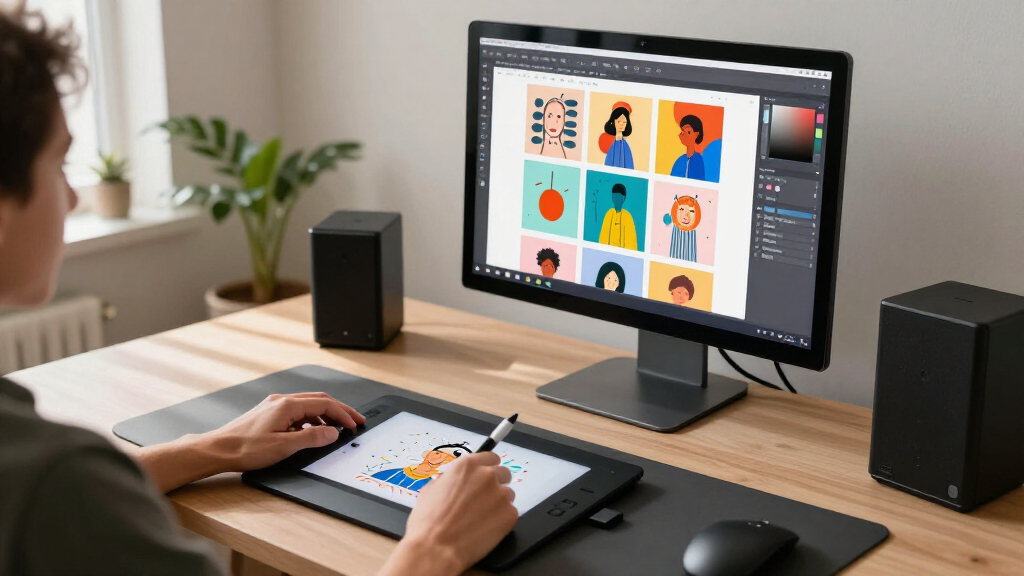

Adobe Firefly is my best overall pick among these six guides for readers who want a clear path into image generation and other creative workflows. Canva AI Mastery is a more approachable starting point, while the ComfyUI guides focus on the node based workflows that offer greater control but ask more of the learner. The main tradeoff is simplicity versus flexibility: guided, familiar creative tools can be easier to start with, while workflow focused learning suits readers willing to understand more moving parts. These are instructional books rather than image generation applications, so they help readers learn software instead of providing software access themselves. Continue reading for the full comparison and a guide to choosing the right learning path.

Get business pricing on tech for your team
- Business-only prices and quantity discounts
- Tax-exempt purchasing
- Multiple users, one account, clear invoices
Key Takeaways
- Adobe Firefly’s guide has the broadest stated scope, covering image generation, text to video, prompt writing, and creative workflows in one title.
- Canva AI Mastery is the clearest beginner leaning choice in this lineup, while its focus is narrower than the guides that center on ComfyUI workflows.
- Three of the six books teach ComfyUI, signaling a strong emphasis on node based workflow learning; their overlapping focus makes the level of detail and teaching style key differentiators.
- Leonardo.Ai’s book is the lineup’s platform specific option, making it a better fit for readers who have already chosen that image creation environment.
- None of these titles is the software itself; buyers should check that they want an instructional guide and confirm its coverage matches the current version of their chosen tool.
| Canva AI Mastery: The Complete Beginner-to-Expert Guide (2026 Edition) |  | Best for All-in-One Creative AI | Edition: 2026 | Format: Guide (digital/print) | Tools Covered: Magic Write, Magic Design, AI image generation, video, presentations | VIEW LATEST PRICE | See Our Full Breakdown |
| ComfyUI Mastery for Beginners: The Complete Step-by-Step Guide to AI Image Generation with ComfyUI |  | Best Entry Point to Node-Based Generation | Format: Paperback/Kindle | Topic: AI image generation with ComfyUI | Audience: Beginners | VIEW LATEST PRICE | See Our Full Breakdown |
| ADOBE FIREFLY 2026 USER GUIDE FOR BEGINNERS: Master AI Image Generation, Text-to-Video, Prompt Engineering & Creative Workflows |  | Best for Creative Suite Integration | Edition: 2026 | Platform: Adobe Firefly | Features Covered: AI image generation, text-to-video, prompt engineering, creative workflows | VIEW LATEST PRICE | See Our Full Breakdown |
| ComfyUI 2026: The Complete Beginner-to-Advanced User Guide: The Complete Beginner-to-Advanced Guide to Nodes, AI Image Generation, Workflows, Custom … Video Creation, and Troubleshooting |  | Best for Power Users | Edition: 2026 | Coverage: Beginner to advanced | Topics: Nodes, AI image generation, workflows, custom nodes, video creation, troubleshooting | VIEW LATEST PRICE | See Our Full Breakdown |
| Leonardo.Ai Image Generation Models: The Complete Visual Creation Masterbook |  | Best for Artistic Model Craft | Platform: Leonardo.Ai | Topics: AI art, prompt engineering, photorealism, editing, references, consistency, workflows | Platform Type: Web-based, subscription-capable | VIEW LATEST PRICE | See Our Full Breakdown |
| ComfyUI User Guide: A Practical Step-by-Step Manual to Master AI Image Generation, Build Powerful Node-Based Workflows, Create Stunning Artwork, Animations, and Professional Visual Projects |  | Best for Workflow Builders | Format: Paperback / eBook user guide manual | Focus Area: ComfyUI node-based workflows and AI image generation | Skill Level: Beginner to advanced (picks up pace early) | VIEW LATEST PRICE | See Our Full Breakdown |
| AI image generation software | Edition | Format | Audience | Platform |
|---|---|---|---|---|
| Canva AI Mastery: The Complete | 2026 | Guide (digital/print) | — | — |
| ComfyUI Mastery for Beginners: | — | Paperback/Kindle | Beginners | — |
| ADOBE FIREFLY 2026 USER GUIDE | 2026 | — | Beginners | Adobe Firefly |
| ComfyUI 2026: The Complete Beg | 2026 | — | — | ComfyUI (open-source) |
| Leonardo.Ai Image Generation M | — | — | — | Leonardo.Ai |
| ComfyUI User Guide: A Practica | — | Paperback / eBook user guide manual | Hobbyists and freelance visual creators | — |
More Details on Our Top Picks
Canva AI Mastery: The Complete Beginner-to-Expert Guide (2026 Edition)
This guide earns its place by covering the entire Canva AI ecosystem — Magic Write, Magic Design, image generation, video, and presentations — inside one volume. Where the ComfyUI Mastery book goes narrow and technical, this option goes broad and practical, which makes it the strongest fit for someone who wants visuals plus layout, copy, and delivery in a single workflow. The monetization chapters set it apart from every other entry here: none of the others treat AI image skills as a business asset. The tradeoff is breadth over depth. Readers who want deep control over model settings will find Canva’s simplified toolset limiting, and the sheer scope can overwhelm someone who only wants to generate images. Compared with the Leonardo.Ai Masterbook, this is less about artistic precision and more about finished, publishable output.
Pros:- Covers all major Canva AI tools in a single volume, from Magic Write to video
- Step-by-step structure works for both beginners and advanced users
- Includes concrete strategies to turn Canva AI skills into income
- Updated for 2026, so the features covered match the current platform
Cons:- The breadth can overwhelm absolute newcomers who just want image generation basics
- Shallow on advanced prompting and model control compared to dedicated generation platforms
Best for: Small business owners, marketers, and freelancers who need complete visual assets — not just raw images — and want to monetize those skills
Not ideal for: Technical artists who want node-level control or custom model workflows — Canva’s simplified AI tools cap how far you can push output
- Edition:2026
- Format:Guide (digital/print)
- Tools Covered:Magic Write, Magic Design, AI image generation, video, presentations
- Skill Range:Beginner to expert
- Includes Monetization Guidance:Yes
- Platform Focus:Canva AI ecosystem
Our verdict“Buy this if you want one book that takes you from first login to paid client work inside Canva’s AI suite.”
ComfyUI Mastery for Beginners: The Complete Step-by-Step Guide to AI Image Generation with ComfyUI
ComfyUI has a deserved reputation for being intimidating — a canvas of nodes and wires that assumes technical patience. This guide’s value is that it flattens that learning curve into a complete, sequential walkthrough of the workflow tool. Compared with ComfyUI 2026: The Complete Beginner-to-Advanced Guide, this book stays firmly in beginner territory, which is exactly the point: it’s the safer on-ramp before committing to a 600-page advanced manual. Compared with the Canva AI Mastery guide, the philosophy is inverted — less polish and templates, more direct control over the generation pipeline. The honest drawback is obsolescence risk. ComfyUI updates constantly, and node-based UIs change fast, so portions of the book may drift from the current interface. It’s also a niche pick: general creative readers should look elsewhere.
Pros:- Genuinely beginner-friendly approach to a notoriously technical interface
- Covers the complete ComfyUI workflow from installation to output
- Focused on a free, open-source tool with no subscription costs
- Step-by-step structure that mirrors how you actually learn the software
Cons:- Niche topic with limited value outside the ComfyUI ecosystem
- Frequent ComfyUI updates mean screenshots and workflows can become outdated
Best for: Hobbyists and self-taught creators who want to run local, open-source image generation but are intimidated by ComfyUI’s node interface
Not ideal for: Readers who want cloud-based, zero-setup tools or care about finished design layouts — Canva’s ecosystem suits that far better
- Format:Paperback/Kindle
- Topic:AI image generation with ComfyUI
- Audience:Beginners
- Software Type:Open-source, node-based
- Approach:Complete step-by-step instruction
- Subscription Required:No
Our verdict“This is the gentlest on-ramp into node-based AI image generation, ideal before tackling the heavier advanced ComfyUI volumes.”
ADOBE FIREFLY 2026 USER GUIDE FOR BEGINNERS: Master AI Image Generation, Text-to-Video, Prompt Engineering & Creative Workflows
Firefly occupies a distinct position among AI image tools: it’s built to slot into Photoshop, Illustrator, and the wider Adobe stack, and this guide leans into that advantage. Its coverage of text-to-video is a capability the Canva, ComfyUI, and Leonardo books don’t address in depth, which immediately differentiates it. The prompt engineering chapters also make it more production-minded than ComfyUI Mastery for Beginners, which is more about interface mechanics than prompt craft. The tradeoff is ecosystem lock-in: Firefly’s commercially safe, trained-on-licensed-data model produces cleaner-but-tamer imagery than open alternatives, and its best features presume an Adobe subscription. Readers outside the Adobe world get less value here. Compared with the Leonardo.Ai Masterbook, this guide trades raw artistic range for commercial safety and workflow integration — a real decision point for working professionals.
Pros:- Teaches image generation plus text-to-video, a rare combination in these guides
- Strong prompt engineering instruction aimed at production quality
- Designed around integration with professional Adobe workflows
- Commercially safer outputs for client and business use
Cons:- Full value depends on an Adobe Creative Cloud subscription
- Firefly’s guarded model produces more conservative results than open alternatives
Best for: Working designers and content teams already inside Adobe’s ecosystem who need commercially safe AI images and video
Not ideal for: Budget-conscious creators or open-source advocates — Firefly’s full value assumes Adobe subscriptions and closed models
- Edition:2026
- Platform:Adobe Firefly
- Features Covered:AI image generation, text-to-video, prompt engineering, creative workflows
- Audience:Beginners
- Ecosystem:Adobe Creative Cloud
- Commercial Use Orientation:Yes
Our verdict“If your livelihood runs through Adobe apps, this is the guide that meets you exactly where you already work.”
ComfyUI 2026: The Complete Beginner-to-Advanced User Guide: The Complete Beginner-to-Advanced Guide to Nodes, AI Image Generation, Workflows, Custom … Video Creation, and Troubleshooting
This is the deepest technical volume in the lineup, and it’s positioned that way deliberately. Where ComfyUI Mastery for Beginners stops at fundamentals, this guide extends into custom nodes, video creation, and troubleshooting — the territory where serious practitioners actually live. The troubleshooting section alone justifies the upgrade, because node graphs break in ways no beginner book anticipates. Compared with everything else here, this is the only entry that treats the reader as a builder rather than a user. The costs are real: it’s a long, dense read that will swamp newcomers, and like all ComfyUI material it ages against a fast-moving interface. Compared with the Adobe Firefly guide, there’s no polish or safety net — just maximum control over every stage of the generation pipeline. Choose it only if the beginner volume left you wanting more.
Pros:- Extends well past fundamentals into custom nodes and advanced workflows
- Includes video creation, which most ComfyUI guides skip
- Dedicated troubleshooting section addresses real node-graph failures
- Grows with the reader from beginner material to expert techniques
Cons:- Dense and long — genuinely overwhelming for newcomers
- Rapid ComfyUI development means advanced sections date faster than general guides
Best for: Intermediate-to-advanced users building custom pipelines, animations, and complex node workflows in ComfyUI
Not ideal for: First-timers — the advanced scope makes the beginner-level ComfyUI guide a smarter starting point
- Edition:2026
- Coverage:Beginner to advanced
- Topics:Nodes, AI image generation, workflows, custom nodes, video creation, troubleshooting
- Platform:ComfyUI (open-source)
- Includes Troubleshooting:Yes
- Subscription Required:No
Our verdict“The natural second book after a beginner ComfyUI guide, built for readers who intend to master rather than sample the tool.”
Leonardo.Ai Image Generation Models: The Complete Visual Creation Masterbook
Leonardo.Ai sits between Canva’s simplicity and ComfyUI’s complexity, and this Masterbook makes the case for that middle ground. Its focus on photorealism, editing, references, and character consistency addresses the problems that frustrate casual users most — getting coherent, repeatable results rather than one-off lucky generations. The consistency coverage is the standout: none of the Canva, Firefly, or ComfyUI entries here tackle reference-driven consistency in comparable depth, and it’s what separates hobbyist output from portfolio work. Compared with the Adobe Firefly 2026 guide, this book pushes further into artistic range and model selection, though without Firefly’s commercial-safety guarantees. The platform’s pace of change is the weak point — new models arrive constantly, so model-specific chapters may lag the live tool. It’s also strictly a Leonardo book, useless to readers committed to another platform.
Pros:- Deep coverage of consistency techniques and reference-based generation
- Strong emphasis on photorealism and professional-grade output
- Covers editing workflows, not just generation
- Web-based platform — no local hardware or installation demands
Cons:- Platform-locked content with no transferable value to other tools
- Rapid model releases can make specific chapters outdated quickly
Best for: Digital artists and content creators who need repeatable, consistent characters and photorealistic output from a web-based platform
Not ideal for: Local-software purists and readers on other platforms — every chapter is tied to Leonardo.Ai specifically
- Platform:Leonardo.Ai
- Topics:AI art, prompt engineering, photorealism, editing, references, consistency, workflows
- Platform Type:Web-based, subscription-capable
- Focus:Visual creation mastery
- Local Hardware Required:No
- Includes Consistency Techniques:Yes
Our verdict“The pick for creators whose priority is polished, consistent, shareable art without wrangling local installs or node graphs.”
ComfyUI User Guide: A Practical Step-by-Step Manual to Master AI Image Generation, Build Powerful Node-Based Workflows, Create Stunning Artwork, Animations, and Professional Visual Projects
Most ComfyUI books stop at generating a single image, but this guide stands out for treating node-based workflow construction as the core skill rather than an afterthought. Compared with ComfyUI Mastery for Beginners, which leans heavily on first-image success, this manual pushes further into animations and multi-stage pipelines, making it the stronger choice once basic generation clicks. The step-by-step structure translates dense node graphs into repeatable processes, so readers can rebuild professional setups instead of copying screenshots. The tradeoff is pace: anyone expecting the gentle on-ramp of ADOBE FIREFLY 2026 USER GUIDE FOR BEGINNERS may find the early chapters dense, since the book assumes comfort with technical concepts fairly quickly. Still, for creators who want durable, transferable workflow knowledge, this is the most project-oriented ComfyUI entry in the lineup.
Pros:- Treats node-based workflow building as the main skill, not a side topic
- Extends beyond still images into animations and professional visual projects
- Step-by-step structure makes complex node graphs reproducible rather than one-off
- Deeper and more project-oriented than shorter beginner ComfyUI guides
- Knowledge transfers across model updates instead of tying readers to one tool version
Cons:- Steeper early learning curve than beginner-first alternatives
- Requires a working ComfyUI installation, with limited hand-holding on setup troubleshooting
- Animation and advanced workflow chapters exceed what casual prompt-only users need
Best for: Hobbyists and freelance creators ready to move past single-image prompts and build reusable, professional ComfyUI pipelines for art and animation
Not ideal for: Absolute beginners who have never touched a node graph — the workflow-first approach moves faster than intro-level guides like ComfyUI Mastery for Beginners
- Format:Paperback / eBook user guide manual
- Focus Area:ComfyUI node-based workflows and AI image generation
- Skill Level:Beginner to advanced (picks up pace early)
- Structure:Practical step-by-step manual format
- Topics Covered:Node workflows, AI image generation, artwork creation, animations, professional visual projects
- Software Covered:ComfyUI (open-source)
- Project Emphasis:Animation and multi-stage visual pipelines
- Audience:Hobbyists and freelance visual creators
Our verdict“Choose this if you already generate images and want to master the node workflows that turn ComfyUI into a serious production tool — skip it if you’re still on your first prompt.”

How We Picked
I ranked these titles by how clearly their stated scope serves a distinct learner need in AI image generation software: beginner accessibility, breadth of creative coverage, workflow depth, and focus on a particular platform. I gave more weight to titles whose descriptions identify practical learning areas, such as prompts, nodes, workflows, or troubleshooting, because those details help readers judge what they will study. The ranking reflects the product information provided, not hands on evaluation or claims about teaching quality.
Adobe Firefly leads for its wider stated range of creative topics, followed by Canva AI Mastery for an accessible entry point. I placed the ComfyUI guides next, where their closely related subjects make audience fit and described coverage more useful than treating them as interchangeable. Leonardo.Ai serves a narrower platform specific need, and the broad ComfyUI User Guide rounds out the list for readers seeking a practical manual style approach. These are books about software; they do not grant access to the named applications.
| AI image generation software | Format | Audience | Platform |
|---|---|---|---|
| Canva AI Mastery: The Complete | Guide (digital/print) | — | — |
| ComfyUI Mastery for Beginners: | Paperback/Kindle | Beginners | — |
| ADOBE FIREFLY 2026 USER GUIDE | — | Beginners | Adobe Firefly |
| ComfyUI 2026: The Complete Beg | — | — | ComfyUI (open-source) |
| Leonardo.Ai Image Generation M | — | — | Leonardo.Ai |
| ComfyUI User Guide: A Practica | Paperback / eBook user guide manual | Hobbyists and freelance visual creators | — |
Factors to Consider When Choosing AI Image Generation Software
Before choosing a guide, match its learning focus to the way you plan to create images. Platform choice, preferred learning pace, and the amount of workflow control you want matter more than a broad promise to cover AI art.
Choose the software before the guide
A guide is useful only when it teaches the tool you intend to use. Start by deciding whether you want a familiar design environment, a node based workflow, or a platform specific image generator. Then check that the book’s title and contents match that choice. A common mistake is buying a general AI art guide and expecting detailed instruction for a particular application. Software interfaces and features can change, so look for an edition date and version references before relying on screenshots or step sequences. If you have not settled on a platform, a broad guide may help you compare workflows, but it cannot replace trying the software itself.
Match the learning curve to your patience
Beginners often benefit from a guide that introduces core controls and prompt habits before adding advanced techniques. Readers who enjoy configuring workflows may prefer material organized around nodes, reusable processes, and troubleshooting. Do not assume that “beginner” in a title means every chapter avoids technical detail; scan the contents for prerequisites and progression. A guide that moves too quickly can make software feel harder than it is, while one that stays introductory may frustrate readers who already know the basics. Think about how much time you want to spend learning the interface before producing useful images. The right pace is the one that keeps you practicing.
Look for transferable skills
Prompt structure, image selection, iteration, and organizing outputs can carry over between tools, while interface instructions usually cannot. If you may switch applications later, favor a guide that explains why a workflow works instead of only listing button presses. This distinction matters when an update moves a control or changes a model option. A narrowly focused manual can still be the better choice when you need to become productive in one specific tool quickly. Check whether the book separates general creative judgment from platform-specific steps. That makes it easier to reuse what you learn elsewhere.
Check the guide’s date and version coverage
AI image tools change quickly, so publication year alone does not prove that a guide covers the version you will use. Look for explicit application versions, model names, or notes about updates in the description and sample pages. Older screenshots can make otherwise sound instruction confusing when menus have moved. For a stable concept such as composition or prompt iteration, an older explanation may still help; for setup and feature walkthroughs, current details matter more. Avoid assuming a guide includes ongoing updates unless the publisher says so. Confirming version fit before purchase can save time later.
Decide how much control you actually need
More workflow control can be valuable when you want repeatable results, custom model choices, or a sequence you can adjust step by step. It also creates more concepts to learn and more points where a setup can fail. A streamlined creative tool may be a better fit when your main goal is producing images as part of a design task. Consider the work you expect to do repeatedly, not the most elaborate example in a tutorial. If you rarely need to adjust each generation stage, detailed workflow instruction may add overhead without improving your output. Pay for depth when it supports a real creative need.
Treat the book and the software as separate decisions
These titles are learning resources, and buying one does not provide the software, models, or computing resources it discusses. Check the application’s own access requirements and current feature availability separately. This matters especially for guides that cover workflows dependent on local setup or changing online services. A useful manual can explain the steps, but it cannot guarantee that every model or feature remains available. Before committing to a learning path, confirm that the software works on your device and fits your intended use. That small check keeps an instructional purchase aligned with the actual project.
Frequently Asked Questions
Are these titles AI image generation software or books about using it?
These six products are instructional books, based on their titles and descriptions, rather than image generation applications. They do not appear to include software access, image credits, or a license to use a named platform. If you need a tool for making images, choose and access the application separately. If you want structured help learning a tool, select the guide that matches it. Check the seller’s listing for the included format and any companion materials.
Which guide makes the most sense if I have not generated images before?
Canva AI Mastery is the most beginner oriented title in this group by its stated framing. The Adobe Firefly guide also presents itself for beginners, though its description spans more topics, including text to video and creative workflows. Compare sample pages or contents to see whether the instruction begins with basic controls before moving into advanced material. If you already know which application you want to learn, prioritize a matching guide over a broad introduction. A book cannot make an unfamiliar tool simple if its teaching sequence does not fit your pace.
Should I choose one of the ComfyUI books if I want more control over generation?
A ComfyUI guide is the most directly aligned choice in this lineup for learning node based workflows, which allow steps to be arranged and adjusted with more detail. That control brings a steeper learning curve and may involve setup or troubleshooting beyond writing prompts. The three ComfyUI titles overlap in subject, so compare their contents for the topics you need, such as beginner instruction, advanced workflow design, or troubleshooting. Avoid choosing by the longest title alone; title length does not establish depth or clarity. If you mainly want a straightforward creative interface, a different platform guide may fit better.
Will a guide published for 2026 stay useful after the software changes?
Some learning carries forward, especially prompt iteration, composition, and ways to evaluate generated images. Interface walkthroughs, model names, and feature availability are more likely to change. Check whether a listing names a specific software version and whether the publisher describes updates or companion resources. Treat screenshots as a map of the version covered, not a promise that the current interface looks identical. For a fast changing tool, pair the book with current official help materials when a step no longer matches.
Is it better to buy a broad guide or a manual for one platform?
A broad guide can help when you are still learning the landscape or want skills that transfer between creative tools. A platform specific manual is usually more useful once you have chosen the software and need practical instruction for its interface and workflows. The tradeoff is breadth against direct relevance: broad coverage may leave fewer pages for detailed steps, while a focused title may not help if you later switch tools. Decide based on your next project and how settled your software choice is. You can also start with general concepts, then use a focused manual for the tool you adopt.
Conclusion
Adobe Firefly’s guide is my best overall pick for readers who want broad coverage across image generation and related creative workflows. Canva AI Mastery is my best beginner choice, while the ComfyUI titles offer the strongest fit for learners who want to build node based processes and troubleshoot them. The Firefly guide is the best premium style choice by scope, though these listings provide no basis for judging production quality or relative cost. Leonardo.Ai Image Generation Models suits readers already committed to Leonardo.Ai, and Canva is my value oriented pick for someone seeking an accessible starting point. Choose the guide that matches your intended software and learning goal, then confirm its version coverage before you begin.
Fall Picks
fall essentials
As an affiliate, we earn on qualifying purchases.