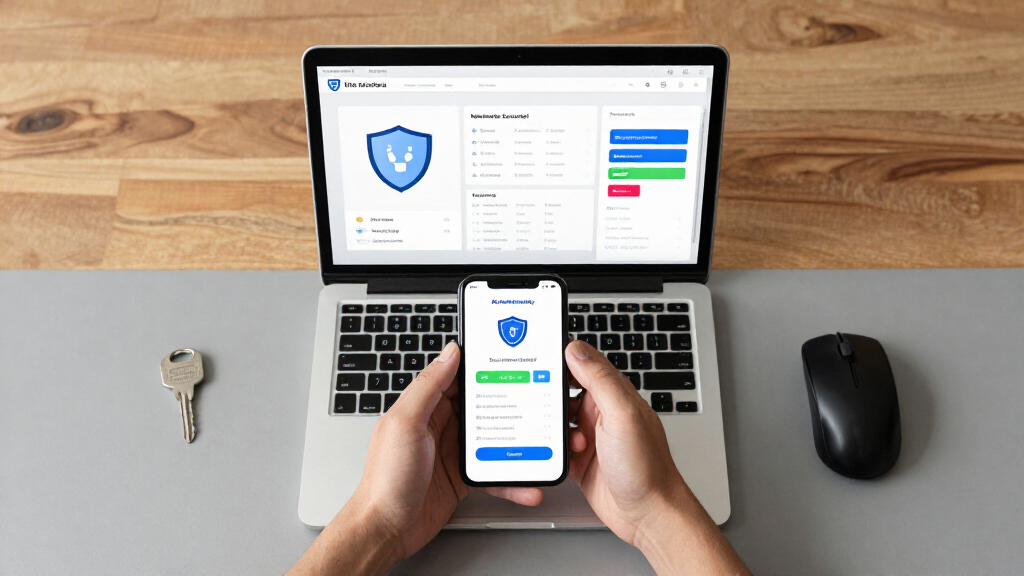
This checklist is for people adding AI tools and automation to their work who want to think through the security hardware around them. It covers practical ways to protect account access, keep screens private, safeguard stored data, and review connected devices. Security basics can make automation easier to manage.

Get business pricing on tech for your team
- Business-only prices and quantity discounts
- Tax-exempt purchasing
- Multiple users, one account, clear invoices
The sections are organized by the role each product can play: account protection, visual privacy, encrypted storage, safer charging, network controls, and energy monitoring. Each entry focuses on the named pick and gives a short verdict, who it may suit, and what to check before choosing. Start with your setup and the risks you want to address.
Use the look-for points as a shopping checklist, then confirm fit and compatibility against your own devices and environment. Check connector types, operating-system support, physical dimensions, and any installation needs before buying. Verify the details with the manufacturer’s current specifications, especially where a product name alone cannot answer a compatibility question.
Hardware Security Keys
A hardware security key gives you a physical item to use during supported sign-ins, adding a step beyond entering an account password. For AI tools and automation platforms, accounts may connect to workspaces, data sources, or other services, so it is sensible to consider how you protect access to them. The Yubico YubiKey Bio C is described as a USB-C biometric security key in the FIDO Edition. Account access is the key consideration for this slot.
Before choosing it, check whether the services you use support the key’s authentication standards and whether your computer or mobile device has a compatible USB-C port. Think through recovery as well: determine how you would regain access if the key were lost, damaged, or unavailable, and whether your organization has a process for registering a backup. A common mistake is buying a key based on its connector alone without confirming service support or the sign-in flow. Check service support and recovery steps before relying on it.
What to look for:
- Confirm that your AI services support the key’s authentication method.
- Check that your devices have a compatible USB-C port.
- Review how biometric sign-in is configured for your use.
- Plan account recovery and a backup sign-in method.
- Confirm whether workplace policies allow registering a personal key.
Yubico YubiKey Bio C (FIDO Edition) – USB-C Biometric Security Key

The YubiKey Bio C offers passwordless multi-factor authentication using biometric fingerprint verification and PIN fallback. Compatible with multiple operating systems and major online services, it is durable, tamper-resistant, water-resistant, and requires no batteries or network connectivity.
Pros:
- Biometric fingerprint authentication for enhanced security
- Compatible with major OS and online services like Google and Microsoft
- Durable, water-resistant, and tamper-resistant design
- No batteries or network required for operation
Cons:
- Limited to FIDO protocols, no OTP generation
- Requires USB-C port, may not be compatible with older devices
- Higher price point compared to non-biometric security keys
Best for: People whose services support this key and USB-C
Not ideal for: Users who need a different connector or unsupported sign-in method
Bottom line: Confirm service support, device compatibility, and account recovery before making this key part of your sign-in routine.
Privacy Screen Filters
A privacy filter can help limit what people beside you can see on a laptop screen, which may matter when working with prompts, account dashboards, or business information in shared spaces. The listed pick is a 3M Gold Frameless Privacy Filter for a 14-inch widescreen laptop with a 16:9 aspect ratio. Screen fit should guide this purchase: the size and aspect ratio in the product name are starting points to verify against your actual display.
Common buying mistakes include matching only the diagonal measurement, overlooking the display’s exact width and height, or assuming every 14-inch screen uses the same proportions. Check the laptop model and manufacturer’s display measurements, then confirm whether the filter attaches in a way that works with your bezel and webcam. Consider how the filter affects your normal viewing position and whether you frequently share your screen with colleagues. Compare the dimensions and attachment method before ordering; the product name does not identify every laptop model it fits.
What to look for:
- Match the filter dimensions to the laptop’s measured display area.
- Confirm the laptop screen is 14 inches and 16:9.
- Check the attachment method against the bezel and display design.
- Verify placement around the webcam and any sensors.
- Consider whether your usual viewing angle works with a privacy filter.
3M Gold Frameless Privacy Filter for 14" Widescreen Laptop, 16:9 Aspect Ratio

The 3M Gold Privacy Filter keeps confidential information private on 14-inch widescreen laptops, allowing clear visibility for the user while obscuring the screen from side views with a vivid golden tint. It is reversible, easy to apply with an optically clear adhesive, and designed for privacy and clarity.
Pros:
- Provides high-level privacy with a vivid gold tint
- Reversible design offers flexibility in appearance
- Easy to apply with optically clear adhesive
Cons:
- Limited to 14-inch widescreen laptops
- Gold tint may alter screen color perception
- Reversible feature might be unnecessary for some users
Best for: Users with a verified 14-inch, 16:9 laptop display
Not ideal for: Anyone whose screen dimensions or aspect ratio differ
Bottom line: Measure the display and confirm attachment details before selecting this filter.
Encrypted External SSDs
An encrypted external drive can be part of a plan for keeping selected files under controlled access when they are stored outside a computer. The listed Apricorn Aegis Padlock is a 4TB external SSD with 256-bit encryption and USB 3.0. For automation work, it may be worth considering where you keep exports, configuration files, or other materials you choose to retain. Storage and access are the two questions to resolve first.
Check that the drive’s connection works with your computer, including any adapter or port requirements, and review how the encryption and access controls are set up. A common mistake is treating an encrypted drive as a complete backup plan: confirm how you will make and protect another copy of important files, and how you will retain access credentials. Also consider whether 4TB suits the amount and type of data you intend to store. Plan recovery before moving important files onto a device that depends on a password or other access procedure.
What to look for:
- Confirm USB 3.0 connectivity works with your devices and adapters.
- Check how the drive’s encryption and access controls are configured.
- Estimate whether 4TB fits your intended storage needs.
- Plan a separate backup and a way to restore important files.
- Store access credentials and recovery details securely.
Apricorn 4TB Aegis Padlock USB 3.0 SSD with 256-Bit Encryption

The Apricorn Aegis Padlock SSD offers high-capacity portable storage with hardware encryption, ensuring data security with a keypad for PIN entry and multiple security modes. It features fast USB 3.0 read/write speeds and cross-platform compatibility, making it suitable for both personal and business use.
Pros:
- High-capacity 4TB portable SSD
- 256-bit AES hardware encryption for security
- Easy keypad PIN setup without software
- Cross-platform compatibility
Cons:
- USB 1.1 interface may limit transfer speeds
- Some users may find the security features complex
- No mention of included software or additional accessories
Best for: Users who want external SSD storage with stated encryption
Not ideal for: People who need a different connection or a complete backup system in one device
Bottom line: Check connection, access recovery, and backup plans before storing important files on the drive.
USB Data Blockers
A charge-only data blocker is intended for situations where you want to connect a device to a USB power source while limiting data transfer through that connection. The OFFGRID USB-C Data Blocker is described as a charge-only adapter. It may be useful to consider for travel or other situations where you are choosing an unfamiliar charging point, while keeping in mind that the product name does not specify every device or power arrangement it supports. Charging compatibility is central to this choice.
Check that the adapter’s USB-C connections match both your charger and the device you intend to charge. Review the manufacturer’s details for supported charging behavior and any device-specific limitations; do not assume it will provide every charging feature your equipment expects. A common mistake is using an adapter without checking the connector path, cable, or power source, then concluding the device or charger is faulty. Check the complete connection from outlet to device, including any intermediate cables or adapters.
What to look for:
- Match the adapter’s USB-C connections to your charger and device.
- Review supported charging behavior in the manufacturer’s specifications.
- Check compatibility with any cable or adapter in the connection path.
- Confirm whether your device requires a particular charging feature.
- Keep a suitable charging cable and power source available.
OFFGRID USB-C Data Blocker Charge-Only Adapter

This compact USB-C adapter allows charging while blocking data transfer, helping protect devices at public charging stations. It has a lightweight metal exterior and is compatible with USB-C phones, laptops, and tablets.
Pros:
- Blocks data transfer while allowing charging
- Compact and lightweight for travel
- Metal exterior
- Compatible with a range of USB-C devices
Cons:
- Single port
- No charging speed or power rating is specified
Best for: USB-C users who want a charge-only connection option
Not ideal for: People whose devices or charging setup are not compatible
Bottom line: Verify the full charger-to-device connection and supported charging behavior before relying on the adapter.
Network Security Appliances
A small network appliance can offer a place to run network-management software, but the product name alone does not establish how it will work with your existing router, internet service, or network layout. This pick is a fanless mini PC listed with a J3710 quad-core processor, 8GB RAM, 128GB SSD, and OPNsense. Network fit matters as much as the listed hardware when deciding whether it belongs in your setup.
Before choosing it, confirm the number and type of network ports, supported interfaces, and the installation process for OPNsense from the seller or manufacturer. Check that the appliance can be placed in the right position between your internet connection and the devices it is meant to manage. Common mistakes include assuming a listed processor and memory configuration guarantee a particular security outcome or assuming setup requires no networking knowledge. Review the topology and plan for updates, configuration, and recovery if you change network settings.
What to look for:
- Confirm network-port count and interface types.
- Check current OPNsense installation and hardware compatibility information.
- Map where the appliance would sit in your network.
- Review setup and ongoing update requirements.
- Plan how you would restore connectivity after a configuration change.
Firewall Mini PC J3710 Quad Core, 8GB RAM, 128GB SSD, Fanless OPNsense Appliance

This compact firewall mini PC features a quad-core Intel J3710 processor, 8GB RAM, and a 128GB SSD, supporting OPNsense, Linux, and other OS. It offers dual display outputs, multiple LAN ports, and operates silently with a fanless aluminum body, making it ideal for network security and monitoring.
Pros:
- Compact and fanless design for silent operation
- Multiple high-speed LAN ports for network monitoring
- Supports dual display outputs for enhanced productivity
- Compatible with various operating systems
Cons:
- Limited storage options with only 128GB SSD
- No dedicated GPU for graphics-intensive tasks
- Requires technical knowledge for setup and configuration
Best for: Users prepared to verify ports and configure OPNsense
Not ideal for: Anyone needing a ready-to-use appliance without setup
Bottom line: Confirm interface details and installation requirements, then plan how it fits into your network.
Smart Plug Energy Monitors
Energy monitoring can help you observe electricity use across a home or selected connected equipment. The Emporia pick is described as a whole-home energy monitor with 16 sensors and 4 smart plugs. For a household running computers and automation devices, the combination may be worth considering if you want monitoring options across more than one type of connection. Installation and coverage are the first details to investigate.
Whole-home monitoring can involve electrical panel work, so check the manufacturer’s installation instructions and determine whether the setup requires a qualified professional. Confirm that the sensors fit the panel and that the smart plugs match the outlets and devices you intend to monitor. A common mistake is assuming the number of sensors means every circuit or appliance will be covered in the way you expect. Map your circuits and decide what you want to observe before choosing a configuration; confirm app and connectivity requirements as well.
What to look for:
- Review panel compatibility and installation instructions.
- Determine whether professional installation is needed.
- Check sensor placement against your panel and circuits.
- Confirm the smart plugs fit the outlets and devices you plan to monitor.
- Review app, network, and account requirements for monitoring.
Emporia Whole-Home Energy Monitor with 16 Sensors and 4 Smart Plugs

Monitor whole-home electricity use and up to 16 individual circuits with second-by-second energy tracking. The bundle includes four Wi-Fi smart plugs for remote control, scheduling, and outlet-level usage monitoring, with app support for iOS and Android and compatibility with Alexa and solar systems.
Pros:
- Tracks whole-home and individual circuit electricity usage
- Includes four smart plugs with remote control and scheduling
- Supports solar energy monitoring and net metering
- App provides usage trends, automations, and notifications
Cons:
- Cloud data storage is required for anytime app access
- Installation involves sensors for the electrical panel
Best for: Households seeking a monitor with sensors and smart plugs
Not ideal for: Users whose panel, outlets, or setup cannot support the components
Bottom line: Verify panel fit, installation needs, and monitoring requirements before committing to this system.
Build your checklist around the needs that matter most in your setup. First confirm account protection and recovery options, then check whether a privacy filter fits your display and whether encrypted storage fits your connection and backup plan. Next review charging compatibility and network requirements, and investigate panel installation before considering energy monitoring. Compatibility comes first because a product only helps when it works with your devices and routines.
You do not need to tackle every category at once. Pick the area where you have the clearest need, verify the details against your equipment, and add other measures as your workflow grows. Keep manufacturer instructions and recovery information accessible so your choices remain manageable over time. A thoughtful checklist can help you make steady, practical decisions about security around AI automation.