
TL;DR

Get business pricing on tech for your team
- Business-only prices and quantity discounts
- Tax-exempt purchasing
- Multiple users, one account, clear invoices
Bigwords.page is a web tool introduced in a Show HN post that turns a URL into a full-screen sign, message or countdown. Its site says it works in browsers without an account or app and keeps message content in the URL fragment, which is not sent to the server in normal browser requests.
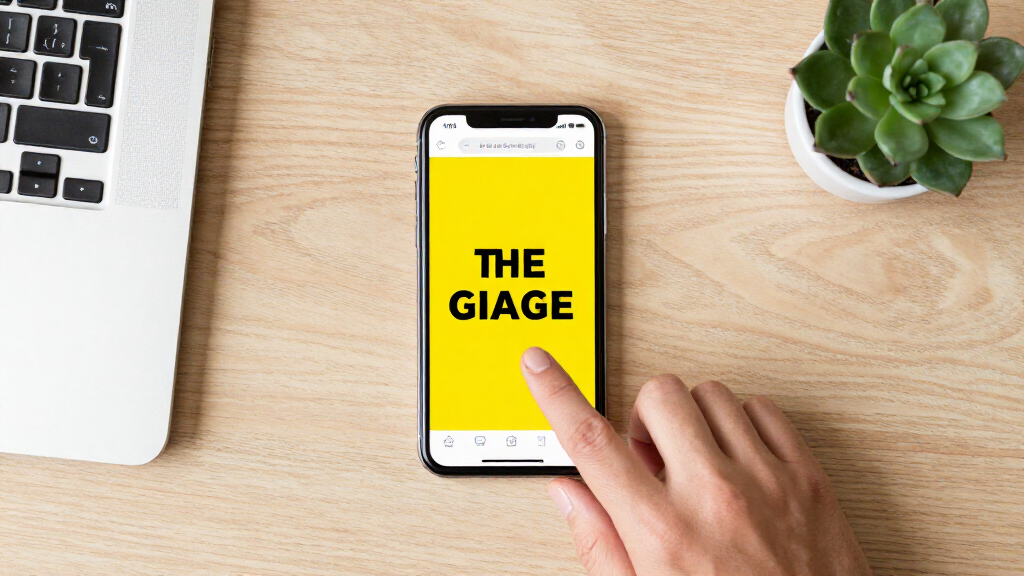
A Show HN post has introduced Bigwords.page, a web tool that turns a link into a full-screen sign, message or timer on a phone, tablet, computer or smart TV. The site says users can create and share displays without an account or app, with the message carried in the URL rather than stored on its server.
Bigwords.page is designed for short messages that need to be readable on a screen: examples on the site include a sign for airport arrivals, a countdown shown on a television and a Wi-Fi password displayed at a front desk. Each card is a working link that can be opened full-screen, bookmarked or loaded into the built-in editor for changes.
The site says text automatically grows to fit screens of different sizes and that the tool works in any browser. It supports Markdown-style bold and italic text, headings and line breaks. Users can divide content with two vertical bars to create slides that rotate on a timer, or add a countdown using a placeholder and URL parameters for a date or duration.
Other listed features include generating QR codes for links, Wi-Fi details, calls, texts and email, as well as displaying images. Bigwords.page says these are generated in the browser and do not use third-party services. The service describes itself as having no account requirement and says content is held in the URL fragment, which browsers do not send to a server in ordinary HTTP requests.
A Sign Without a Dedicated App
The tool offers a lightweight alternative to installing a dedicated signage app or setting up a display system for a one-off message. A user can make a link on one device and open it on another, which could be useful for informal settings such as a pickup sign, a shared countdown or a temporary notice. Its browser-based format also makes the idea accessible on devices that already have a web browser.
The URL-based design affects both sharing and privacy. Putting the message in a link means it can be transferred or bookmarked without an account, but anyone who receives the full link may be able to view its contents. The site’s claim that the content is not stored on its server describes its stated technical approach; it does not by itself establish how users handle or protect links they share.
As an affiliate, we earn on qualifying purchases.
How the URL Carries the Display
The core idea is that a URL can contain both instructions for the display and the message itself. Bigwords.page says the message is placed in the URL fragment, the portion after a hash mark. Browsers normally do not include that fragment in the HTTP request sent to the website, allowing a page to render content supplied by the link without sending that content as part of the request.
The site’s examples and feature descriptions present the project as a general-purpose way to show large text, timed slides and countdowns, rather than as a managed signage platform. The source material does not describe a launch date, a company behind the project, or independent testing. The news development is its presentation in a Show HN post, rather than a documented change to an existing product or a reported adoption milestone.
“The URL is the whole display.”
— Bigwords.page
As an affiliate, we earn on qualifying purchases.
Privacy and Device Support Details
The supplied material is the project’s own description, and it does not include an independent technical review of its privacy claims, browser behavior or QR-code generation. It also does not specify whether there are limits on message length, slide timing, image formats or the range of smart TVs and browsers supported.
Because a message is encoded in a URL, the source does not explain what happens if a link is copied into a service that logs or previews URLs, or whether the tool has safeguards for sensitive information. No usage figures, pricing details, accessibility information or development roadmap are provided. Those details remain unconfirmed in the source material.
As an affiliate, we earn on qualifying purchases.
What Users Can Check Next
Readers interested in the tool can visit Bigwords.page and test its editor and example cards on the screens they intend to use. Before sharing a message, they can check the resulting link and avoid placing sensitive information in a URL that may be forwarded or saved. The site says users can also create links manually, though the supplied material does not give a separate technical guide.
No follow-up release, roadmap or response from the project author is included in the source. Further reporting would need to establish how the service handles browser errors, accessibility and device compatibility, and to verify its privacy description in practice. For now, the confirmed development is the launch presentation of a URL-based sign tool; its adoption and ongoing support are not yet documented.
As an affiliate, we earn on qualifying purchases.
Key Questions
What is Bigwords.page?
It is a browser-based tool for creating full-screen signs, messages and timers from links. The site lists uses such as arrivals signs, countdowns and Wi-Fi information displays.
Does it require an app or account?
Bigwords.page says it works in a browser and requires no account or app. The supplied source does not describe any separate installation requirement.
How does the service say it handles message content?
The site says the message is stored in the URL fragment and is not stored on its server. In normal browser requests, fragments are not sent to the server; the source does not include an independent audit of the service.
Can a display include more than one slide?
Yes. The site says users can split content with two vertical bars to create slides that rotate on a timer. It also describes countdowns set for a date or a duration.
Which devices can open a Bigwords.page sign?
The site says it works in browsers on phones, tablets, laptops and smart TVs, and that text grows to fit the screen. Specific device compatibility has not been independently confirmed in the supplied material.
Source: hn
Halloween Picks
halloween
As an affiliate, we earn on qualifying purchases.