
TL;DR

Get business pricing on tech for your team
- Business-only prices and quantity discounts
- Tax-exempt purchasing
- Multiple users, one account, clear invoices
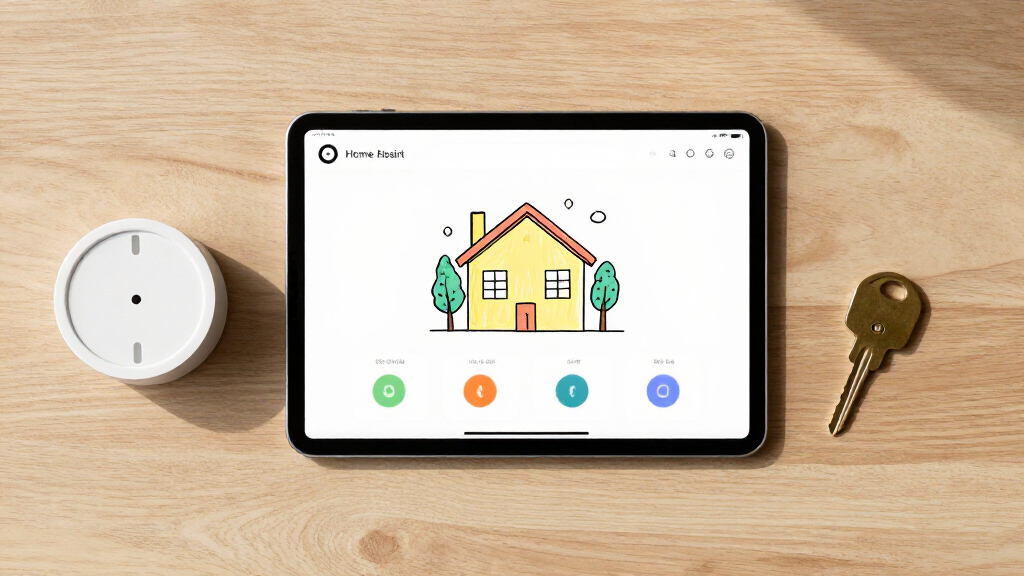
Anton Frolov commissioned an illustrator to create artwork of his home and used it as the basis for a Home Assistant dashboard. The picture-elements card overlays controls and status information, while alternate images and animations show devices changing state. Frolov says the design made the dashboard more appealing to his family; the report does not provide usage data or costs.
Home Assistant user Anton Frolov commissioned an illustrator to draw his house, then built the artwork into an interactive smart-home dashboard that shows devices and their states. The project replaces his earlier dashboard with a floor-plan-style view, which Frolov says his family is more willing to use.
Frolov said he had spent about a year automating his home with the open-source Home Assistant platform. Some routines already ran without input: air conditioners switched off when the household left, while the garden sprinkler adjusted its running time based on weather. Other tasks, including extending a timer for the garden lights, still required someone to use an app. He said the previous dashboard had not appealed to the rest of the household.
After considering 3D and pixel-art floor plans, Frolov hired an environment artist whose portfolio suited the project. He provided an architectural plan, room photos, visual references, examples of dashboards and a technical brief. The requested artwork included day and night versions and separate device images, with still and animated states. He advised requesting files on a shared canvas so each component stays aligned when assembled.
Frolov built the interface using Home Assistant’s standard picture-elements card. The illustration serves as the background; positioned image, icon and state-label elements add device visuals and readings. Conditional elements can appear or disappear based on a device’s state. Frolov also described using changing images to show equipment switching on, including animated versions of devices.
A More Readable Smart-Home Interface
The project illustrates a different approach to smart-home controls: instead of arranging devices in a conventional list or grid, the dashboard places them within a picture of the home. That can make it easier for household members to associate a control with a room or object, while visual changes communicate whether a device is active.
For Frolov, the practical issue was not simply adding more automation. His garden lights still needed occasional manual attention, and the earlier interface was not being used by everyone at home. He says the illustrated version is one his family enjoys using. That is a personal account, not a measured finding about usability or adoption, but it highlights how interface design can affect whether smart-home features are used.
The project also shows that a custom dashboard does not necessarily require a custom Home Assistant card. In Frolov’s account, much of the effort went into commissioning and preparing the artwork; the software assembled the image, controls and device states into one view.
custom smart home dashboard display
As an affiliate, we earn on qualifying purchases.
As an affiliate, we earn on qualifying purchases.
From Automation to Illustration
Frolov’s starting point was a home with many automated routines, but a few controls still required a person. He gave the garden lights as an example: a Home Assistant timer switched them off after a period, and blinking lights signalled that the timer was close to expiring. A household member had to open an app to extend it. A physical switch would not address that timer workflow, he wrote.
He explored interactive floor plans after deciding that the existing dashboard was not working for his family. In his report, many examples he found used a static 3D image with interactive icons layered on top. He liked the idea of pixel art but found that approach could require drawing assets by hand or placing sprites individually. He chose an illustrator whose existing work showed illustrated interior spaces.
Frolov’s technical guidance reflects his own build rather than a universal requirement for Home Assistant. He recommended transparent PNG artwork, and WebP for animations; consistent canvas dimensions; and separate assets for device states. He said he initially requested PNG sprite sheets and later converted the frames to animated WebP himself. For the garden, he created three scene versions: day, night and night with the lights on.
“For the first time, it’s one the whole family actually enjoys using.”
— Anton Frolov, in his report
animated home automation control panel
As an affiliate, we earn on qualifying purchases.
As an affiliate, we earn on qualifying purchases.
Costs and Usability Results Not Reported
The supplied report does not state what the illustration cost, how long the commission took, or which specific devices and integrations were included in the finished dashboard. It also does not provide the full configuration or enough detail to reproduce every animation and conditional element.
Frolov’s claim that the dashboard is more enjoyable for his family is based on his experience. The report does not include usage statistics, feedback from individual family members or a comparison of how often the old and new dashboards were used. It is also unclear whether the commissioned approach would suit households with different layouts, budgets or maintenance needs.
home assistant picture-elements card
As an affiliate, we earn on qualifying purchases.
As an affiliate, we earn on qualifying purchases.
The Build Depends on the Artwork
Frolov’s account describes the dashboard as an implementation of the commissioned artwork, not an announcement of a new Home Assistant feature. Readers seeking to follow the same approach would need to plan the illustration assets around their own rooms and devices, then position them in a picture-elements card. The shared-canvas file preparation is one step he recommends to avoid manually aligning each image.
The supplied material gives no timeline for further changes, public release of a ready-made dashboard, or publication of a complete configuration. What comes next for the project beyond Frolov’s reported build is not specified.
As an affiliate, we earn on qualifying purchases.
Key Questions
What is the dashboard?
It is a Home Assistant interface built around a hand-drawn illustration of Frolov’s house. Device images and status information are positioned over the artwork.
How did Frolov add interactive controls?
He used Home Assistant’s picture-elements card, placing image, icon, state-label and conditional elements over the illustrated background.
Does the dashboard use a special Home Assistant add-on?
Frolov said the build used a stock picture-elements card and configuration techniques. The supplied report does not identify a custom card or add-on as necessary.
What artwork files did the project need?
Frolov requested transparent images, day and night versions, and separate assets for device states. He recommended exporting everything on a shared canvas so the pieces remain aligned, and suggested WebP for animations.
Did the new dashboard measurably improve usage?
Frolov said his family enjoys using it, but the report gives no usage data or formal evaluation. The reported improvement is his account of the household’s experience.
Source: hn
Halloween Picks
halloween
As an affiliate, we earn on qualifying purchases.