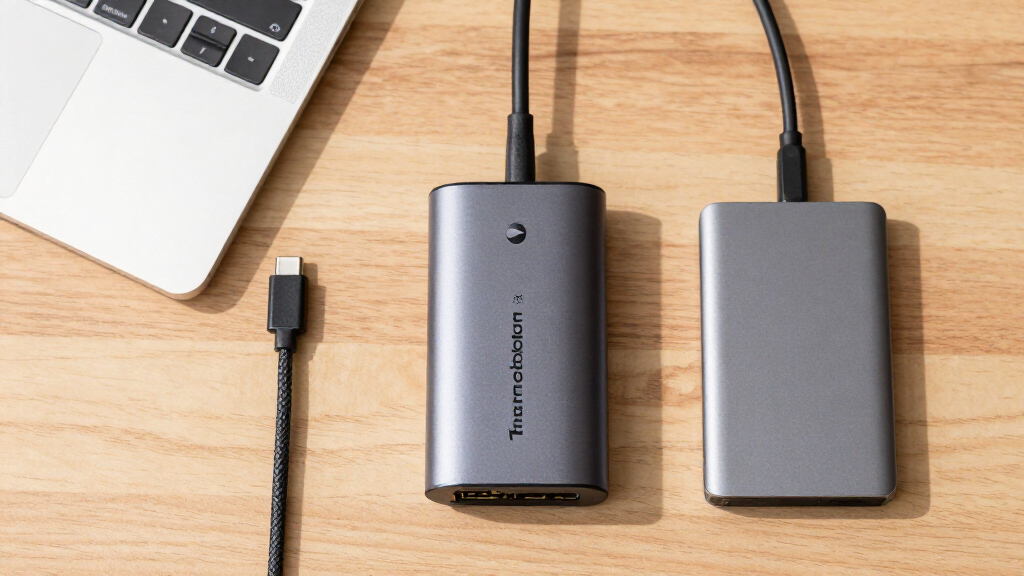

🔍 Read the full analysis: Explore 6 Best Thunderbolt Docking Stations For A Desk Upgrade on ThorstenMeyerAI.com

Get business pricing on tech for your team
- Business-only prices and quantity discounts
- Tax-exempt purchasing
- Multiple users, one account, clear invoices
TL;DR
A buying guide from ThorstenMeyerAI.com ranks six Thunderbolt docking stations, led by Anker’s Prime 14-in-1 Thunderbolt 5 Dock. The guide says buyers should verify their computer’s Thunderbolt support, charging needs and exact monitor configuration before choosing; a dock’s port count alone does not establish compatibility.
ThorstenMeyerAI.com has published a six-dock buying guide that ranks the Anker Prime 14-in-1 Thunderbolt 5 Dock as its top overall pick and compares it with five Thunderbolt 4 models. The guide’s practical message is that buyers should match a dock to their computer’s display limits, charging requirements and connection standard, rather than choosing by port count alone.
The guide places the Anker Prime 14-in-1 Thunderbolt 5 Dock first for buyers seeking newer-generation bandwidth and a broad range of connections. It identifies the Plugable TBT-UDM as a cross-platform Thunderbolt 4 option and the Dell Pro SD25TB4 as a current Dell-oriented choice. These are editorial rankings and product-fit assessments, not results from a disclosed standardized performance test. For additional comparisons, see another Thunderbolt dock roundup.
The other picks are the Plugable 100W Thunderbolt 4 dock, Dell’s WD19TB and WD19TBS. The guide highlights the Plugable model’s stated 100-watt charging and dual-monitor focus. It distinguishes the WD19TB by its listed 180-watt adapter and says buyers should check the WD19 variants’ power configurations, including the WD19TBS’s listed 130-watt Power Delivery, against their laptop requirements. Buyers comparing older models can also review Thunderbolt docks from 2026.
For all six products, the source advises checking the exact laptop model and operating system, the dock’s supported display modes, and the monitors’ resolution, refresh rate and inputs. A USB-C-shaped port does not by itself confirm Thunderbolt support, and connecting several displays does not mean every computer can run them at their maximum settings.
The 6 picks
- 1
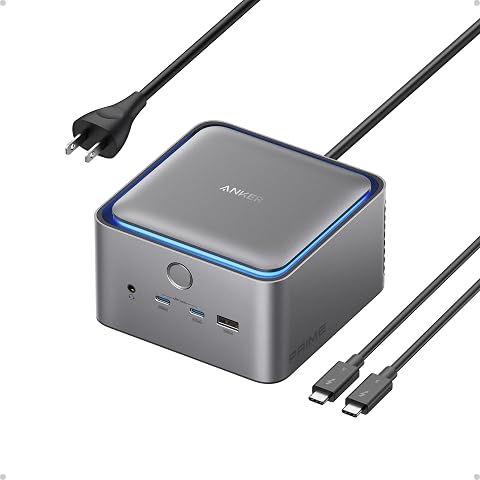 Anker Prime 14-in-1 Thunderbolt 5 Docking StationView on Amazon →
- 2
 Dell Pro Thunderbolt 4 Smart Dock SD25TB4 – USB-C Station 130W, 4 Displays 4K…View on Amazon →
- 3
 Plugable Thunderbolt 4 Dock with 100W Charging, Dual MonitorView on Amazon →
- 4
 Plugable Thunderbolt 4 Dock (TBT-UDM) for Mac and WindowsView on Amazon →
- 5
 Dell WD19TB Thunderbolt Docking Station with 180W AC AdapterView on Amazon →
- 6
 Dell Thunderbolt Dock WD19TBS with 130W Power DeliveryView on Amazon →
Compatibility Shapes the Desk Upgrade
A dock can consolidate display, network, storage and accessory connections into one desk setup, but the buying guide makes clear that the result depends on the host computer as well as the dock. A laptop may limit the number or settings of external displays, and operating systems can handle multi-monitor setups differently. Checking those limits before purchase can help buyers avoid paying for a feature their computer cannot use.
Power is another practical concern. A dock’s adapter rating and the power it delivers to a laptop are not necessarily the same figure. The guide’s comparison of the WD19TB’s 180-watt adapter and the WD19TBS’s 130-watt Power Delivery illustrates why product names and headline numbers need to be checked against the laptop maker’s requirements. A high-demand computer may need more power, especially while doing intensive work.
The Thunderbolt generation also affects value. Thunderbolt 5 may offer more bandwidth headroom, but a computer needs compatible hardware to take advantage of it. For a Thunderbolt 4 laptop and a routine office setup, the guide suggests that a mature Thunderbolt 4 dock could be a more suitable match than paying for a newer standard.
Products Worth Considering

Apple Watch SE 3 GPS 40mm Smartwatch

Amazon Kindle Paperwhite (2024) – 16GB, 7 Glare-Free Display, Waterproof

Logitech MX Master 4 for Mac
As an affiliate, we earn on qualifying purchases.
How the Six Docks Differ
The comparison groups one Thunderbolt 5 dock with five Thunderbolt 4 options. It ranks the Anker model first for its generation and connection breadth, while the Plugable TBT-UDM and Dell Pro SD25TB4 are presented as alternatives for buyers with different platform or brand priorities. The source does not provide a publication date in the supplied material, so the rankings should be read as the guide’s assessment rather than a time-stamped market update.
The two Dell WD19 models are related but have different listed power configurations. The guide says they may suit buyers matching an existing Dell setup, while advising that their age and power details merit careful compatibility checks. The second Plugable choice addresses buyers who prioritize 100-watt charging and dual-monitor use. The source’s selection criteria include connection generation, charging, display support, port variety and the intended buyer for each model.
The guide does not say that every advertised port or display feature will work identically across computers. It recommends checking the host’s exact specifications and the intended connections—including HDMI, DisplayPort and USB-C—before settling on a dock.
“A dock’s port count alone does not guarantee that every screen or peripheral will work as expected.”
— ThorstenMeyerAI.com buying guide
Questions Buyers Must Verify
The supplied material does not give prices, retailer availability, warranty terms or a publication date, so it does not establish which model offers the best current value or is easiest to buy. It also does not provide a complete product-by-product port table or test results for each dock.
Exact performance remains dependent on the laptop, operating system, monitor specifications and cable or adapter choices. The guide does not identify one universal display configuration that will work across all six docks and computers. Buyers should confirm the supported monitor count and resolution for their own system, along with whether the dock can supply the required laptop power.
Check Your Setup Before Buying
The next step for a buyer is to record the laptop model and its Thunderbolt or USB-C specifications, then list the monitors and peripherals that will stay connected. Compare those needs with each dock’s supported display modes, port types and laptop charging output. For a two-screen setup, verify the exact mode for the computer and operating system instead of relying on a general dual-display label.
Before purchasing, compare the dock’s current price and seller terms, which are not included in the supplied guide, and confirm that its adapter and cable configuration fit the intended setup. The source offers no announced follow-up test or product update; its rankings remain a starting point for compatibility checks, not a substitute for them.
Key Questions
Which dock does the guide rank first?
It ranks the Anker Prime 14-in-1 Thunderbolt 5 Dock first overall, citing its newer Thunderbolt generation and broad connection focus.
Is a Thunderbolt 5 dock useful with a Thunderbolt 4 laptop?
The guide says buyers need a compatible computer to benefit from the newer standard’s headroom. A Thunderbolt 4 dock may be a more practical fit for a Thunderbolt 4 host and ordinary office use.
Will any of these docks run two monitors?
That depends on the dock and the laptop’s display capabilities, operating system, monitor inputs and chosen resolution and refresh rate. Confirm the exact configuration for your computer before buying.
What is the difference between the Dell WD19TB and WD19TBS?
The guide identifies different power details: the WD19TB has a listed 180-watt adapter, while the WD19TBS has listed 130-watt Power Delivery. Check the laptop’s power requirements and the full product specifications before selecting either model.
Does a dock’s port count show that it will work with my devices?
No. The port type, host-computer support, operating system and interactions between connected devices all matter. Check the specifications for the particular laptop, monitors and peripherals you plan to use.
Source: ThorstenMeyerAI.com