
This checklist is for people assembling a setup for AI agent development, from coding and testing to capturing voice and keeping project files portable. It covers both core computing decisions and the practical gear that can support them.

Get business pricing on tech for your team
- Business-only prices and quantity discounts
- Tax-exempt purchasing
- Multiple users, one account, clear invoices
The sections move from the development laptop and GPU support to an AI edge computer, microphones, webcam options, and portable storage. Some slots include a named pick; others are advice only because no product was specified.
Use each section to match the item to your workload and existing setup. Check compatibility and fit against your computer, workspace, and intended use before choosing, and treat the product names as starting points rather than a substitute for checking the details.
AI Development Laptop
A laptop is the main work surface for writing code, running development tools, and coordinating your AI agent projects. The right choice depends on where you expect workloads to run: locally, on remote machines, or across both. Consider the tools you use, how many projects you keep open, and whether you need to work away from a desk.
A common mistake is choosing around a single headline specification without checking the rest of the setup. Think about memory, storage, ports, screen space, cooling, and battery needs together. If you plan to connect an accelerator or external storage, confirm the laptop supports the connection and workflow you intend to use. For a desk-based setup, also check how it will work with your monitor, keyboard, and other peripherals.
There is no named laptop pick for this slot, so use your actual development workflow as the buying guide. List the software and services you expect to use, then verify their requirements and compatibility before settling on a model.
What to look for:
- Compatibility with your development tools and operating system
- Memory and storage suited to your project workload
- Ports and connections for planned peripherals
- Cooling and power behavior for sustained work
- Screen and keyboard comfort for long sessions
GPU Accelerator Card
GPU support matters when an accelerator card is part of your development setup, and a support bracket can help address physical card support inside a compatible PC. The listed pick is “GPU Support Bracket White, Adjustable Anti-Sag Aluminum Video Card Hol.” Its name indicates an adjustable bracket, but does not establish its dimensions or compatibility with a particular graphics card or case.
A frequent buying mistake is assuming a bracket fits simply because it is described as adjustable. Check the card’s length and support points, the case’s internal layout, and the clearance around nearby components. Also confirm how the bracket is intended to attach and whether it can sit securely on the case floor or other supported surface. A mismatch can make installation awkward or leave the card without the intended support.
This pick is a support accessory, not the accelerator card itself. If you still need a GPU, select that separately based on the software and workload you plan to run, then verify the bracket against the actual card and case before ordering.
What to look for:
- Bracket height and adjustment range
- Compatibility with your GPU’s size and support points
- Clearance inside your PC case
- A stable mounting surface and attachment method
- Room around adjacent components and cables
GPU Support Bracket White, Adjustable Anti-Sag Aluminum Video Card Holder with M

This all-aluminum GPU support bracket provides strong, long-lasting support for graphics cards, preventing sagging. It features adjustable height from 72 to 117mm, easy tool-free installation with magnets, and includes a bubble level for proper alignment.
Pros:
- Durable all-aluminum construction
- Adjustable height for compatibility with various chassis
- Easy to install without tools, with magnetic base for stability
- Includes bubble level for precise alignment
Cons:
- Limited to support height up to 117mm
- Requires checking compatibility with specific graphics cards
- Magnet-based installation may not suit all chassis types
Best for: Builders who already have a GPU and compatible case
Not ideal for: Anyone expecting an accelerator card in the package
Bottom line: Confirm the bracket fits both your card and case before relying on it for support.
AI Edge Computer
An AI edge computer can be relevant when you want to develop or run projects on a separate compact system rather than relying only on a laptop or desktop. The right choice depends on what you need to run on the device, how it connects to your other equipment, and whether your work happens at a fixed location or in the field.
Without a specified product, avoid treating “edge computer” as a complete compatibility description. Check the operating system, supported development tools, available interfaces, and requirements of the models or services you intend to use. Consider the network connection and how the device will be powered and mounted in its intended location. A common mistake is buying a system based on its form factor alone without verifying that it supports the planned workflow.
There is no named pick in this slot, so make a short list of the tasks you want the device to handle and confirm each one against the manufacturer’s documentation. Pay particular attention to software and peripheral compatibility before building the rest of the setup around it.
What to look for:
- Support for your intended operating system and tools
- Interfaces for required peripherals and network connections
- Power and mounting needs for the intended location
- Workload requirements for the models or services you plan to use
- A clear path for setup, updates, and project access
USB Microphone
A USB microphone can support clear voice capture for recordings, calls, and spoken notes during development work. The listed pick is “Audio-Technica AT2020USB+ Cardioid Condenser USB Microphone with Built.” Check the complete product details to confirm what is included and how it connects to your computer and recording setup.
A common mistake is focusing only on the microphone and overlooking the room. Background noise, placement, and distance from the speaker all affect how useful a recording is. Check whether the microphone’s pickup pattern suits your environment, whether the included or separately needed stand fits your desk, and whether its connection works with your computer. If you plan to use headphones or recording software, confirm that the microphone fits into that workflow as well.
Choose this kind of setup around your recording space and routine. For occasional calls, simple placement and easy setup may matter most; for regular voice work, consider how you will position and store the microphone between sessions. Verify the exact included accessories rather than inferring them from the shortened product name.
What to look for:
- USB connection compatibility with your computer
- Pickup pattern suited to your room and speaking position
- Included stand or other mounting requirements
- Controls and monitoring features you expect to use
- Recording software compatibility and desk placement
Audio-Technica AT2020USB+ Cardioid Condenser USB Microphone with Built-in Headph

The AT2020USB+ is a USB‑connected cardioid condenser microphone that delivers studio‑quality sound for singing, podcasting, streaming, and voice‑over work. It features a built‑in headphone jack with volume and mix control for zero‑latency monitoring, and works plug‑and‑play with Windows and Mac computers.
Pros:
- USB plug‑and‑play operation works with Windows and Mac without additional drivers.
- Built‑in headphone jack with volume and mix control enables zero‑latency monitoring.
- Cardioid pickup pattern provides good off‑axis rejection for clean recordings.
- High‑quality 16‑bit/44.1–48 kHz A/D converter delivers clear, detailed sound.
Cons:
- Requires a USB port; not compatible with devices lacking USB without an adapter.
- No XLR output limits integration with professional audio interfaces.
- Fixed cardioid pattern may not suit all recording scenarios.
Best for: Developers who regularly record or speak on calls
Not ideal for: Anyone needing a mic that works well in every noisy room
Bottom line: Check the connection, included setup, and room conditions before choosing this microphone.
Webcam With Microphone
A webcam with a microphone combines video and voice capture for calls, demos, and remote collaboration. The listed pick is “Webcam Streaming Kit, 1080P Webcam, RGB Microphone & LED Light for PC/.” Its name describes a kit, but the shortened title leaves details about the included components and compatibility to verify.
A common mistake is assuming a bundled webcam, microphone, and light will suit every desk or computer. Check the supported connection and operating system, how the camera attaches to your display, and whether the included microphone is positioned appropriately for your calls. Consider the distance between you and the camera, the available lighting in your room, and whether the kit’s light can be placed without crowding your workspace. Confirm the full product contents before relying on the kit to cover every need.
Think about how you will use the setup: video calls, streaming, or occasional demonstrations may call for different placement and controls. Compare the webcam’s field of view and mounting arrangement with your screen and desk, and verify PC compatibility with the computer you plan to use.
What to look for:
- Supported computer, operating system, and connection
- Camera mounting method and display fit
- Microphone placement and intended use
- Lighting placement and available desk space
- Full kit contents and camera field of view
Webcam Streaming Kit, 1080P Webcam, RGB Microphone & LED Light for PC/Mac

This all-in-one streaming setup includes a 1080P HD webcam, RGB USB microphone, and adjustable LED light, enabling quick and easy live streaming or video calls. The high-resolution webcam offers clear video with automatic brightness and color correction, while the studio-quality microphone provides echo-free sound.
Pros:
- Easy to set up and use right out of the box
- High-quality 1080P video with automatic adjustments
- Includes a versatile RGB microphone and adjustable LED light
- Compatible with multiple devices and operating systems
Cons:
- Requires a capture card for PS5/Xbox streaming
- Microphone gain control may need manual adjustment
- LED light may not be sufficient for very bright environments
Best for: PC users who want a combined camera and audio kit
Not ideal for: Anyone needing confirmed contents without checking the listing
Bottom line: Verify compatibility, mounting, and included components before choosing the kit.
Portable SSD
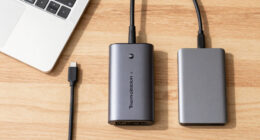
A portable SSD can keep project files close at hand when moving between computers or backing up development work. The listed pick is “SanDisk Extreme Portable SSD, 4TB, Up to 2000MB/s.” Its name supplies a capacity and a stated speed figure; check the product details and your computer’s connection before planning around that figure.
A common mistake is assuming a drive’s advertised transfer speed will match every computer and cable. Confirm the port and cable compatibility, and consider whether the drive’s capacity suits your projects, datasets, and backup habits. Also plan how you will organize files and keep a second copy of important work. Portable storage can make files easier to move, but it does not replace a separate backup strategy.
Before buying, check the connection in your actual setup and whether the drive works with the operating systems you use. Think through where you will carry and store it, and verify any durability or protection details in the listing rather than inferring them from the product name.
What to look for:
- Capacity suited to projects and datasets
- Connection and cable compatibility with your computers
- Transfer speed supported by your host port
- Operating system and file system compatibility
- A separate backup plan for important work
SanDisk Extreme Portable SSD, 4TB, Up to 2000MB/s

A pocket-sized 4TB portable SSD with read speeds up to 2000MB/s for backing up projects and storing photos and videos. It has an IP65 rating, up to 3-meter drop protection, and password protection with 256-bit AES encryption.
Pros:
- Up to 2000 MB/s read speed
- Pocket-sized for portable storage
- IP65 rating and up to 3-meter drop protection
- Password protection with 256-bit AES encryption
Cons:
- Write speeds are lower than the stated read speed
- Encryption requires a software download and is supported on Windows 10+ and macOS 12+
Best for: Developers moving project files between compatible computers
Not ideal for: Anyone expecting portable storage to serve as the only backup
Bottom line: Confirm your ports and backup plan before making this SSD part of your workflow.
Start with the core development computer and the workload it needs to support. Next, check any GPU and edge system requirements, then add the audio and video gear you will actually use. Portable storage can round out the setup once you know which computers and connections it needs to serve.
Use the checklist to compare each item against your own tools, space, and working habits. Verify product details where names leave questions open, and build the setup one compatible piece at a time. A little checking up front can make your AI development workspace easier to use and expand.