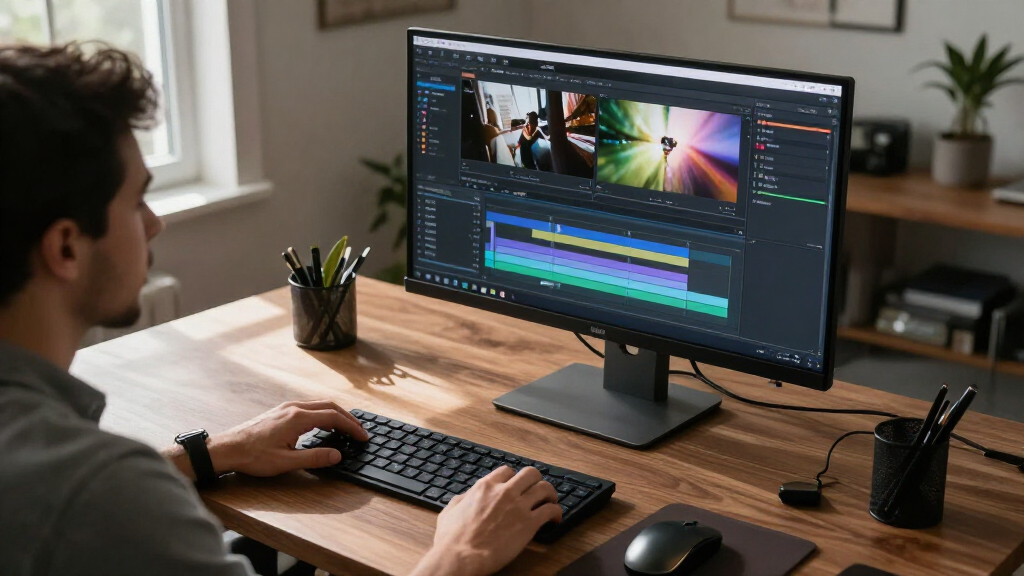

For most buyers, I’d start with CyberLink PowerDirector 2027 Ultimate: it pairs AI-assisted tools with a full editing workflow, making it a strong all-around choice. Adobe Premiere Pro is the better fit for editors who need a flexible professional timeline, while Premiere Elements is more approachable for guided, everyday projects. The main tradeoffs are creative control versus automation, subscription versus term or lifetime licensing, and how much editing complexity you want to manage. AI features can speed up routine work, but they do not replace a sound workflow or careful review of the final cut. Read on for the full comparison and help matching each option to your needs.

Get business pricing on tech for your team
- Business-only prices and quantity discounts
- Tax-exempt purchasing
- Multiple users, one account, clear invoices
Key Takeaways
- PowerDirector 2027 Ultimate leads this lineup for buyers seeking both AI-assisted editing and a broad, approachable desktop workflow.
- Premiere Pro stands apart for editors who prioritize a professional timeline and creative control over guided simplicity.
- Premiere Elements is a more suitable Adobe entry point for casual creators who want step-by-step editing help rather than a pro-oriented workspace.
- Several listings differ mainly by PowerDirector edition, year, or bundled PhotoDirector software, so buyers should compare included tools and version details rather than assume the names mean the same thing.
- License type changes the ownership tradeoff: the roundup includes a one-year subscription, three-year term licenses, lifetime-license listings, and a free VideoPad option.
| Adobe Photoshop Elements & Premiere Elements 2027 (3-Year Term License) |  | Best for Photo-and-Video Workflows | Software: Photoshop Elements & Premiere Elements 2027 | License: 3-year term | Platform: PC/Mac; online code | VIEW LATEST PRICE | See Our Full Breakdown |
| VEGAS Pro Edit 21 – Video and Audio Editing Software (PC Online License) |  | Best for Effects and Audio Control | Platform: PC; Windows 10 and 11 | License: One license; online code | Minimum CPU: 4-core, 2.5 GHz | VIEW LATEST PRICE | See Our Full Breakdown |
| CyberLink PowerDirector 2027 Ultimate – AI Video Editing Software for Windows |  | Best for Conversational AI Editing | Platform: Windows 10/11, 64-bit | License: One-time purchase; no subscription | Delivery: Physical product key card; no disc | VIEW LATEST PRICE | See Our Full Breakdown |
| Nero Video Maker: AI-Powered Video Editing Software for Windows 11/10 (Lifetime License) |  | Best for Template-Led Projects | Platform: Windows 10 and 11 | License: Lifetime license | Device limit: 1 PC | VIEW LATEST PRICE | See Our Full Breakdown |
| Adobe Premiere Pro 1-Year Subscription (PC/Mac) |  | Best for Professional AI-Assisted Editing | Platform: PC/Mac | Subscription: 1 year | Activation: Online code required | VIEW LATEST PRICE | See Our Full Breakdown |
| CyberLink PowerDirector 2026 Video Editing Software for Windows |  | Best for Screen-and-Webcam Tutorials | Platform: Windows | Format: Box with download code | Recording: Screen and webcam recording | VIEW LATEST PRICE | See Our Full Breakdown |
| CyberLink PowerDirector 2027 Ultra AI Video Editing Software for Windows |  | Best for Chat-Based Editing with a Physical Key Card | Platform: Windows 10 and 11, 64-bit, including Windows 11 on Arm | Delivery: Physical product key card; no disc | License: One-time purchase; no monthly fee | VIEW LATEST PRICE | See Our Full Breakdown |
| Adobe Premiere Elements 2027 – AI-Powered Video Editing Software (3-Year Term License) |  | Best for Guided Learning Across Skill Levels | Platform: PC and Mac | License: Three-year term license | Activation: Online code required | VIEW LATEST PRICE | See Our Full Breakdown |
| VideoPad Video Editor Free |  | Best for Basic Free Windows Editing | Platform: Windows | Supported operating systems: Windows 10, 8, 7, Vista, and XP | License: Free; non-commercial use only | VIEW LATEST PRICE | See Our Full Breakdown |
| CyberLink PowerDirector 2027 Ultra – AI Video Editing Software for Windows |  | Best for Digital Delivery and Reframing | Platform: Windows 10 and 11, 64-bit, including Arm | License: One-time purchase; no subscription | Delivery: Digital download with product key | VIEW LATEST PRICE | See Our Full Breakdown |
| VideoPad Video Editor Software for Windows |  | Best for Simple, Traditional Editing | Platform: Windows | Supported operating systems: Windows 8, Windows 7, Windows Vista, Windows XP | Processor: Celeron 2.1 GHz | VIEW LATEST PRICE | See Our Full Breakdown |
| CyberLink PowerDirector 2026 and PhotoDirector 2026 for Windows |  | Best AI Video-and-Photo Bundle | Included applications: CyberLink PowerDirector 2026 and PhotoDirector 2026 | License: Lifetime license; one-time purchase | Operating system: Windows 10/11 (64-bit) | VIEW LATEST PRICE | See Our Full Breakdown |
| Adobe Photoshop Elements & Premiere Elements 2027 Student & Teacher Edition (3-Year Term License) |  | Best for Guided Learning and Skill Growth | Platform: PC/Mac online code | License type: 3-year term license | Eligibility: Student & Teacher Edition; verification required | VIEW LATEST PRICE | See Our Full Breakdown |
| CyberLink PowerDirector 2027 Ultra & PhotoDirector 2027 Ultra |  | Best for Chat-Based AI Editing | Platform: Windows PC | License type: One-time purchase; online code | Included applications: PowerDirector Ultra 2027 and PhotoDirector Ultra 2027 | VIEW LATEST PRICE | See Our Full Breakdown |
| AI video editing software | Platform | License |
|---|---|---|
| Adobe Photoshop Elements & Pre | PC/Mac; online code | 3-year term |
| VEGAS Pro Edit 21 | PC; Windows 10 and 11 | One license; online code |
| CyberLink PowerDirector 2027 U | Windows 10/11, 64-bit | One-time purchase; no subscription |
| Nero Video Maker: AI-Powered V | Windows 10 and 11 | Lifetime license |
| Adobe Premiere Pro 1-Year Subs | PC/Mac | — |
| CyberLink PowerDirector 2026 V | Windows | — |
| CyberLink PowerDirector 2027 U | Windows 10 and 11, 64-bit, including Windows 11 on Arm | One-time purchase; no monthly fee |
| Adobe Premiere Elements 2027 | PC and Mac | Three-year term license |
| VideoPad Video Editor Free | Windows | Free; non-commercial use only |
| CyberLink PowerDirector 2027 U | Windows 10 and 11, 64-bit, including Arm | One-time purchase; no subscription |
| VideoPad Video Editor Software | Windows | — |
| CyberLink PowerDirector 2026 a | — | Lifetime license; one-time purchase |
| Adobe Photoshop Elements & Pre | PC/Mac online code | — |
| CyberLink PowerDirector 2027 U | Windows PC | — |
More Details on Our Top Picks
Adobe Photoshop Elements & Premiere Elements 2027 (3-Year Term License)
I’d choose this bundle when a video project also depends on photo cleanup, custom imagery, or title art. Quick, Guided, and Advanced modes let beginners follow prompts while leaving room to take more control, and automated organization can reduce the time spent sorting clips and photos. Compared with Adobe Premiere Pro, Premiere Elements is positioned around approachable workflows rather than a pro-focused editing setup; Pro is the stronger fit for editors who want its advanced timeline and cross-device workflow. The tradeoff here is the three-year license, plus activation and online-content requirements. Its generative features can support creative work, but this combined photo-and-video package is less focused than a dedicated video editor, and the listed system requirements rule out some older computers.
Pros:- Combines photo and video editing tools in one package
- Quick, Guided, and Advanced modes accommodate different editing skill levels
- Generative AI supports tasks such as extending image edges and creating custom artwork
- Automated organization includes face recognition and cloud import
Cons:- The license is limited to three years rather than perpetual
- Internet access is required for activation and online content
- Hardware and OS requirements exclude some older systems
Best for: Windows or Mac users who edit family, travel, or social videos and also want guided photo editing and media organization in one package
Not ideal for: Editors seeking a dedicated professional video workflow, a perpetual license, or compatibility with older Macs and Windows on ARM
- Software:Photoshop Elements & Premiere Elements 2027
- License:3-year term
- Platform:PC/Mac; online code
- Operating system:Windows 11 (24H2+) or macOS 15.5+/26.5+
- Processor:Intel 9th Gen or newer / AMD equivalent on Windows; Apple Silicon M1 or newer on Mac
- RAM:8 GB minimum; 16 GB or more recommended for HD/4K
- Storage:14.7 GB Windows; 12 GB macOS
- Internet:Required for activation and online content
Our verdict“Choose this bundle if you want approachable AI-assisted video editing alongside photo tools, but pick Premiere Pro for a more professional video-first workflow.”
VEGAS Pro Edit 21 – Video and Audio Editing Software (PC Online License)
VEGAS Pro Edit 21 is the pick for Windows editors who want AI assistance inside a more hands-on video and audio workflow. Its masking, compositing, and video-repair tools can cut down repetitive work, while VST3 plugin support gives audio-focused creators room to shape sound beyond basic cleanup. Compared with CyberLink PowerDirector 2027 Ultimate, VEGAS emphasizes detailed effects, grading, and plugin flexibility; PowerDirector instead highlights chat-based editing and a stated allotment of AI credits. That distinction matters: VEGAS may suit editors who want control over how a project is built, but it asks more of both the user and the computer. The minimum 16 GB RAM requirement, Windows-only support, and online activation make it a poor fit for lightweight or Mac-based setups.
Pros:- AI-assisted masking, compositing, and video-repair tools support complex edits
- VST3 plugin support allows more extensive audio processing
- GPU acceleration can speed up exports on compatible systems
- Advanced color tools include HDR curves and style-transfer capabilities
Cons:- Windows only, with online activation required
- Minimum 16 GB RAM and a 4-core 2.5 GHz CPU make it demanding for older PCs
- Its wide range of effects and controls may be more involved than guided editors such as Premiere Elements
Best for: Windows creators who work with layered effects and audio, and want AI-assisted masking alongside plugin-based sound processing
Not ideal for: Mac users, beginners seeking a guided editor, or owners of PCs with less than 16 GB RAM
- Platform:PC; Windows 10 and 11
- License:One license; online code
- Minimum CPU:4-core, 2.5 GHz
- Minimum RAM:16 GB
- Internet:Required for activation
- Developer:VEGAS Creative Software
- Audio plugin support:VST3
- Editing capabilities:AI-assisted masking and compositing; color grading; GPU-accelerated exports
Our verdict“Pick VEGAS Pro Edit 21 if you want hands-on effects and audio control on a capable Windows PC, not a simple guided editing experience.”
CyberLink PowerDirector 2027 Ultimate – AI Video Editing Software for Windows
Video Edit by Chat gives PowerDirector 2027 Ultimate a distinct appeal for creators who want to describe an edit rather than build every step manually. The package also pairs that approach with AI audio cleanup, object removal, motion tracking, and 4K/HDR export, so it is not limited to quick social clips. Compared with VEGAS Pro Edit 21, PowerDirector puts more emphasis on accessible AI-driven tasks, while VEGAS offers a stronger route for detailed plugin-based audio work and effects control. Its one-time license avoids recurring subscription renewals, but the included 500 AI credits cover only the first year, and some AI use may bring additional costs. The physical key card also means this is not an instant-download purchase, and activation and use require an internet connection.
Pros:- Video Edit by Chat offers a conversational route to editing tasks
- AI audio cleanup can reduce background noise and echo
- Supports 4K and HDR export, motion tracking, and keyframe animation
- One-time purchase does not require a recurring software subscription
Cons:- Includes 500 AI credits for the first year, with additional usage potentially costing extra
- Requires an internet connection for activation and operation
- Physical key-card delivery delays access compared with an online-code option such as VEGAS Pro Edit 21
Best for: Windows hobbyists and content creators who want chat-guided editing, AI audio cleanup, and 4K/HDR output without a recurring subscription
Not ideal for: Mac users, buyers who need immediate digital access, or creators expecting unrestricted use of credit-based AI features
- Platform:Windows 10/11, 64-bit
- License:One-time purchase; no subscription
- Delivery:Physical product key card; no disc
- AI credits:500 included for the first year
- Export:4K and HDR
- Internet:Required for activation and use
- AI tools:Video Edit by Chat, object removal, voice cloning, and AI audio cleanup
- Editing tools:Motion tracking and keyframe animation
Our verdict“Choose PowerDirector Ultimate if conversational AI tools and a non-subscription license appeal to you, provided its credit limits and online requirement fit your workflow.”
Nero Video Maker: AI-Powered Video Editing Software for Windows 11/10 (Lifetime License)
Nero Video Maker suits Windows users who want a broad template library and a lifetime license for a single computer. Its more than 1,000 templates, multi-track editing, green screen, picture-in-picture, and motion tracking cover a wide range of familiar project types, while AI media management can help organize the material. The stated 8K resolution support gives headroom for high-resolution projects, though resolution alone does not make the workflow more advanced. Compared with CyberLink PowerDirector 2027 Ultimate, Nero foregrounds templates and a one-PC lifetime license; PowerDirector offers more specifically described AI editing features, including chat-based editing and audio cleanup. That makes Nero a less clear pick for buyers prioritizing hands-off AI edits. Its Windows-only, single-PC license also limits flexibility if you switch platforms or computers.
Pros:- Lifetime license is limited to one PC rather than recurring by subscription
- More than 1,000 templates and effects support quick project assembly
- Multi-track editing includes green screen, picture-in-picture, and motion tracking
- Lists support for video up to 8K resolution
Cons:- Runs on Windows only
- License is restricted to a single PC
- Its AI features are described less specifically than PowerDirector Ultimate’s chat editing and audio cleanup
Best for: Windows users making template-led slideshows, family videos, or multi-track projects on one PC who prefer a lifetime license
Not ideal for: Mac or Linux users, people who need a license for multiple PCs, or editors whose main priority is conversational AI and audio-cleanup tools
- Platform:Windows 10 and 11
- License:Lifetime license
- Device limit:1 PC
- Maximum resolution:8K
- Templates:More than 1,000
- Editing:Multi-track editing
- AI capability:AI media management
- Additional tools:Green screen, motion tracking, and picture-in-picture
Our verdict“Choose Nero Video Maker for template-rich editing and a one-PC lifetime license, but favor PowerDirector Ultimate if you want more clearly defined AI editing tools.”
Adobe Premiere Pro 1-Year Subscription (PC/Mac)
Adobe Premiere Pro is the pro-oriented choice here for editors who want AI features within a full desktop video workflow. Generative Extend can help add footage at an edit point, while Object Mask can reduce manual selection work; color grading, audio mixing, and cinematic effects support projects that need more than a quick template treatment. Its iPhone-to-desktop workflow also gives mobile creators a path to continue work on a computer. Compared with the more approachable Premiere Elements 2027, Premiere Pro is better suited to demanding editing projects, but it carries an annual subscription rather than Elements’ three-year term license. It also requires recent operating systems and capable hardware, and Object Mask is listed as a beta feature, so buyers who need a stable, simple editor may prefer PowerDirector instead.
Pros:- Generative Extend and Object Mask can reduce manual editing steps
- Supports advanced color grading, audio mixing, and cinematic effects
- Cross-device workflow can carry projects from iPhone to desktop
- Works on both PC and Mac
Cons:- Requires annual renewal rather than a one-time purchase
- Object Mask is in beta and may have stability limitations
- Recent operating-system requirements and a 4 GB minimum GPU memory requirement can exclude older systems
Best for: Professional and aspiring editors who need AI-assisted masking, advanced color and audio tools, and a workflow spanning iPhone and desktop
Not ideal for: Casual editors seeking a guided, lower-complexity workflow, buyers avoiding annual subscriptions, or users on older operating systems and hardware
- Platform:PC/Mac
- Subscription:1 year
- Activation:Online code required
- Operating system:Windows 11 (24H2+) or macOS 14 Sonoma or newer
- Processor:Intel 6th Gen or newer, AMD Ryzen 1000 or newer, or Apple Silicon
- RAM:8 GB minimum; 16 GB recommended
- Storage:8 GB available space
- GPU memory:4 GB minimum
- AI features:Generative Extend and Object Mask (beta)
Our verdict“Choose Premiere Pro if you need professional editing controls and AI assistance across mobile and desktop, and are comfortable with an annual subscription.”
CyberLink PowerDirector 2026 Video Editing Software for Windows
PowerDirector 2026 is the strongest fit here for creators who need to record a screen and webcam together, then keep those sources as separate clips for editing. That gives tutorial makers more room to reposition or trim each view than a simple combined recording. Its AI object masking, background removal, speech-to-text captions, and audio denoise also help polish footage without a green screen or a separate captioning workflow. Compared with PowerDirector 2027 Ultra, this edition has a particularly clear recording-and-cleanup focus, while the newer option adds chat-based editing and a stated allowance of generative AI credits. The tradeoff is that 2026’s frame interpolation works only on Intel AI PCs, and its generative AI tools require separately purchased credits. I’d choose it for dependable tutorial production, not for credit-free generative experimentation.
Pros:- Records screen and webcam together while exporting them as separate clips
- AI object masking and background removal can isolate subjects without a green screen
- Speech-to-text creates captions in multiple languages
- One-click audio noise detection and cleanup simplifies voice polishing
Cons:- Frame interpolation is limited to Intel AI PCs
- Generative AI tools require separately purchased credits
Best for: Windows tutorial creators who record their screen and webcam together and want separate tracks, captions, and noise cleanup in one editor.
Not ideal for: Editors who want included generative AI credits or need frame interpolation on hardware other than an Intel AI PC.
- Platform:Windows
- Format:Box with download code
- Recording:Screen and webcam recording
- AI editing tools:Object masking and background removal
- Captions:Speech-to-text captions
- Audio:Audio denoise
- Frame interpolation:Intel AI PCs only
- Generative AI credits:Sold separately
Our verdict“Choose PowerDirector 2026 for screen-and-webcam tutorials that benefit from separate clips, captions, and built-in audio cleanup.”
CyberLink PowerDirector 2027 Ultra AI Video Editing Software for Windows
PowerDirector 2027 Ultra makes a case for itself with Video Edit by Chat and object removal, giving Windows creators a way to request edits in plain language instead of relying solely on manual timeline work. Its drag-and-drop editing, screen recorder, motion tracking, and auto-reframing make it a broader creation kit than the more recording-focused PowerDirector 2026. It also includes 500 AI credits for the first year, useful for trying generative features before deciding whether more credits fit your workflow. The purchase is a one-time license, but that does not mean every AI use is free indefinitely: extra credits may cost more. Buyers should also expect a mailed product key card and an internet connection for installation and operation. This suits creators who value chat-assisted edits over immediate digital delivery or offline use.
Pros:- Video Edit by Chat can simplify edits for users unfamiliar with complex masking
- One-time purchase with no monthly fee
- Includes 500 AI credits for the first year
- Combines screen recording, motion tracking, and auto-reframing
Cons:- Additional AI credits may incur extra costs
- The product key arrives on a physical card rather than by immediate digital delivery
- Internet is required for installation and operation
Best for: Windows 10 or 11 creators who want plain-language editing, a one-time purchase, and an initial pool of generative AI credits.
Not ideal for: Buyers who need offline installation or operation, immediate digital delivery, or a predictable supply of AI credits beyond the included first-year allocation.
- Platform:Windows 10 and 11, 64-bit, including Windows 11 on Arm
- Delivery:Physical product key card; no disc
- License:One-time purchase; no monthly fee
- Included AI credits:500 for the first year
- Internet requirement:Required
- Editing tools:Video Edit by Chat and Object Removal
- Additional tools:Screen recorder, motion tracking, and auto-reframing
Our verdict“Pick this edition if chat-based editing and an initial AI credit allowance matter more than instant delivery or offline access.”
Adobe Premiere Elements 2027 – AI-Powered Video Editing Software (3-Year Term License)
Adobe Premiere Elements 2027 is the clearest choice for buyers who want AI assistance alongside a structured path from simple edits to more hands-on control. Its Quick, Guided, and Advanced modes let a beginner start with prompts and automation, then take over more decisions as their skills grow. AI support for trimming, color correction, and audio enhancement can reduce routine work, while face recognition and cloud integration help organize a growing library. Compared with PowerDirector 2027 Ultra, Premiere Elements emphasizes guided editing and media management rather than chat-led commands and a stated pool of AI credits. Its key tradeoff is the three-year term license, not a perpetual purchase. The listed operating-system and hardware requirements are also specific, so older systems and Windows on ARM users should check compatibility before choosing it.
Pros:- Quick, Guided, and Advanced modes support different levels of editing control
- AI automation assists with trimming, color correction, and audio enhancement
- Face recognition and cloud integration help organize and import media
- Generative AI can create custom images and title art from text descriptions
Cons:- The three-year term license expires unless renewed
- Activation and feature updates require an internet connection
- Hardware and operating-system requirements rule out some older systems and Windows on ARM devices
Best for: PC or Mac beginners and developing hobbyist editors who want guided lessons, automated adjustments, and media organization in one package.
Not ideal for: Buyers who want a perpetual license, use Windows on ARM, or have older hardware that falls below the listed operating-system and processor requirements.
- Platform:PC and Mac
- License:Three-year term license
- Activation:Online code required
- Operating systems:Windows 11 (24H2+) or macOS 15.5+/26.5+
- Processor:Intel Core 9th Gen or newer, or AMD equivalent on Windows; Apple Silicon M1 or newer on Mac
- RAM:8 GB minimum; 16 GB recommended for HD and 32 GB for 4K
- Storage:10.5 GB on Windows or 8.2 GB on macOS
- Display and graphics:1440 × 900 minimum; 1920 × 1080 recommended; 4 GB GPU VRAM recommended
Our verdict“Choose Premiere Elements for guided skill-building and automated media organization if a three-year license fits your plans.”
VideoPad Video Editor Free
VideoPad Video Editor Free is the lineup’s entry point for people who want a simple timeline and broad conventional editing tools without starting with a feature-heavy AI suite. Its drag-and-drop workflow, green-screen support, effects, and exports up to 4K cover common personal projects, while text-to-speech and a stock sound library add some production help. Compared with PowerDirector 2026, VideoPad offers less of the AI-assisted workflow: the supplied product details do not list AI masking, automatic background removal, or speech-to-text captions. That makes it a better fit for straightforward edits than for creators seeking automation to speed up repetitive tasks. The free license is limited to non-commercial use, some features may be trial-limited, and it runs on Windows only. I’d skip it for business work or an AI-first editing workflow.
Pros:- Drag-and-drop timeline is approachable for beginners
- Includes chroma key and 3D video editing tools
- Supports exports up to 4K and direct social sharing
- Provides text-to-speech and access to a stock sound library
Cons:- Free license is restricted to non-commercial use
- Trial features may limit functionality compared with the paid version
- Available for Windows only
Best for: Windows users learning timeline editing who need a no-cost option for personal, non-commercial videos and conventional effects.
Not ideal for: Commercial creators, Mac users, or editors who specifically want AI-driven masking, background removal, or automatic captions.
- Platform:Windows
- Supported operating systems:Windows 10, 8, 7, Vista, and XP
- License:Free; non-commercial use only
- Minimum processor:Core 2 Duo
- Minimum RAM:512 MB
- Minimum storage:20 MB
- Export resolutions:720p, 1080p, 1440p, 2K, and 2160p (4K)
- Editing features:Chroma key, 3D video editing, and audio and visual effects
Our verdict“Use VideoPad for personal Windows projects that need basic timeline tools, not for commercial work or AI-heavy editing.”
CyberLink PowerDirector 2027 Ultra – AI Video Editing Software for Windows
PowerDirector 2027 Ultra pairs a digital product key with a one-time purchase, making it a practical pick for Windows creators who want to get started without waiting for a physical card. Its Video Edit by Chat can lower the barrier to complex edits, while object removal and auto-reframing help adapt footage for different social formats. Screen recording, motion tracking, and green-screen editing add useful production tools beyond the AI features. Compared with the other listed PowerDirector 2027 Ultra edition, this version specifies digital download delivery and support for Windows 10 and 11, including Arm; the physical-card listing spells out its supported Windows versions differently. Both disclose 500 credits for the first year, so neither removes the risk of extra credit costs. Internet is required for activation and AI features, and this edition does not support macOS or Linux.
Pros:- Digital product key avoids waiting for a mailed card
- One-time purchase has no subscription fee
- Video Edit by Chat offers a natural-language route into editing tasks
- Combines object removal and auto-reframing with screen recording and motion tracking
Cons:- AI features use credits, and additional credits may cost extra after the included first-year allowance
- Internet is required for activation and AI features
- Windows only; no macOS or Linux support
Best for: Windows creators who prefer digital delivery and want chat-assisted editing, object removal, and reframing for social video formats.
Not ideal for: Mac or Linux editors, offline workflows, or buyers who want unlimited generative AI use without possible extra credit costs.
- Platform:Windows 10 and 11, 64-bit, including Arm
- License:One-time purchase; no subscription
- Delivery:Digital download with product key
- Included AI credits:500 for the first year
- Key AI features:Video Edit by Chat, AI Object Removal, and Auto Reframe
- Other tools:Screen recorder, motion tracking, and green-screen editing
- Internet requirement:Required for activation and AI features
Our verdict“Choose this PowerDirector edition for digitally delivered Windows editing with chat commands and social-format reframing.”
VideoPad Video Editor Software for Windows
VideoPad is the straightforward pick for Windows users who want to assemble clips, add effects, and export without a feature-heavy workflow. Its drag-and-drop editing, chroma key, and broad format support make basic projects approachable, while DVD and Blu-ray output suits people who still distribute finished videos on disc. Compared with CyberLink PowerDirector 2027 Ultra, VideoPad offers far fewer AI-assisted tools, so it is not the choice for prompt-based editing or automated object removal. Its strengths are conventional editing and compatibility, not AI. The listed minimum hardware requirements are also dated, which may not reflect a smooth experience with current high-definition footage. I’d choose it for simple edits on a Windows PC, but skip it if modern AI features or current operating-system support are priorities.
Pros:- Drag-and-drop workflow makes basic clip assembly approachable
- More than 50 effects and transitions, including chroma key
- Supports a broad range of video and image input formats
- Offers YouTube upload and DVD or Blu-ray output
Cons:- Does not list the AI editing tools found in CyberLink PowerDirector 2027 Ultra
- Listed minimum hardware requirements are dated for current high-definition projects
- Windows-only, with online activation and registration required for a permanent license
Best for: Windows beginners making straightforward home videos who want drag-and-drop editing, common effects, and disc-export options.
Not ideal for: Creators seeking AI-assisted editing, modern high-definition workflows, or software for macOS; the listed system requirements are dated and the product is Windows-only.
- Platform:Windows
- Supported operating systems:Windows 8, Windows 7, Windows Vista, Windows XP
- Processor:Celeron 2.1 GHz
- RAM:512 MB
- Input formats:AVI, MPEG, WMV, DIVX, XVID, MP4, MOV, ASF, VOB, OGM, 3GP, H.264, RM, BMP, GIF, JPG, PNG, TIF
- Output formats:DVD, CD, Blu-ray, HD-DVD, AVI, WMV, ASF, MPG, 3GP, MP4, MOV
- Listed features:Chroma key, text overlays, audio mixing, YouTube upload
Our verdict“Choose VideoPad for accessible, conventional Windows editing and disc output, not for AI-led workflows or current cross-platform flexibility.”
CyberLink PowerDirector 2026 and PhotoDirector 2026 for Windows
This bundle pairs video editing with photo tools, making it a fit for creators who regularly move between footage and still images. PowerDirector 2026 includes screen and webcam recording, while the listed AI features cover object masking and removal; PhotoDirector adds image enhancement and batch editing. Compared with Adobe Photoshop Elements & Premiere Elements 2027 Student & Teacher Edition, this package does not list the same three editing modes or social and VR features, but it offers lifetime licenses rather than a three-year term. That ownership model has a caveat: generative AI features require separately purchased credits, so the included AI capabilities should not be mistaken for unlimited generation. I’d favor this bundle for Windows users who want both editing applications and recurring-fee-free core licenses, provided they are comfortable with credit-based extras.
Pros:- Combines video editing and photo editing applications
- Lifetime licenses avoid recurring subscription fees for the included software
- AI object masking, removal, image enhancement, and batch editing support varied tasks
- Screen and webcam recording can be captured together and exported as separate clips
Cons:- Generative AI features require separately purchased credits
- Requires Windows 10 or 11 in 64-bit form
- The box contains a printed download code, not a physical disc
Best for: Windows 10 or 11 users who edit both video and photos, want screen-and-webcam capture, and prefer lifetime software licenses.
Not ideal for: Mac users or creators who expect generative AI usage to be included without separate credit purchases.
- Included applications:CyberLink PowerDirector 2026 and PhotoDirector 2026
- License:Lifetime license; one-time purchase
- Operating system:Windows 10/11 (64-bit)
- Package format:Box with printed download code; no physical disc
- AI and photo features:AI object masking and removal, image enhancement, batch editing
- Recording:Screen and webcam recording
- Generative AI:Requires AI credits sold separately
Our verdict“Pick this bundle if you want lifetime Windows video and photo software, but budget separately for generative AI credits.”
Adobe Photoshop Elements & Premiere Elements 2027 Student & Teacher Edition (3-Year Term License)
Three editing modes give this bundle room to grow: Quick and Guided modes can help newer editors complete common tasks, while Advanced mode opens up more direct control. For video buyers, the appeal is a friendly route into features such as 360-degree editing, stop-motion, social sharing, and AI-generated title art. Compared with CyberLink PowerDirector 2026 and PhotoDirector 2026, this edition emphasizes graduated instruction and includes both photo and video editing, but its license lasts three years rather than being a lifetime license. Eligibility verification is required, and its newer operating-system and hardware requirements rule out many older computers. I’d put it on the shortlist for eligible students and teachers who want structured editing options; buyers outside that group or seeking perpetual ownership should choose another option.
Pros:- Quick, Guided, and Advanced modes accommodate different editing skill levels
- AI tools support image, background, and video title-art generation
- Includes 360-degree video editing and stop-motion features
- Supports sharing to YouTube and Vimeo, plus Adobe Express templates
Cons:- Student or teacher eligibility verification is required
- The license is limited to three years rather than perpetual
- Strict OS and hardware requirements exclude some older systems
Best for: Verified students and teachers who want guided video and photo editing modes and have a recent supported PC or Mac.
Not ideal for: People who are not eligible for the Student & Teacher edition, need a perpetual license, or use older hardware or unsupported operating systems.
- Platform:PC/Mac online code
- License type:3-year term license
- Eligibility:Student & Teacher Edition; verification required
- Operating systems:Windows 11 (24H2+) or macOS 15.5+/26.5+
- Processor:Intel Core 9th Gen+ or AMD equivalent (Windows); Apple Silicon M1+ (Mac)
- RAM:8 GB minimum; 16 GB recommended for HD, 32 GB for 4K
- Storage:14.7 GB (Windows) or 12 GB (macOS)
- Display:1440 x 900 minimum; 1920 x 1080 recommended
Our verdict“Choose this edition for guided learning and a mix of video and photo tools if you qualify and accept a three-year license.”
CyberLink PowerDirector 2027 Ultra & PhotoDirector 2027 Ultra
PowerDirector’s Video Edit by Chat gives this bundle its clearest point of difference: it brings chat-based AI editing into a Windows video-and-photo package. Motion tracking, HSL color controls, and AI object removal add more direct tools for shaping footage, while PhotoDirector extends the package to image work. Compared with CyberLink PowerDirector 2026 and PhotoDirector 2026, this 2027 bundle specifically lists chat-based editing and includes 800 AI credits for the first year. Those credits are a starting allocation, not unlimited access; generative and agentic features may require further spending once they are used up. Core editing is sold as a one-time purchase, but the Windows restriction and online-code activation remain. I’d choose it over VideoPad when AI assistance is the goal, but not if cross-platform access or predictable unlimited generation matters more.
Pros:- Video Edit by Chat adds a distinct chat-based AI editing workflow
- Combines PowerDirector video editing and PhotoDirector photo tools
- Includes motion tracking, HSL color controls, and AI object removal
- Core software is a one-time purchase with 800 AI credits for the first year
Cons:- Generative and agentic features use credits and may cost extra after the included allocation
- Limited to Windows PCs
- Online-code activation is required
Best for: Windows creators who want chat-based video editing, object removal, and photo tools in one package, with a first-year AI credit allocation.
Not ideal for: Mac users or editors who need unlimited generative AI use without managing credits or possible extra costs.
- Platform:Windows PC
- License type:One-time purchase; online code
- Included applications:PowerDirector Ultra 2027 and PhotoDirector Ultra 2027
- Included AI credits:800 credits for the first year
- AI editing:AI Video Edit by Chat and AI Photo Edit by Chat
- Additional listed features:Motion tracking, HSL color controls, AI object removal
Our verdict“Pick this bundle for chat-led AI video editing on Windows, provided you are comfortable tracking credits for generative features.”

How We Picked
I ranked these options by how well they serve real video-editing needs, not by how many AI claims appear in their names. I weighed the balance of AI assistance and manual control, the learning curve, the breadth of editing tools, and whether each product seems suited to quick personal videos or more involved projects. I also treated licensing, platform fit, and bundled software as part of the purchase decision because they affect how a tool fits a buyer’s workflow over time.
PowerDirector 2027 Ultimate takes the lead as a balanced choice, while Premiere Pro ranks higher for advanced control and Premiere Elements for guided editing. The other PowerDirector editions are separated by version and bundle distinctions; Nero and VideoPad offer alternatives for buyers with narrower needs, but do not match the same all-round balance. Listings with similar names should be checked carefully for edition, year, operating system, and license terms before purchase.
Factors to Consider When Choosing AI Video Editing Software
Before choosing AI video editing software, I’d match the program to the work you actually do. A short family montage, a recurring social video, and a layered client project call for different levels of control and different commitments.
Choose Automation That Solves Your Actual Bottleneck
Start by identifying which part of editing takes the most time: sorting clips, trimming pauses, creating captions, or polishing sound and color. AI features are useful when they remove a repeated task from your workflow, but a long feature list is not a measure of how much time you will save. Check whether the feature produces a result you can edit, since automatic choices may miss a speaker’s intent or cut away from a useful moment. For projects with precise pacing, prioritize tools that keep manual timeline control available. A common mistake is choosing software for a headline AI feature you may use once rather than for the editing tasks you repeat every week.
Match the Learning Curve to Your Editing Habits
Guided workflows can help a new editor finish a first video without learning every timeline convention, while a professional interface gives experienced editors more room to shape complex sequences. Think about whether you want suggestions and templates or direct control over tracks, effects, and timing. Beginners often underestimate how much interface complexity slows a small project; experienced editors can find simplified workflows restrictive once a project grows. If you are moving from another editor, check how familiar the timeline and media organization feel before switching. Paying for advanced control only makes sense if you expect to use it.
Compare License Terms With Your Expected Use
A subscription, a time-limited license, a lifetime-license listing, and free software represent different commitments, not just different ways to pay. Estimate how long you need the editor and whether access to future versions matters to you. A free option can be a sensible way to learn or handle occasional edits, but check which functions and export options are included before building a workflow around it. Term licenses may suit a defined project window, while a subscription may fit someone who wants ongoing access and updates. Read the exact license description on the listing, especially when product names include a year or a bundle.
Check Platform, Version, and Edition Before Buying
Do not assume that similarly named editions include the same AI tools or run on the same devices. Verify the operating system, version year, and edition name against the computer you plan to use. The PowerDirector products in this roundup include multiple years and tiers, so a close match in branding does not prove that the feature set is identical. Also check whether the listing includes a separate photo editor or only video software; bundles can be useful, but they can add tools you may never open. Confirm these details before purchase to avoid choosing by product title alone.
Decide Whether You Need a Bundle
Bundled photo and video software can help if your projects move between still images, titles, and edited clips. It may be unnecessary if you already have a photo workflow or only need to cut video. Consider whether the extra application shares assets or simply arrives alongside the editor; a bundle is only a workflow advantage when the programs work well for your tasks. Buyers who create mixed-media projects may value a combined toolkit, while focused video editors may prefer a simpler installation and interface. Compare the included applications and their licenses separately rather than treating a bundle label as an automatic benefit.
Plan for Growth Without Overbuying
Choose for the projects you expect to make over the next year, not only for your first edit. A beginner may benefit more from a clear workflow and manageable controls than from a dense set of advanced tools. If you expect to move into multi-layer edits or recurring production, favor software that gives you room to develop more precise habits. At the same time, buying a pro-level editor before you need its controls can add friction to routine work. The best fit is the least complicated option that still supports your likely next step.
Frequently Asked Questions
Which option makes the most sense if I want AI help but still need manual editing control?
I would begin with PowerDirector 2027 Ultimate for a balanced mix of AI assistance and hands-on editing. If detailed timeline control and a professional workflow matter more than a guided experience, Premiere Pro is the stronger direction. Your choice should depend on how often you want the software to make suggestions versus how often you want to shape each edit yourself. Check the specific edition’s feature list before buying, since related product names may refer to different versions or bundles.
Should I choose Premiere Pro or Premiere Elements?
Choose Premiere Pro if your work benefits from a flexible professional timeline and you are comfortable learning a more involved editor. Premiere Elements is better suited to personal projects and buyers who prefer guided editing tools. The difference is not simply about experience level: it is also about how much control your typical project requires. Compare the license terms too, since the listed offers have different durations and should not be treated as equivalent purchases.
Are the different PowerDirector 2026 and 2027 listings interchangeable?
No. The roundup includes multiple PowerDirector years and editions, including listings bundled with PhotoDirector, so the product names alone do not establish that the tools or license terms match. Check the exact edition, operating-system compatibility, included applications, and stated license before selecting one. A newer year may matter if you want its specific additions, while an older edition may still fit a stable workflow. Avoid choosing based only on the shared PowerDirector name.
Is free VideoPad a sensible choice for learning video editing?
VideoPad Video Editor Free can be a practical starting point if you want to learn basic editing without committing to a paid license. Before relying on it for ongoing work, verify which tools and export options are included in the free edition. If you need a broader AI-assisted workflow or expect more demanding projects, compare it with PowerDirector or the Adobe options. A free editor can reduce the cost of experimentation, but it may not suit every production need.
When is a photo-and-video bundle worth choosing?
A bundle makes more sense when your projects regularly combine edited footage with still images, photo adjustments, or other assets handled by the included companion application. If you already use separate photo software or only edit video, the extra program may add little practical value. Check whether both applications have license terms that fit your intended use and whether the bundle works on your computer. I would compare the video editor on its own merits first, then treat the photo software as a bonus only if it supports a real part of your workflow.
Conclusion
Best overall: I’d choose CyberLink PowerDirector 2027 Ultimate for buyers who want AI assistance without giving up a broad editing workflow. Best premium: Adobe Premiere Pro fits editors who need professional control and can make use of its more involved workspace. Best for beginners: Adobe Premiere Elements offers a more guided path for casual projects. Best value: VideoPad Video Editor Free is the low-commitment starting point, provided its included functions meet your needs. For a specific need, choose a PowerDirector and PhotoDirector bundle if you will use both kinds of tools; otherwise, a video-only edition is the more focused fit. Before deciding, verify the exact year, edition, platform, and license attached to the listing.
Black Friday Picks

Kindle Paperwhite Signature Edition (2024), 32 GB, Metallic Black
As an affiliate, we earn on qualifying purchases.