
The best AI productivity tools for remote work depend on whether you need practical workflows, beginner guidance, or an assistant that handles tasks locally. The AI Productivity Toolkit is my best overall pick for its focused collection of prompts and time-saving workflows, while AI Prompts for Office Productivity stands out for common office tasks and STRATRONIX STA-100 Workie offers a distinct hardware-based approach. This roundup is unusual because most entries are books or guides rather than software subscriptions, so their value comes from helping you use AI tools well instead of replacing them. The main tradeoffs are breadth versus hands-on direction, beginner-friendly explanations versus specialized workflows, and general AI advice versus tools aimed at a particular office ecosystem. Read on for the full breakdown and a guide to matching each option to your remote-work needs.

Get business pricing on tech for your team
- Business-only prices and quantity discounts
- Tax-exempt purchasing
- Multiple users, one account, clear invoices
Key Takeaways
- Practical workflows beat broad tool lists for immediate use: The AI Productivity Toolkit and AI Workflows emphasize repeatable ways to apply AI, while 100 AI Tools That Save Time centers on discovering options.
- Most of the lineup teaches AI rather than providing it: Fourteen entries are books or guides; STRATRONIX STA-100 Workie is the only dedicated office-assistant device, so buyers should distinguish instruction from an operational tool.
- Office-task specificity separates the prompt-focused choices: AI Prompts for Office Productivity directly targets emails, spreadsheets, presentations, reports, and meetings, while broader guides cover a wider range of work and life.
- Beginner support and workflow depth serve different readers: ChatGPT, Claude & AI Tools for Work and Everyday AI, Made Practical prioritize accessible guidance, while Work Smarter with AI and The AI Productivity Bible focus more on applying AI across knowledge work.
- Remote-work relevance is not evenly distributed: Remote Work Skills for Beginners and Work Smarter From Home speak directly to working from home, while several AI titles focus on general office productivity and need to be adapted to distributed teams.
| AI Prompts for Office Productivity: Practical ChatGPT and Claude Prompts for Emails, Spreadsheets, Presentations, Reports, and Meetings |  | Best for Everyday Office Tasks | Prompt count: 100+ | AI tools: ChatGPT and Claude | Topics: Emails, Excel formulas, presentations, reports, meetings, and office productivity | VIEW LATEST PRICE | See Our Full Breakdown |
| ChatGPT, Claude & AI Tools for Work: A Beginner-Friendly Guide for Busy Professionals |  | Best for AI Beginners | AI tools: ChatGPT, Claude, and other AI tools | Audience: Busy professionals and beginners | Focus areas: Saving time, writing faster, planning better, and productivity | VIEW LATEST PRICE | See Our Full Breakdown |
| Everyday AI, Made Practical: A Hands-On Guide to AI Tools for Work, Study, Productivity, Research, and Digital Life |  | Best for Work-and-Learning Flexibility | Coverage: Work, study, productivity, research, and digital life | Approach: Hands-on guide | AI tools: Not specified | VIEW LATEST PRICE | See Our Full Breakdown |
| AI-Powered Productivity: Work Smarter, Save Time, and Build More Income with Practical AI Tools, Productivity Strategies, and Digital Skills |  | Best for Productivity and Income Goals | Format: Book | Focus: AI-powered productivity | Topics: Practical AI tools, productivity strategies, and digital skills | VIEW LATEST PRICE | See Our Full Breakdown |
| The AI Productivity Toolkit: 100 Practical ChatGPT Prompts and 20 Time-Saving Workflows |  | Best for Ready-to-Apply Workflows | Prompt count: 100 | Workflow count: 20 | AI tool: ChatGPT | VIEW LATEST PRICE | See Our Full Breakdown |
| Work Smarter with AI: Productivity for Knowledge Workers |  | Best for Multi-Tool Knowledge Work | AI tools mentioned: ChatGPT, Claude, and other AI tools | Intended audience: Knowledge workers | Primary focus: Using AI for productivity | VIEW LATEST PRICE | See Our Full Breakdown |
| Using AI at Work: Time Management for Busy Professionals |  | Best for Managing a Remote Workweek | Format: Book | Topic: AI-assisted time management | Approach: Non-technical and tool-agnostic | VIEW LATEST PRICE | See Our Full Breakdown |
| Remote Work Skills for Beginners |  | Best for New Remote Workers | Audience: Beginners seeking work-from-home jobs | Topics: Email, scheduling, online research, AI tools, customer support, data entry, and digital organization | AI coverage: AI tools included among broader remote-work topics | VIEW LATEST PRICE | See Our Full Breakdown |
| AI for Busy Professionals: A No-Hype Guide to Using ChatGPT and AI Tools |  | Best for Practical, Cautious AI Adoption | Series: AI Productivity Series | Book number: 1 | AI tools: ChatGPT and other AI tools | VIEW LATEST PRICE | See Our Full Breakdown |
| STRATRONIX STA-100 Workie Local AI Office Assistant |  | Best for a Dedicated Remote Office Agent | Model: STA-100 Workie | AI platform: OpenClaw | Operating system: XFCE Linux; long-term-supported Ubuntu OS | VIEW LATEST PRICE | See Our Full Breakdown |
| AI for Busy Professionals: Using Microsoft Office Copilot to Save Time, Boost Productivity, and Automate Work |  | Best for Microsoft 365 Workflows | Product type: Guide | Named tool: Microsoft Office Copilot | Stated audience: Busy professionals | VIEW LATEST PRICE | See Our Full Breakdown |
| The AI Productivity Bible: A Practical Guide to Getting More Done with AI, One Workflow at a Time | 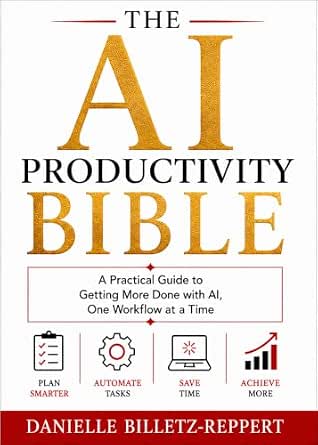 | Best for Workflow-by-Workflow Learning | Product type: Practical guide | Topic: AI productivity | Organization: One workflow at a time | VIEW LATEST PRICE | See Our Full Breakdown |
| AI Workflows: How Smart Professionals Use AI to Automate Work, Think Better, and Make Faster Decisions |  | Best for Decision-Focused Professionals | Product type: Guide | Series: AI Productivity Series | Audience: Professionals | VIEW LATEST PRICE | See Our Full Breakdown |
| 100 AI Tools That Save Time: Work Smarter, Automate Faster, and Boost Productivity |  | Best for Exploring AI Tool Options | Product type: Guide | Stated tool count: 100 AI tools | Stated goal: Save time | VIEW LATEST PRICE | See Our Full Breakdown |
| Work Smarter From Home: Practical Tools, AI & Productivity Strategies for a Better Workday |  | Best for Whole-Day Work-from-Home Habits | Product type: Guide | Stated setting: Working from home | Stated subjects: Practical tools, AI, and productivity strategies | VIEW LATEST PRICE | See Our Full Breakdown |
| AI productivity tools for remote work | Format |
|---|---|
| AI Prompts for Office Producti | Not specified |
| ChatGPT | Not specified |
| Everyday AI | Not specified |
| AI-Powered Productivity: Work | Book |
| The AI Productivity Toolkit: 1 | Not specified |
| Work Smarter with AI: Producti | Not specified |
| Using AI at Work: Time Managem | Book |
| Remote Work Skills for Beginne | Not specified |
| AI for Busy Professionals: A N | — |
| STRATRONIX STA-100 Workie Loca | — |
| AI for Busy Professionals: Usi | — |
| The AI Productivity Bible: A P | — |
| AI Workflows: How Smart Profes | — |
| 100 AI Tools That Save Time: W | — |
| Work Smarter From Home: Practi | — |
More Details on Our Top Picks
AI Prompts for Office Productivity: Practical ChatGPT and Claude Prompts for Emails, Spreadsheets, Presentations, Reports, and Meetings
This guide is the most task-specific pick here for remote workers who want prompts they can adapt to familiar office work. Its 100+ prompts cover email, spreadsheet formulas, presentations, reports, and meetings, while support for both ChatGPT and Claude gives readers more choice than the ChatGPT-only The AI Productivity Toolkit. That breadth could help when a workday shifts between drafting a client message and preparing a meeting summary. The tradeoff is that the supplied details don’t show sample prompts, guide length, or how instructions are organized, so buyers can’t judge how ready-to-use the material is. Compared with the broader, cross-context Everyday AI, Made Practical, this title keeps its focus closer to routine office workflows, but offers less evidence about the depth of its guidance.
Pros:- Covers several recurring office tasks, from email to meeting work.
- Includes prompts for both ChatGPT and Claude.
- Lists more than 100 prompts, offering a substantial set of starting points.
Cons:- No sample prompts are included in the provided product details.
- The guide’s format and length are unspecified.
- The supplied description does not explain how prompts are grouped or adapted for different workflows.
Best for: Remote office workers who regularly write emails, build spreadsheet formulas, prepare presentations, or organize meetings and want prompts for either ChatGPT or Claude.
Not ideal for: Readers who want confirmed sample pages, a specified format, or detailed step-by-step instruction before choosing a guide.
- Prompt count:100+
- AI tools:ChatGPT and Claude
- Topics:Emails, Excel formulas, presentations, reports, meetings, and office productivity
- Format:Not specified
- Length:Not specified
- Example prompts provided:Not specified in the product details
Our verdict“Choose this guide if your remote workday revolves around common office tasks and you want prompt ideas that span ChatGPT and Claude.”
ChatGPT, Claude & AI Tools for Work: A Beginner-Friendly Guide for Busy Professionals
For a remote worker who is still figuring out where AI fits into the workday, this guide’s clearest advantage is its beginner-friendly approach. It spans ChatGPT, Claude, and other AI tools, with an emphasis on writing faster, planning better, and saving time. That makes it a more approachable starting point than AI Prompts for Office Productivity, whose description assumes interest in specific office tasks such as spreadsheet formulas and presentations. The tradeoff is limited detail: the product information names broad goals but gives no example workflows, format, or length. Buyers looking for a ready-made prompt library may find The AI Productivity Toolkit more concrete, since it specifies prompts and workflows. This title makes more sense for someone who first needs a broad introduction than for an experienced user seeking precise remote-work processes.
Pros:- Designed for beginners rather than assuming prior AI knowledge.
- Covers ChatGPT, Claude, and other AI tools.
- Connects AI use to writing, planning, and productivity goals.
Cons:- The product details do not specify the guide’s format or length.
- No concrete prompts or workflows are described.
- The supplied information does not identify remote-work-specific topics such as meeting coordination or async communication.
Best for: Professionals new to generative AI who work remotely and want an accessible introduction to using AI for writing, planning, and everyday productivity.
Not ideal for: Experienced AI users or prompt-library shoppers who need named workflows, examples, a specified format, or detailed task coverage.
- AI tools:ChatGPT, Claude, and other AI tools
- Audience:Busy professionals and beginners
- Focus areas:Saving time, writing faster, planning better, and productivity
- Format:Not specified
- Length:Not specified
- Prompt or workflow count:Not specified
Our verdict“Pick this guide if you are new to AI at work and prefer a broad, accessible starting point over a detailed prompt collection.”
Everyday AI, Made Practical: A Hands-On Guide to AI Tools for Work, Study, Productivity, Research, and Digital Life
This is the broadest cross-context option in the group: it connects AI use at work with study, research, productivity, and digital life. That range may suit remote workers whose roles mix project tasks with learning new tools or researching unfamiliar topics. Its hands-on framing suggests practical use rather than a purely conceptual overview, although the available details do not say what exercises or tools are included. Compared with AI Prompts for Office Productivity, it is less tightly focused on specific office tasks; compared with ChatGPT, Claude & AI Tools for Work, its description names more settings but does not identify particular AI products. The central tradeoff is uncertainty: format, contents, and resources are unspecified, making it harder to judge whether it offers enough depth for a work-focused buyer.
Pros:- Includes work, study, productivity, research, and digital life.
- Describes the approach as hands-on.
- May suit readers who want AI guidance that extends beyond work tasks.
Cons:- Specific topics and activities are not detailed in the supplied information.
- The AI tools covered are not named.
- Format and included resources are unspecified.
Best for: Remote workers who also use AI for self-directed study and research and want one guide spanning several everyday contexts.
Not ideal for: Buyers seeking a clearly defined prompt set, named AI platforms, or detailed office-task coverage before selecting a guide.
- Coverage:Work, study, productivity, research, and digital life
- Approach:Hands-on guide
- AI tools:Not specified
- Format:Not specified
- Included resources:Not specified
- Prompt or workflow count:Not specified
Our verdict“Choose this if you want a hands-on guide that reaches beyond remote work into study and research, and can accept limited detail about its contents.”
AI-Powered Productivity: Work Smarter, Save Time, and Build More Income with Practical AI Tools, Productivity Strategies, and Digital Skills
This book is aimed at readers who see AI productivity as part of a larger work strategy, not just a way to draft messages. It pairs practical AI tools with productivity strategies and digital skills, then extends the scope to building more income. That broader ambition distinguishes it from AI Prompts for Office Productivity, which stays close to routine office tasks, and from The AI Productivity Toolkit, which specifies a set of prompts and workflows. For a remote freelancer or independent professional, the income angle may be relevant; for an employee seeking help with meetings or async communication, it may be less directly useful. The description does not name tools or strategies, so buyers have little information about how actionable or remote-work-specific the guidance is.
Pros:- Combines AI tools with productivity strategies.
- Addresses time-saving approaches and digital skills.
- Includes income-building as an additional goal.
Cons:- Specific AI tools and strategies are not listed in the product details.
- No remote-work-specific workflows are identified.
- The available format information does not clarify how the book is structured.
Best for: Remote freelancers and independent professionals who want to connect AI productivity habits with digital skills and income-building goals.
Not ideal for: Employees seeking a task-by-task guide to email, meetings, spreadsheets, or specific AI tools and workflows.
- Format:Book
- Focus:AI-powered productivity
- Topics:Practical AI tools, productivity strategies, and digital skills
- Stated goals:Work smarter, save time, and build more income
- Specific AI tools:Not specified
- Prompt or workflow count:Not specified
Our verdict“Pick this book if your remote-work goals include developing digital skills and pursuing income opportunities, not only speeding up office tasks.”
The AI Productivity Toolkit: 100 Practical ChatGPT Prompts and 20 Time-Saving Workflows
The strongest point of this toolkit is its defined structure: 100 ChatGPT prompts plus 20 time-saving workflows. That makes it a more concrete option for freelancers, content creators, and small businesses than the broadly framed ChatGPT, Claude & AI Tools for Work. The workflows may help readers turn individual prompts into repeatable routines, a useful distinction for remote workers handling recurring content or business tasks. It is also more narrowly tied to ChatGPT than AI Prompts for Office Productivity, which covers both ChatGPT and Claude and names spreadsheet, presentation, and meeting tasks. The tradeoff is that the stated audience and everyday-productivity focus do not confirm specific coverage for remote collaboration, while buyers who prefer Claude will need another resource.
Pros:- Specifies 100 practical ChatGPT prompts.
- Adds 20 workflows, going beyond a prompt-only collection.
- Names freelancers, content creators, and small businesses as intended users.
- Targets everyday productivity across work and related tasks.
Cons:- The listed AI tool is ChatGPT, with no Claude support specified.
- The product details do not identify remote collaboration workflows.
- The provided information does not specify format or length.
Best for: Remote freelancers, content creators, and small-business owners who use ChatGPT and want a mix of prompts and repeatable productivity workflows.
Not ideal for: Workers who rely on Claude, need confirmed guidance for meetings or remote-team coordination, or want a guide aimed specifically at larger office teams.
- Prompt count:100
- Workflow count:20
- AI tool:ChatGPT
- Intended users:Freelancers, content creators, and small businesses
- Use:Everyday productivity
- Format:Not specified
Our verdict“Choose this toolkit if you use ChatGPT for recurring freelance, creator, or small-business tasks and want workflows alongside prompts.”
Work Smarter with AI: Productivity for Knowledge Workers
Work Smarter with AI is aimed at people whose remote work revolves around writing, research, and other knowledge tasks. Its coverage of ChatGPT, Claude, and other AI tools gives it a broader scope than Using AI at Work: Time Management for Busy Professionals, which centers on prioritizing and managing the workweek. That difference suits readers who want to explore AI applications across several kinds of work rather than focus mainly on calendars. The stated aim is to help knowledge workers save time, but the product details do not identify specific workflows, instruction depth, or a defined time-saving method. I’d choose it for a multi-tool orientation, not for step-by-step guidance on a particular remote-work routine. Readers who want practical exercises or detailed setup instructions may prefer a more explicitly structured guide.
Pros:- Covers ChatGPT, Claude, and other AI tools rather than centering on one assistant
- Targets practical productivity applications for knowledge work
- Speaks directly to the time pressures of professional work
Cons:- The available description does not identify specific workflows or exercises
- No detail is provided about the guide’s format or depth
- Its broad tool coverage may offer less focused time-management guidance than Using AI at Work
Best for: Remote knowledge workers who want an introduction to applying several AI assistants across writing, research, and everyday work tasks
Not ideal for: Readers seeking a clearly documented step-by-step curriculum, detailed tool setup, or focused calendar and task-management guidance
- AI tools mentioned:ChatGPT, Claude, and other AI tools
- Intended audience:Knowledge workers
- Primary focus:Using AI for productivity
- Stated goal:Help knowledge workers save time each week
- Format:Not specified
- Specific workflows:Not specified
Our verdict“Choose this guide if you want a broad, knowledge-work-focused introduction to using multiple AI tools, rather than a detailed time-management playbook.”
Using AI at Work: Time Management for Busy Professionals
For remote professionals whose main challenge is deciding what deserves attention, Using AI at Work has the clearest focus in this group: priorities, calendars, and the workweek. Its non-technical, tool-agnostic approach should feel more approachable than Work Smarter with AI: Productivity for Knowledge Workers, which covers multiple AI tools for knowledge work more broadly. That focus can help readers think about where AI fits into planning without committing to a particular assistant. The tradeoff is equally clear: this is not presented as a guide to a specific platform or a wide range of AI workflows, and the available details do not spell out its methods or depth. I’d shortlist it for someone trying to organize a distributed work schedule, but skip it if the goal is hands-on instruction for writing, research, or automation.
Pros:- Designed for readers without a technical background
- Tool-agnostic approach avoids tying the guidance to one AI product
- Focuses on practical remote-work pressures such as task priority and calendar use
- Addresses how to make better use of the workweek
Cons:- Available details do not explain the specific methods or exercises
- Offers a narrower time-management focus than Work Smarter with AI
- Book length and other format details are not provided
Best for: Busy remote professionals who want a non-technical framework for prioritizing tasks and planning calendars with AI assistance
Not ideal for: Readers looking for detailed instructions for ChatGPT, Claude, or specific AI workflows beyond scheduling and prioritization
- Format:Book
- Topic:AI-assisted time management
- Approach:Non-technical and tool-agnostic
- Key subjects:Prioritizing tasks and managing calendars
- Audience:Busy professionals
- Series:Leadership Coaching by Jess Pryce
Our verdict“Pick this book if your remote-work bottleneck is planning and prioritizing the week, not learning specific AI tools or workflows.”
Remote Work Skills for Beginners
Remote Work Skills for Beginners is the broadest entry-level option here: AI is one topic among email, scheduling, online research, customer support, data entry, and digital organization. That makes it more relevant to someone preparing for work-from-home roles than AI for Busy Professionals: A No-Hype Guide to Using ChatGPT and AI Tools, which centers on AI productivity for professionals. The range is useful because remote work depends on communication and organization as well as AI. The tradeoff is that AI may receive less attention than in a dedicated AI guide, and the product details do not say how deeply any topic is taught. I’d choose it for a beginner building a general remote-work skill set, not for an experienced worker who wants advanced AI workflows or a focused productivity system.
Pros:- Covers practical skills beyond AI, including email, scheduling, and digital organization
- Includes online research, customer support, and data entry topics relevant to remote roles
- Is explicitly aimed at beginners seeking work-from-home jobs
Cons:- AI is only one part of a wide-ranging topic list
- The available information does not establish how much detail each subject receives
- Format and instructional approach are not specified
Best for: People new to work-from-home jobs who need an overview of communication, organization, and basic AI-related skills
Not ideal for: Experienced remote professionals seeking in-depth AI instruction, advanced workflows, or a specialized productivity method
- Audience:Beginners seeking work-from-home jobs
- Topics:Email, scheduling, online research, AI tools, customer support, data entry, and digital organization
- AI coverage:AI tools included among broader remote-work topics
- Format:Not specified
- Topic depth:Not specified
- Specific AI tools:Not specified
Our verdict“Choose this guide to build a broad foundation for entry-level remote work; choose a dedicated AI guide for deeper tool instruction.”
AI for Busy Professionals: A No-Hype Guide to Using ChatGPT and AI Tools
AI for Busy Professionals pairs practical productivity use with an explicit discussion of AI concerns and job security, making it a fit for readers who want a grounded introduction rather than an unqualified promise of automation. Compared with Work Smarter with AI: Productivity for Knowledge Workers, its framing is more directly aimed at busy professionals and addresses the anxieties that can come with adopting AI at work. The description names ChatGPT and other AI tools, but does not specify particular exercises, workflows, or how extensively job-security concerns are handled. That leaves less certainty about its practical depth than the title’s promise may suggest. I’d consider it for someone who wants productivity guidance alongside a cautious perspective; readers looking for a dedicated calendar-planning method may get a closer fit from Using AI at Work.
Pros:- Focuses on applying AI tools to professional productivity
- Names ChatGPT while also addressing other AI tools
- Acknowledges concerns about AI and job security
- Is part of the AI Productivity Series
Cons:- The available description does not list concrete workflows or exercises
- The depth of its job-security discussion is not specified
- Its broad professional focus is less targeted to time management than Using AI at Work
Best for: Busy remote professionals who want practical guidance on ChatGPT and other AI tools while also thinking about workplace and job-security concerns
Not ideal for: Readers who want a highly specific calendar-planning framework or detailed, named AI workflows before choosing a guide
- Series:AI Productivity Series
- Book number:1
- AI tools:ChatGPT and other AI tools
- Primary audience:Busy professionals
- Primary focus:Using AI to improve productivity
- Additional topic:Concerns about AI and job security
Our verdict“Choose this guide if you want a practical introduction to workplace AI that also addresses job-security concerns, rather than a narrow scheduling manual.”
STRATRONIX STA-100 Workie Local AI Office Assistant
The STA-100 Workie is the only dedicated device in this group, aimed at remote workers who want an office assistant that can run scheduled tasks and respond through messaging apps. Unlike the book-based options, it arrives with OpenClaw and an XFCE Linux desktop installed, while its files are stored locally on 32GB of eMMC storage with SD-card expansion. It can connect to DeepSeek, Gemini, Claude, or ChatGPT, but those models require your own API key and subscription, and AI tasks need internet access and stable power. That means local file storage is not the same as fully offline AI. The single-role design also makes it less flexible as a general-purpose productivity purchase than a guide such as Work Smarter with AI. I’d favor it for a specific recurring office workflow, not for someone who wants a plug-in, self-contained AI service.
Pros:- Ships with the OpenClaw platform and an XFCE Linux desktop installed
- Stores files locally and supports SD-card expansion
- Offers remote access through WhatsApp, Slack, Telegram, Discord, and Teams
- Supports scheduled tasks and configuration for specialized office workflows
Cons:- Requires the buyer’s own third-party AI API key and subscription
- AI tasks depend on stable internet access and power
- Each device is intended for a single specialized role
Best for: Remote teams or independent professionals who can configure an API-connected assistant for scheduled, repeatable office tasks and value local file storage
Not ideal for: Buyers seeking offline AI, a device that includes model access, or one assistant that handles several specialized roles without configuration
- Model:STA-100 Workie
- AI platform:OpenClaw
- Operating system:XFCE Linux; long-term-supported Ubuntu OS
- Internal storage:32GB eMMC
- Expandable storage:Up to 512GB via SD card
- AI model providers:DeepSeek, Gemini, Claude, or ChatGPT
- Setup time:8–10 minutes
- Remote access:WhatsApp, Slack, Telegram, Discord, and Teams
- Power, internet, and subscriptions:Stable power and internet required for AI tasks; requires the user’s third-party AI API subscription; no STRATRONIX subscription
Our verdict“Choose the STA-100 for a configurable, dedicated remote-office agent if you can supply API access and accept its internet and single-role limits.”
AI for Busy Professionals: Using Microsoft Office Copilot to Save Time, Boost Productivity, and Automate Work
Microsoft Office Copilot focus gives this guide a defined lane among the broader AI productivity titles: it centers on saving time and automating work with a specific office assistant, rather than surveying many tools. For remote workers who spend their day in office applications, that focus may make the ideas easier to connect to recurring tasks such as drafting and organizing work. Compared with The AI Productivity Bible, which promises workflow-by-workflow guidance without naming a particular platform, this title signals a clearer tool focus. The tradeoff is that the supplied details say nothing about its examples, chapters, or format, so I can’t judge how actionable or current the instruction is. It also may be less useful to readers whose teams rely on tools outside Microsoft Office.
Pros:- Names Microsoft Office Copilot as its central tool, giving the topic a more specific scope than broad AI guides.
- Focuses on saving time and improving productivity at work.
- Covers work automation, a relevant goal for remote professionals handling recurring tasks.
Cons:- The available description gives no examples or chapter details to show how the guidance applies to specific office tasks.
- The supplied data does not identify the book’s format.
- Its Microsoft-specific focus may not transfer well to teams using other office platforms.
Best for: Remote professionals whose daily work is centered on Microsoft Office and who want a guide specifically about applying Office Copilot to routine tasks.
Not ideal for: Workers using Google Workspace or a mix of non-Microsoft apps, since the book’s stated focus is Microsoft Office Copilot.
- Product type:Guide
- Named tool:Microsoft Office Copilot
- Stated audience:Busy professionals
- Stated use:Save time
- Stated goal:Boost productivity
- Stated task focus:Automate work
- ASIN:B0GX34V58Q
Our verdict“Choose this guide if Microsoft Office Copilot is central to your remote-work routine and skip it if you need cross-platform AI advice.”
The AI Productivity Bible: A Practical Guide to Getting More Done with AI, One Workflow at a Time
One workflow at a time is the clearest point of distinction here. That framing suits remote workers who would rather improve a repeatable process than browse a long list of disconnected AI tips. Compared with 100 AI Tools That Save Time, this title suggests more attention to how AI fits into work, rather than the breadth of a large tool roundup. The useful promise is a practical productivity guide organized around workflows; the limitation is that the supplied description names neither the workflows nor the AI tools. A buyer can’t tell whether it addresses remote staples such as meeting follow-ups, research, or project updates, or whether its advice fits the tools already in use. I’d rank it for its structured approach, with that lack of detail as a real caveat.
Pros:- Organizes its stated approach around individual workflows, which can make productivity changes easier to tackle incrementally.
- Presents itself as a practical guide rather than a purely conceptual overview.
- Focuses on using AI to get more work done, a direct fit for remote professionals managing independent tasks.
Cons:- The available description does not identify the workflows covered.
- No specific AI tools are named, making it hard to judge fit with a reader’s existing work setup.
- The supplied data does not specify the book’s format or level of detail.
Best for: Remote knowledge workers who want to improve recurring work processes in manageable steps rather than start with a catalog of AI products.
Not ideal for: Readers seeking a named-tool tutorial or a clearly specified set of remote-work examples, since the available data identifies neither.
- Product type:Practical guide
- Topic:AI productivity
- Organization:One workflow at a time
- Stated goal:Get more done with AI
- Named AI tools:Not specified in supplied data
- Specific workflows:Not specified in supplied data
- ASIN:B0HGKYNDRJ
Our verdict“Pick this for a workflow-led approach to AI productivity, but choose a more specific title if you need known tools or examples before buying.”
AI Workflows: How Smart Professionals Use AI to Automate Work, Think Better, and Make Faster Decisions
Automation, thinking, and decision-making give this guide a broader professional-work angle than a title focused mainly on saving time. That combination may appeal to remote workers who need AI support not just for repetitive tasks but also for working through information and reaching decisions. Compared with AI for Busy Professionals: Using Microsoft Office Copilot to Save Time, Boost Productivity, and Automate Work, it is not tied in the supplied description to one office assistant, so its stated scope sounds less platform-specific. The tradeoff is limited visibility: no examples, tools, or format are provided, and the title alone can’t show how the advice handles real remote-work scenarios. Its place in the AI Productivity Series signals a series affiliation, but not a particular level of depth.
Pros:- Covers professional workflow automation alongside thinking and decision support.
- Has a broader stated scope than a guide centered on Microsoft Office Copilot.
- Identified as part of the AI Productivity Series.
Cons:- The supplied information does not name the AI tools covered.
- No detailed workflow examples or contents are available to assess practical depth.
- The product data does not specify its format.
Best for: Remote professionals who want AI guidance spanning task automation, structured thinking, and faster workplace decisions.
Not ideal for: Readers who need a hands-on tutorial for a named AI tool or verified examples for a specific remote-work routine.
- Product type:Guide
- Series:AI Productivity Series
- Audience:Professionals
- Work focus:Professional workflows
- Stated task:Automate work
- Stated thinking focus:Think better
- Stated decision focus:Make faster decisions
- ASIN:B0GSQRRD8B
Our verdict“Choose this if your remote work calls for both automation and decision support, but look elsewhere for a clearly named tool tutorial.”
100 AI Tools That Save Time: Work Smarter, Automate Faster, and Boost Productivity
100 AI tools is a discovery-oriented promise: this title may suit remote workers who want to scan a wide range of options for automating tasks and saving time. That breadth sets it apart from AI for Busy Professionals: Using Microsoft Office Copilot to Save Time, Boost Productivity, and Automate Work, which focuses on one named tool. The tradeoff is depth and fit. The supplied description gives no tool list, selection criteria, or examples, so readers can’t tell whether the coverage is current or relevant to remote collaboration. A large catalog may help generate ideas, but it does not by itself explain which tools belong in a particular workflow. I’d treat this as the broadest discovery pick in this group, not as a confirmed hands-on guide to any specific platform.
Pros:- States a broad scope of 100 AI tools, unlike titles centered on one named assistant.
- Focuses on saving time, automation, and productivity.
- Could help readers identify tools to investigate for different work needs.
Cons:- The supplied data does not list the tools or explain how they are selected.
- No details establish whether the guide covers remote-work use cases or collaboration.
- The available description does not specify the format or the depth of guidance.
Best for: Remote workers who want to discover a range of AI tools for task automation and productivity before choosing what to explore further.
Not ideal for: Buyers who want step-by-step instruction for a named product or a curated shortlist for a particular remote-work task.
- Product type:Guide
- Stated tool count:100 AI tools
- Stated goal:Save time
- Stated productivity focus:Work smarter and boost productivity
- Stated automation focus:Automate faster
- Specific tools:Not listed in supplied data
- ASIN:B0H2Z1JFZN
Our verdict“Choose this for broad AI-tool discovery, not if you need a verified, step-by-step solution for a specific remote workflow.”
Work Smarter From Home: Practical Tools, AI & Productivity Strategies for a Better Workday
Work-from-home framing makes this title the most directly aligned with the setting in this roundup. Rather than presenting itself solely as an AI tool guide, it combines practical tools, AI, and productivity strategies for improving the workday. That broader mix distinguishes it from The AI Productivity Bible, whose stated structure centers on individual AI workflows. For readers seeking ideas that connect AI with their wider home-working routine, the scope may be a better match. The tradeoff is that the description does not explain which tools or strategies appear, or how much attention AI receives compared with general productivity advice. With no specific contents or format supplied, buyers who want a concrete tool tutorial have little evidence to judge its depth.
Pros:- Explicitly addresses working from home, making its setting more targeted than general professional productivity guides.
- Combines AI with practical tools and broader productivity strategies.
- Focuses on improving the workday rather than only describing AI capabilities.
Cons:- The supplied description does not identify its AI tools or practical examples.
- It is unclear how much of the guide focuses on AI versus general productivity strategies.
- The available product data does not specify format or chapter contents.
Best for: People working from home who want a mix of AI guidance, practical tools, and broader productivity strategies for shaping their workday.
Not ideal for: Remote workers looking specifically for detailed instructions on a named AI application or a defined set of automation workflows.
- Product type:Guide
- Stated setting:Working from home
- Stated subjects:Practical tools, AI, and productivity strategies
- Stated goal:Improve the workday
- Named AI tools:Not specified in supplied data
- Specific strategies:Not specified in supplied data
- ASIN:B0HJB7LZ37
Our verdict“Choose this for a broad work-from-home productivity perspective that includes AI, but not for a detailed tutorial on a particular tool.”

How We Picked
I compared the 15 entries by how directly they help remote workers reduce repetitive work, improve communication, and build reliable routines across distance. I also weighed practical specificity, accessibility for different skill levels, breadth across common work tasks, and whether an entry offers actionable workflows or mainly broad orientation. Remote-work fit mattered: guidance on working from home or collaborating asynchronously has a clearer connection to the search intent than general AI advice, though broad guides can still help when they translate into repeatable work habits.
The ranking favors practical usefulness and a clear role over the number of tools or topics covered. The AI Productivity Toolkit leads because its title signals both ready-to-adapt prompts and structured workflows; office-specific prompt collections and approachable beginner guides follow for readers with narrower needs. Specialized choices, including Microsoft Office Copilot guidance and the Workie local assistant, rank for buyers who already know their ecosystem or have a particular privacy and setup preference. Since the list includes many books as well as one device, I treat them as different kinds of help rather than implying they are interchangeable software services.
| AI productivity tools for remote work | Format |
|---|---|
| AI Prompts for Office Producti | Not specified |
| ChatGPT | Not specified |
| Everyday AI | Not specified |
| AI-Powered Productivity: Work | Book |
| The AI Productivity Toolkit: 1 | Not specified |
| Work Smarter with AI: Producti | Not specified |
| Using AI at Work: Time Managem | Book |
| Remote Work Skills for Beginne | Not specified |
| AI for Busy Professionals: A N | — |
| STRATRONIX STA-100 Workie Loca | — |
| AI for Busy Professionals: Usi | — |
| The AI Productivity Bible: A P | — |
| AI Workflows: How Smart Profes | — |
| 100 AI Tools That Save Time: W | — |
| Work Smarter From Home: Practi | — |
Factors to Consider When Choosing AI Productivity Tools For Remote Work
Before choosing, decide whether you want an AI tool that performs tasks, a guide that teaches you to use tools, or a repeatable system for coordinating remote work. These options can complement one another, but they solve different problems. The factors below help separate short-term convenience from habits and workflows that hold up across a distributed team.
Choose Between a Tool and a Guide
A book of prompts can improve how you use ChatGPT or Claude, but it does not provide the model, account, or integrations itself. A dedicated assistant device is a different purchase: check what it can connect to, how it receives updates, and whether it fits your existing work setup. A common mistake is buying instruction when the actual bottleneck is access to approved AI software, or expecting a guide to automate a task on its own. If you already have workplace AI access, focused workflow material may offer more value than another general introduction. If you do not, confirm your employer’s approved tools before building work around a particular platform.
Match the Guidance to Your Workday
Remote work creates different friction points for different roles: a project lead may need meeting follow-ups, while an analyst may want help structuring spreadsheet work. Start by listing the tasks that repeatedly interrupt your day, then choose material that addresses those tasks rather than a large collection of unrelated ideas. Broad guides can help when your responsibilities vary, but their breadth may require more effort to turn advice into a routine. Narrow prompt collections are easier to apply to a defined task set, though they may not help much outside it. Test one workflow against a real recurring task before reorganizing your whole workday around AI.
Prioritize Asynchronous Collaboration
Distributed teams often rely on written updates, handoffs, and decisions made outside a shared meeting, so remote-work AI should support clarity as well as speed. Look for guidance that helps produce concise status notes, structured meeting summaries, or reusable project documentation. A polished message can still create confusion if the prompt leaves out audience, context, ownership, or next steps. Avoid treating AI output as a substitute for agreed team conventions, such as where decisions are recorded and who approves them. The most useful system makes information easier for coworkers in different schedules to act on.
Check Privacy and Workplace Rules Before Sharing Data
AI tools may process information outside the systems your organization controls, so data handling deserves attention before you paste in client details, internal documents, or personnel information. Read the relevant workplace policy and the tool’s data settings instead of assuming a work-oriented product is automatically approved for confidential material. A local assistant may appeal to buyers concerned about where processing happens, but its actual privacy properties depend on its configuration and connected services. For sensitive work, use sanitized examples or approved systems and keep a human review step. Convenience is rarely worth creating an avoidable disclosure risk.
Favor Repeatable Workflows Over Prompt Collecting
A large prompt library can look useful while leaving you with no dependable process for checking results or handing work off. A strong workflow defines the input, the expected output, the review step, and what happens when the answer is incomplete. This structure matters more for recurring remote tasks than a clever one-off prompt because coworkers need consistent results across days and people. Begin with one low-risk task, record what needs editing, and refine the process before applying it to more work. Guides centered on workflows may take longer to adopt than a quick prompt list, but they can better support consistent team practices.
Consider Ecosystem Fit and Ongoing Effort
Platform-specific guidance can be useful when your organization already relies on Microsoft Office, but it may offer less value if your team uses a different stack or restricts Copilot access. General ChatGPT and Claude material travels more easily across setups, though examples may need adaptation to your company’s approved tools. Also account for the work of maintaining prompts, checking outputs, and teaching teammates how to use a process. A tool that saves minutes on one task can still create extra review or coordination work elsewhere. Choose for the software and habits your team can sustain, not for the longest feature list.
Frequently Asked Questions
Are these recommendations mostly software tools or books?
Most entries are books or practical guides that teach readers to use AI; they are not standalone software services. STRATRONIX STA-100 Workie is the distinct hardware-based office assistant in this lineup. If you need an app that directly connects to your calendar, chat, or documents, check those integration and access requirements separately. A guide can help you get more from software your employer already permits, but it does not replace that software. This distinction is the first filter I would use when comparing the list.
Which option makes the most sense if I have never used AI for work?
ChatGPT, Claude & AI Tools for Work is framed as a beginner-friendly guide for busy professionals, making it a natural starting point for someone who wants an accessible introduction. Everyday AI, Made Practical also covers a broad range of uses, which may help readers who want examples beyond office tasks. Neither choice removes the need to check your workplace’s rules about approved tools and confidential information. If you already know the basics and want repeatable output, a workflow-focused option may be a better next step. Choose an introduction if understanding the tools is your main hurdle, not just because the title sounds broad.
Should I choose a prompt collection or a workflow guide?
Choose a prompt collection when you have familiar tasks and want a starting point for drafting emails, reports, presentations, or spreadsheet-related requests. Choose a workflow guide when the problem includes several steps, repeated handoffs, or a need for consistent review. Prompts can accelerate one interaction, but a workflow defines how the task begins, how output is checked, and where the result goes. For a remote team, that repeatability can matter more than the wording of any single prompt. Some buyers may benefit from starting with prompts and then documenting the process that proves useful.
Is a local AI assistant a better choice for confidential remote work?
Not automatically. A local device may offer a different processing setup, but privacy depends on its actual configuration, network connections, software, and data practices. Confirm how information is handled and whether the device meets your organization’s security requirements before using it with sensitive material. Also compare its supported tasks and compatibility with your existing tools; a privacy preference does not help if the device cannot fit your workflow. For restricted work, follow company policy and use approved systems even when another option appears more private.
How can I tell whether an AI productivity guide will save time rather than add work?
Pick one recurring, low-risk task and measure the whole process, including prompt setup, output review, corrections, and handoff to a coworker. A faster first draft is not a time saving if checking it takes longer than writing it yourself. Prefer guidance that explains how to structure inputs and verify results, rather than relying only on examples that look polished. Keep the workflow only if it improves speed, clarity, or consistency across several attempts. This small trial can reveal whether you need a quick prompt reference, a deeper process guide, or no new resource at all.
Conclusion
Best overall: I recommend The AI Productivity Toolkit for readers seeking practical prompts paired with time-saving workflows. Best value for focused office tasks: AI Prompts for Office Productivity is the direct fit for email, spreadsheet, presentation, report, and meeting work. Best for beginners: ChatGPT, Claude & AI Tools for Work offers an approachable entry point, while best premium or specialized choice depends on your setup: consider AI for Busy Professionals: Using Microsoft Office Copilot if your team is committed to Microsoft Office, or STRATRONIX STA-100 Workie if you specifically want a dedicated assistant device and have checked its fit and data handling. For readers whose main need is working from home rather than learning AI, Work Smarter From Home and Remote Work Skills for Beginners are the more directly relevant picks. My short version: choose one guide that targets your real bottleneck, then test a single workflow before adding more tools or advice.