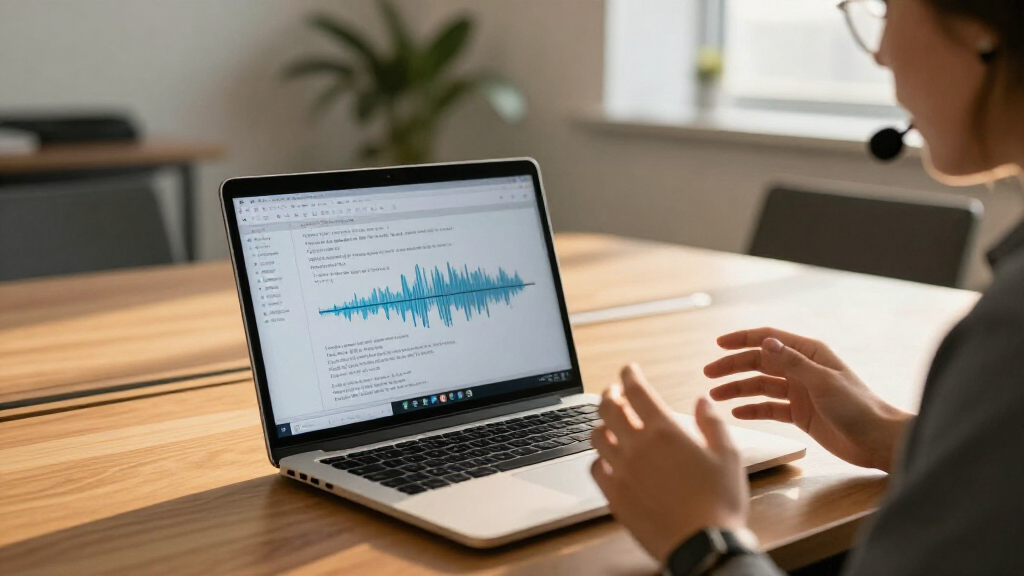

AI transcription software can turn meetings, interviews, and voice notes into searchable text, but the right choice depends on how you record and what you do with the transcript. My best overall pick is Plaud Note Pro for its focused recording-and-notes workflow, while HiDock H1E stands out for desk-based meetings and PenPower VoiceWriter for dictation and writing. The main tradeoffs are dedicated hardware versus software flexibility, ongoing transcription limits, and whether you need summaries, translation, or simple searchable text. A recorder can make capture easier, but it does not automatically make transcripts more accurate or private. Read on for the full breakdown of all 15 options and guidance on choosing one that suits your work.

Get business pricing on tech for your team
- Business-only prices and quantity discounts
- Tax-exempt purchasing
- Multiple users, one account, clear invoices
Key Takeaways
- Plaud Note Pro is the strongest all-around fit for buyers who want a dedicated recorder paired with transcription and note summaries; its value depends on whether that device-centered workflow suits them.
- HiDock H1E serves a different job than pocket recorders: its docking-station format is aimed at desk meetings and a connected workspace, not spontaneous recording on the go.
- PenPower VoiceWriter is the dictation outlier because it focuses on turning speech into writing through a dongle and app rather than acting mainly as a standalone meeting recorder.
- Transcription-plan language needs close reading: several listings highlight unlimited transcription, but buyers should check the service terms and any usage conditions before relying on that claim.
- Hardware specs alone do not settle the choice: storage, battery life, magnetic attachment, and wearable designs affect capture convenience, while transcription workflow and export options shape how useful the text is afterward.
| Pocket AI Voice Recorder with Automatic Transcription, AI Note Taking, and MagSafe Compatibility, Sierra Blue |  | Best for Searchable Conversation Follow-Up | Storage: 64 GB | Battery life: Up to 4 days | Connectivity: Bluetooth | VIEW LATEST PRICE | See Our Full Breakdown |
| RECOLX AI Voice Recorder with GPT-5.2 Transcription, 64 GB, Pearl Gray |  | Best for Multilingual Transcription | Storage: 64 GB | Recording time: Up to 30 hours | Speech-to-text languages: Up to 112 | VIEW LATEST PRICE | See Our Full Breakdown |
| Plaud NotePin S Wearable AI Voice Recorder |  | Best Wearable for Hands-Free Capture | Recording range: Up to 3 m (9.8 ft) | Recording time: Up to 20 hours | Storage: 64 GB | VIEW LATEST PRICE | See Our Full Breakdown |
| Plaud Note Pro AI Voice Recorder, Silver |  | Best for Longer In-Person Sessions | Microphones: Four built-in microphones | Microphone range: Up to 5 m (16.4 ft) | Storage: 64 GB | VIEW LATEST PRICE | See Our Full Breakdown |
| SOULOG Sense AI Voice Recorder with Unlimited Transcription and Magnetic Card Holder |  | Best for Unlimited Transcription | Storage: 8 GB | Battery life: Up to 50+ hours | Digital recording time: Up to 50+ hours | VIEW LATEST PRICE | See Our Full Breakdown |
| Plaud Note AI Voice Recorder with Transcription and Summaries, Black |  | Best for Phone Calls and In-Person Meetings | Storage: 64 GB | Recording time: Up to 30 hours | Standby time: Up to 60 days | VIEW LATEST PRICE | See Our Full Breakdown |
| AI Voice Recorder with Transcription, Summarization, and Noise Cancellation |  | Best for Noise-Reduced Capture | Storage: 64 GB | Recording time: Up to 35 hours | Transcription languages: 152 | VIEW LATEST PRICE | See Our Full Breakdown |
| DOWAY AI Voice Recorder and Note Taker, 64GB, 35-Hour Recording, Silver Gray |  | Best for AI-Generated Meeting Notes | Storage: 64 GB | Recording time: Up to 35 hours | Battery capacity: 400 mAh | VIEW LATEST PRICE | See Our Full Breakdown |
| OLZO AI Voice Recorder with Transcription and Summaries, 16 GB, 45-Hour Battery |  | Best for a Defined Monthly Transcription Allowance | Storage: 16 GB | Recording time: Up to 45 hours | Maximum continuous recording per file: 10 hours | VIEW LATEST PRICE | See Our Full Breakdown |
| ShareHag AI Voice Recorder with Transcription, 64GB |  | Best for Long-Term Audio Storage | Storage: 64 GB | Digital recording capacity: Up to 600 hours | Transcription languages: Up to 152 | VIEW LATEST PRICE | See Our Full Breakdown |
| AI Voice Recorder and Note Taker with Unlimited Transcription |  | Best for Broad-Language Recording | Storage: 64 GB | Battery life: More than 30 hours | Recording modes: Ambient and phone-call recording | VIEW LATEST PRICE | See Our Full Breakdown |
| AI Voice Recorder with Magnetic Back, Transcription, Summaries and Translation |  | Best for Translation and Noise-Reduced Capture | Storage: 32 GB | Recording format: WAV | Continuous battery life: Up to 8 hours | VIEW LATEST PRICE | See Our Full Breakdown |
| PenPower AI VoiceWriter Dictation and Writing Assistant with USB Dongle and Mobile App |  | Best for Desktop Dictation and Editing | Dictation languages: 33 | AI feature languages: Chinese, English, Japanese, Korean, French, German, Spanish, Italian, and Swedish | Compatible operating systems: Windows 10 or later, macOS 13 or later, iOS 15 or later, Android 9 or later | VIEW LATEST PRICE | See Our Full Breakdown |
| Comulytic Note Pro AI Voice Recorder with Transcription and Summaries |  | Best for Long Recording Sessions | Storage: 16 GB | Battery life: Up to 45 hours | Standby time: Up to 107 days | VIEW LATEST PRICE | See Our Full Breakdown |
| HiDock H1E AI Meeting Note-Taker and 8-in-1 USB-C Docking Station |  | Best for Desk-Based Meeting Workflows | Total ports: 8 | HDMI output: Up to 4K at 60Hz; single display | Ethernet: 1 Gbps | VIEW LATEST PRICE | See Our Full Breakdown |
| AI transcription software | Storage | Weight | Connectivity |
|---|---|---|---|
| Pocket AI Voice Recorder with | 64 GB | — | Bluetooth |
| RECOLX AI Voice Recorder with | 64 GB | — | Bluetooth; USB-C file export |
| Plaud NotePin S Wearable AI Vo | 64 GB | 17.28 g | — |
| Plaud Note Pro AI Voice Record | 64 GB | 30 g (1.06 oz) | Bluetooth 5 |
| SOULOG Sense AI Voice Recorder | 8 GB | 1.6 ounces | — |
| Plaud Note AI Voice Recorder w | 64 GB | 30 g (1.06 oz) | Bluetooth |
| AI Voice Recorder with Transcr | 64 GB | — | Bluetooth 5.3 |
| DOWAY AI Voice Recorder and No | 64 GB | Approximately 32 g (1.12 oz) | Bluetooth 5.3 |
| OLZO AI Voice Recorder with Tr | 16 GB | — | — |
| ShareHag AI Voice Recorder wit | 64 GB | — | — |
| AI Voice Recorder and Note Tak | 64 GB | 27.22 g (1.02 oz) | Bluetooth and USB Type-C |
| AI Voice Recorder with Magneti | 32 GB | 52 g (3.2 oz) | Bluetooth, BLE, and USB-C |
| PenPower AI VoiceWriter Dictat | — | 75 g | — |
| Comulytic Note Pro AI Voice Re | 16 GB | — | — |
| HiDock H1E AI Meeting Note-Tak | — | 470 g | — |
More Details on Our Top Picks
Pocket AI Voice Recorder with Automatic Transcription, AI Note Taking, and MagSafe Compatibility, Sierra Blue
Pocket’s standout is what happens after recording: it can turn conversations into transcripts, summaries, action items, and conversation maps, then answer questions about the saved material. That makes it a stronger fit for people who need to retrieve decisions later than a basic recorder focused mainly on capturing audio. Compared with the Plaud NotePin S, Pocket favors quick access from a MagSafe-compatible phone rather than a wearable form and multiple wearing options. One-tap recording and up to four days of battery life suit frequent, short meetings and calls. The tradeoff is that some advanced AI features require an optional subscription, and the listed RealAudio format may be less familiar than standard formats. I’d choose it for follow-up and recall, not for buyers seeking a clearly documented, broadly compatible audio workflow.
Pros:- One-tap recording supports meetings, calls, and in-person conversations.
- AI produces transcripts, summaries, action items, and conversation maps.
- Question answering can help retrieve details from recorded content.
- MagSafe compatibility and up to four days of battery life support frequent mobile use.
Cons:- Some advanced features require an optional subscription.
- RealAudio is a less familiar listed recording format that may complicate audio compatibility.
Best for: Phone-first professionals who record meetings or calls and want to search transcripts, find action items, and revisit decisions.
Not ideal for: Buyers who need advanced AI features without a subscription or prefer a standard, widely supported recording format.
- Storage:64 GB
- Battery life:Up to 4 days
- Connectivity:Bluetooth
- Compatible devices:Smartphones; iOS and Android
- Microphone:Built-in
- Recording format:RealAudio
- MagSafe:Compatible
- Dimensions:1.77 × 3.2 × 7.4 in (D × W × H)
Our verdict“Choose Pocket if searchable AI follow-up and MagSafe phone attachment matter more than subscription-free features or a familiar audio format.”
RECOLX AI Voice Recorder with GPT-5.2 Transcription, 64 GB, Pearl Gray
Language coverage is RECOLX’s clearest advantage: transcription supports up to 112 languages, making it a better match for multilingual interviews and conversations than the supplied specs for Pocket or the Plaud Note Pro, which emphasize AI summaries and workflows instead. Its noise-reduction microphone, one-tap recording, and up to 30 hours of recording aim to make capture straightforward, while USB-C file export gives buyers a direct way to move recordings. The listing also describes templates and several AI modes, but those tools—and transcription and summaries—may depend on associated AI services, so I would check access requirements before relying on them. There’s no headphone jack, and the strongest language claims do not by themselves guarantee equal accuracy across every language or noisy setting. This is the lineup’s language-focused choice, not the most clearly established pick for integrated workplace workflows.
Pros:- Supports transcription in up to 112 languages.
- Records for up to 30 hours on a full charge.
- Built-in microphone includes noise reduction.
- One-tap recording and USB-C file export simplify capture and file transfer.
Cons:- AI transcription and summaries may depend on associated AI tools.
- No headphone jack is listed.
- Language-count coverage does not establish equal transcription accuracy across languages or recording conditions.
Best for: Interviewers, researchers, and multilingual teams who need speech-to-text across a broad range of languages and USB-C file export.
Not ideal for: Buyers who need a headphone jack or want AI transcription and summaries without depending on associated AI tools.
- Storage:64 GB
- Recording time:Up to 30 hours
- Speech-to-text languages:Up to 112
- Microphone:Built-in, high-sensitivity with noise reduction
- Connectivity:Bluetooth; USB-C file export
- AI features:Transcription, summaries, 71 templates, 5 AI modes
- Compatible devices:Smartphone
- Warranty:18 months
Our verdict“Pick RECOLX for broad language support and portable recording, but verify the AI service requirements if transcription access is a deciding factor.”
Plaud NotePin S Wearable AI Voice Recorder
The NotePin S is the hands-free option in this group: it can be worn as a clip, pin, necklace, or wristband, so recording does not depend on holding a device or attaching one to a phone. Its stated pickup range of up to 3 meters and 20-hour recording capacity fit interviews, conversations, and workdays where a phone-mounted recorder like the Pocket is less convenient. Plaud’s app can turn transcripts into structured work documents and connect with Google Calendar, Slack, and Notion, giving captured speech a route into existing workflows. The main constraint is the included 300 transcription minutes per month; frequent recorders may need more access than the Starter Plan provides. I’d choose this for discreetly wearable capture, not for buyers who want unlimited included transcription or do not need its multiple wearing options.
Pros:- Can be worn as a clip, pin, necklace, or wristband.
- Captures voices from up to 3 meters away.
- Offers up to 20 hours of recording and 64 GB of storage.
- App can create structured documents and connect with Google Calendar, Slack, and Notion.
Cons:- Included Starter Plan limits transcription to 300 minutes per month.
- Recording other people requires appropriate notice and consent.
- Wearable placement may not suit buyers who want to control recording from a phone-mounted device.
Best for: Consultants, researchers, and mobile professionals who want to record conversations hands-free and move AI-generated notes into work tools.
Not ideal for: Heavy transcription users who need more than 300 included minutes per month, or buyers who prefer a phone-mounted recorder.
- Recording range:Up to 3 m (9.8 ft)
- Recording time:Up to 20 hours
- Storage:64 GB
- Weight:17.28 g
- Audio format:MP3
- Wireless interface:Bluetooth 5
- Included transcription plan:Starter Plan includes 300 minutes per month
- Included accessories:Magnetic pin, clip, lanyard, wristband, charging dock, USB-C cable
- Security standards:ISO 27701, SOC 2, HIPAA, GDPR, EN 18031
Our verdict“Choose NotePin S for hands-free recording and work-document workflows if the included monthly transcription allowance fits your volume.”
Plaud Note Pro AI Voice Recorder, Silver
Four microphones and a stated pickup range of up to 5 meters make the Plaud Note Pro the strongest fit here for capturing group conversation from a shared surface. It offers up to 30 hours in Enhance mode or 50 hours in Endurance mode, with 64 GB of storage, so buyers can choose between those recording modes rather than treating the longest runtime as a single setting. Like the NotePin S, its AI can create structured work documents and connect with tools such as Slack and Notion; unlike that wearable, it is a slim, phone-oriented recorder with a screen. The included Starter Plan provides 300 transcription minutes per month, which may constrain regular AI use. Online meeting recording also requires Plaud Desktop, so this is better for in-person sessions than a standalone virtual-meeting workflow.
Pros:- Four microphones and a stated range of up to 5 meters suit group conversations.
- Provides up to 30 hours in Enhance mode or 50 hours in Endurance mode.
- AI can summarize conversations and create structured work documents.
- Integrates with Google Calendar, Slack, and Notion.
Cons:- Online meeting recording requires Plaud Desktop.
- The included Starter Plan is limited to 300 transcription minutes per month.
- The 50-hour runtime applies to Endurance mode; Enhance mode is listed at up to 30 hours.
Best for: Teams and professionals recording longer in-person meetings who want multi-microphone capture and AI-generated work documents.
Not ideal for: People who need online meeting capture without desktop software or who expect more than 300 included transcription minutes per month.
- Microphones:Four built-in microphones
- Microphone range:Up to 5 m (16.4 ft)
- Storage:64 GB
- Recording time:Up to 30 hours in Enhance mode; up to 50 hours in Endurance mode
- Audio format:WAV
- Weight:30 g (1.06 oz)
- Connectivity:Bluetooth 5
- Screen:0.95 inches
- Included transcription plan:Starter Plan includes 300 minutes per month
Our verdict“Choose the Note Pro for long in-person meetings and broader microphone coverage, but look elsewhere if desktop-dependent online recording or the included transcription limit is a poor fit.”
SOULOG Sense AI Voice Recorder with Unlimited Transcription and Magnetic Card Holder
SOULOG Sense stands apart on included transcription access: its listing describes unlimited transcription and AI-generated structured notes with decisions, action items, owners, and open questions. That makes it a different proposition from the Plaud Note Pro and NotePin S, whose supplied details specify 300 monthly transcription minutes on the Starter Plan. The magnetic design attaches to compatible smartphones and doubles as a card holder, while the claimed 50-plus hours of recording and USB-C charging suit frequent use. Its 8 GB storage is much less than the 64 GB offered by those Plaud models, so buyers should weigh local capacity against the appeal of unlimited transcription. Rewind can save up to 30 minutes of earlier audio, but only when enabled beforehand and while the device is powered on. I’d prioritize this for transcription access, not maximum storage or a no-setup rewind feature.
Pros:- Listing describes unlimited transcription and AI-generated structured notes.
- Notes can organize decisions, action items, owners, and open questions.
- Offers up to 50+ hours of recording and USB-C charging.
- Magnetic phone attachment also holds a card holder.
Cons:- 8 GB storage is less than the 64 GB listed for the Plaud Note Pro and NotePin S.
- Rewind requires the feature to be enabled beforehand and the device to remain powered on.
- No headphone jack is listed, and magnetic attachment is specified for compatible smartphones.
Best for: Frequent note-takers who prioritize unlimited AI transcription and structured meeting notes over large onboard storage.
Not ideal for: Buyers who need 64 GB of local storage, a headphone jack, or rewind that works without prior setup and continuous power.
- Storage:8 GB
- Battery life:Up to 50+ hours
- Digital recording time:Up to 50+ hours
- Microphone:Built-in stereo
- Hardware interface:USB Type-C
- Dimensions:0.12 × 2.5 × 4 inches
- Weight:1.6 ounces
- Rewind:Save up to 30 minutes of past audio; requires power and advance activation
- Compatible devices:Smartphones
Our verdict“Choose SOULOG Sense if unlimited transcription and structured notes matter more than onboard storage capacity or effortless rewind.”
Plaud Note AI Voice Recorder with Transcription and Summaries, Black
The Plaud Note is the most versatile choice here for people who need to capture both conversations in a room and phone calls. Its slim 30 g body is easy to carry, while 64 GB of local storage and offline recording let you capture audio without relying on a live connection. Afterward, the app and web platform can transcribe in 112 languages and turn recordings into summaries, mind maps, and task lists. Compared with the OLZO O_NOTE1, Plaud supports a phone-call recording mode, while OLZO offers a stated monthly allotment of transcription minutes and several export formats. The tradeoff is that Plaud transcription allowances depend on the selected plan, and the recorder has no headphone jack. Choose it for flexible capture, not for predictable transcription access without plan limits.
Pros:- Supports both phone-call and in-person recording modes.
- 64 GB of local storage supports recording when internet access is unavailable.
- Transcription and AI-generated summaries support 112 languages.
- Compact 30 g design is easy to carry.
Cons:- Transcription minutes depend on the selected plan.
- No headphone jack is included.
- Phone-call and in-person recording features require the user to choose the appropriate recording mode.
Best for: People who regularly switch between recording in-person meetings and phone calls and want a pocketable recorder with offline audio storage.
Not ideal for: Buyers who want a clearly stated monthly transcription allowance or need a headphone jack for listening back through wired headphones.
- Storage:64 GB
- Recording time:Up to 30 hours
- Standby time:Up to 60 days
- Transcription languages:112
- Recording modes:Phone calls and in-person meetings
- Audio format:WAV
- Weight:30 g (1.06 oz)
- Connectivity:Bluetooth
Our verdict“Choose Plaud Note if recording phone calls as well as in-person meetings matters more than having a fixed monthly transcription allowance.”
AI Voice Recorder with Transcription, Summarization, and Noise Cancellation
This recorder suits buyers who often record where background sound can compete with the speaker. Its dual microphones with noise cancellation are designed to suppress background noise, and the device offers up to 35 hours of recording plus 64 GB of storage. The app adds transcription and summaries in 152 languages, with 12 months of DOWAY premium access included. Compared with the silver-gray DOWAY AI Voice Recorder and Note Taker, this model also lists a 2.5 mm headphone jack, though that uncommon size may require an adapter for standard 3.5 mm headphones. The app is necessary for app-based controls and cloud features, so it is less self-contained than a recorder intended to capture audio without phone involvement. Its 29 g weight and included case make it a practical portable option, but confirm the headphone connection fits your setup.
Pros:- Dual microphones include noise-cancellation technology.
- Supports transcription and summaries in 152 languages.
- Offers up to 35 hours of recording and 64 GB of storage.
- Includes a case, magnetic charging cable, and 12 months of DOWAY premium access.
Cons:- App-based controls and cloud features require a smartphone app.
- The 2.5 mm headphone jack may not fit standard 3.5 mm headphones.
- Listed recording time does not remove the need to manage charging for extended use.
Best for: Students, interviewers, and mobile professionals who record in noisy public spaces and are comfortable managing recordings through a smartphone app.
Not ideal for: Buyers who want app-independent access to AI features or expect to use standard 3.5 mm wired headphones without an adapter.
- Storage:64 GB
- Recording time:Up to 35 hours
- Transcription languages:152
- Microphone:Built-in dual-microphone system with noise cancellation
- Audio format:MP3
- Connectivity:Bluetooth 5.3
- Headphone jack:2.5 mm
- Included premium access:12 months of DOWAY premium access
Our verdict“Pick this model for noise-reduced recording and included first-year app access, provided its smartphone dependence and unusual headphone jack suit you.”
DOWAY AI Voice Recorder and Note Taker, 64GB, 35-Hour Recording, Silver Gray
The silver-gray DOWAY AI Voice Recorder is aimed at people who want more than a transcript: its app can turn audio into summaries, mind maps, and action items. With 64 GB of storage and up to 35 hours of continuous recording, it can handle long stretches of capture before you need to transfer files or recharge. It also includes magnetic charging accessories and a USB-C adapter. Compared with the other DOWAY recorder in this group, this model highlights a vibration sensor for supported call recording and a compact 32 g aluminum body; the OLZO O_NOTE1, by contrast, specifies 1,200 monthly transcription and summary minutes and supports multiple export formats. DOWAY’s AI processing requires internet access and a compatible smartphone, and call recording depends on phone compatibility and environment. App plan limits may also affect ongoing transcription use.
Pros:- Creates summaries, mind maps, and action items through the app.
- Includes 64 GB of storage and up to 35 hours of recording.
- Supports transcription in 152 languages with included first-year AI access.
- Comes with magnetic charging accessories and a USB-C adapter.
Cons:- AI processing requires an internet connection and a compatible smartphone.
- Call recording depends on smartphone compatibility and the recording environment.
- Ongoing transcription allowances and language coverage vary by app plan.
Best for: Smartphone users who want recordings converted into organized meeting follow-ups, including action items and mind maps.
Not ideal for: People who need offline AI transcription, dependable call recording across phone models, or a defined ongoing transcription allowance.
- Storage:64 GB
- Recording time:Up to 35 hours
- Battery capacity:400 mAh
- Supported languages:152 with included first-year AI access
- Microphones:Two ENC microphones
- Call recording:VCS vibration sensor; requires compatible smartphone
- Connectivity:Bluetooth 5.3
- Weight:Approximately 32 g (1.12 oz)
Our verdict“Choose this DOWAY model if structured AI-generated follow-ups matter more than offline processing or predictable call-recording performance.”
OLZO AI Voice Recorder with Transcription and Summaries, 16 GB, 45-Hour Battery
The OLZO O_NOTE1 stands out for buyers who want a clear monthly transcription allotment rather than relying on plan details that vary by app. It includes 1,200 minutes per month for transcription and summaries, supports more than 100 languages, and exports in formats including TXT, SRT, PDF, and Markdown. Its stereo microphones are specified to pick up voices from up to 20 feet away, which gives it a different role from the pocket-focused Plaud Note, whose strength is support for both phone-call and in-person recording modes. OLZO does not support direct call recording; for online meetings, the recorder must sit beside a phone on speaker. Its 16 GB storage is less than the 64 GB offered by several other picks, and individual files are limited to 10 hours, though recording can continue automatically.
Pros:- Includes 1,200 monthly minutes for transcription and summaries.
- Stereo dual microphones have a stated pickup range of up to 20 feet.
- Supports Wi-Fi and Bluetooth syncing.
- Exports to TXT, SRT, PDF, Markdown, M4A, and MP3.
Cons:- Does not support direct call recording.
- Storage is 16 GB, less than the 64 GB in several other options here.
- Each recording file is limited to 10 hours, even though recording can continue automatically.
Best for: People who transcribe a regular, trackable volume of meetings and value a stated monthly allowance, wide export options, and room-mic pickup.
Not ideal for: People who need direct phone-call recording, large onboard storage, or a single uninterrupted file longer than 10 hours.
- Storage:16 GB
- Recording time:Up to 45 hours
- Maximum continuous recording per file:10 hours
- Monthly transcription and summary minutes:1,200
- Microphone pickup range:Up to 20 ft (6 m)
- Supported languages:100+
- Wireless connectivity:Wi-Fi 802.11 b/g/n and Bluetooth 5
- Export formats:.txt, .srt, .pdf, .md, .m4a, .mp3
Our verdict“Pick OLZO if a stated monthly transcription allowance and flexible exports matter more than direct call recording or larger storage.”
ShareHag AI Voice Recorder with Transcription, 64GB
The ShareHag AI Voice Recorder is a straightforward fit for people who capture a large archive of audio and want AI transcription available through a smartphone app. Its 64 GB capacity is listed as enough for up to 600 hours of digital recording, while the app supports transcription in as many as 152 languages and AI-assisted summaries. That storage emphasis separates it from the OLZO O_NOTE1, which has less onboard capacity but specifies 1,200 monthly transcription and summary minutes and a broad set of export formats. ShareHag’s dual noise-reducing microphones may help in busy environments, but it records in mono, so it is a weaker choice for buyers who prioritize stereo capture. There is no headphone jack, and the supplied data does not specify recording time per charge or a monthly transcription allowance.
Pros:- 64 GB storage is listed as holding up to 600 hours of digital recording.
- Supports AI-assisted transcription and summaries in up to 152 languages.
- Dual built-in microphones include noise reduction.
- Includes a magnetic suction sleeve and data cable.
Cons:- Records in mono rather than stereo.
- No headphone jack is included.
- The provided product data does not specify a monthly transcription allowance or recording time per charge.
Best for: People who want a compact, app-controlled recorder for building a sizable audio archive and generating transcripts or summaries afterward.
Not ideal for: Users who need stereo recordings, wired headphone playback, or a clearly specified monthly transcription allowance and battery recording duration.
- Storage:64 GB
- Digital recording capacity:Up to 600 hours
- Transcription languages:Up to 152
- Microphones:Dual built-in microphones
- Microphone mode:Mono with noise cancellation
- Recording format:MP3
- Hardware interface:USB 2.0
- Warranty:365 days
Our verdict“Choose ShareHag for high-capacity audio storage and app-based AI tools, but look elsewhere if stereo capture or clearly defined transcription limits are priorities.”
AI Voice Recorder and Note Taker with Unlimited Transcription
This recorder is a strong fit for buyers who want a dedicated device that can handle meetings, interviews, lectures, and phone calls, then turn recordings into labeled transcripts and action items. Its 145-language support is broader than the 75 languages listed for the HiDock H1E, while the ambient and phone-call modes make it more flexible than a recorder focused mainly on room meetings. The credit-card-sized body, magnetic accessories, and 30-plus-hour battery suit people who want to carry it between settings without adding much bulk. The tradeoff is that advanced transcription and analysis require a Pro Plan, and cloud storage runs through the Recolx app. Choose it for language coverage and recording flexibility; skip it if you want all analysis features without an upgrade.
Pros:- Supports ambient and phone-call recording in one compact device
- AI can produce transcripts, summaries, speaker labels, and action items
- Supports 145 languages and exports to Word, PDF, and MP3
- 64 GB storage and more than 30 hours of battery life
Cons:- Advanced transcription and analysis require a Pro Plan upgrade
- Cloud storage depends on the companion app
Best for: Interviewers, multilingual teams, and mobile professionals who need both room and phone-call recording with broad language support
Not ideal for: Buyers who want advanced transcription tools and cloud-based workflows without relying on an app plan
- Storage:64 GB
- Battery life:More than 30 hours
- Recording modes:Ambient and phone-call recording
- Transcription:Unlimited standard transcription
- Languages:145
- Security:AES-256 encryption
- Connectivity:Bluetooth and USB Type-C
- Weight:27.22 g (1.02 oz)
Our verdict“Choose this recorder if wide language coverage and phone-call capture matter more than keeping every AI feature on the standard plan.”
AI Voice Recorder with Magnetic Back, Transcription, Summaries and Translation
The ZKEagle recorder suits people who need transcription to cross language boundaries, with app tools for transcription, summaries, and translation. Its built-in microphone offers noise-reduction and directional modes, which may help separate a speaker from surrounding sound; that gives it a different emphasis from the Comulytic Note Pro, whose listed strengths include a triple-microphone array and longer battery life. Here, continuous recording is limited to up to eight hours per charge, so it is better suited to workdays or individual sessions than back-to-back days away from charging. The 32 GB storage and WAV recording provide room for source audio, while Bluetooth app syncing and USB-C transfers offer two ways to move files. AI tools depend on the ZKEagle app, so this is not a self-contained transcription workflow.
Pros:- App includes transcription, summaries, translation, editing, and sharing
- Microphone supports noise cancellation and omnidirectional or unidirectional modes
- Bluetooth syncing and USB-C file transfer support common devices
- Slim magnetic design includes LED status indicators
Cons:- Continuous battery life is limited to up to eight hours
- Transcription and other AI features require connection to the ZKEagle app
Best for: Students, travelers, and multilingual professionals who want app-based transcription and translation alongside noise-reduced recording
Not ideal for: People recording long events without charging access or buyers who want transcription directly on the device
- Storage:32 GB
- Recording format:WAV
- Continuous battery life:Up to 8 hours
- Battery capacity:160 mAh
- Connectivity:Bluetooth, BLE, and USB-C
- App compatibility:iOS and Android
- Microphone:Built-in; noise cancellation, omnidirectional, and unidirectional modes
- Weight:52 g (3.2 oz)
Our verdict“Pick the ZKEagle if translation and noise-reduced capture matter more than the Comulytic Note Pro’s longer stated battery life.”
PenPower AI VoiceWriter Dictation and Writing Assistant with USB Dongle and Mobile App
PenPower takes a different route from the record-first devices in this roundup: it is built to put speech into desktop applications, then help refine the writing with proofreading, rewriting, and formatting tools. That makes it a better match for someone drafting emails, reports, or documents by voice than the HiDock H1E, which pairs meeting capture with docking ports. The phone app can use a mobile microphone as desktop voice input, and dictation spans 33 languages. The tradeoff is clear: its listed digital recording time is less than one hour, so it is not the choice for archiving long meetings or lectures. It also requires compatible devices and a USB port, and its AI feature languages are fewer than its dictation languages. Choose it for writing workflows, not long-form recording.
Pros:- Dictates across desktop applications, including word processors and email
- Includes AI proofreading, rephrasing, and formatting
- Phone app can provide microphone input for a computer
- Supports dictation in 33 languages and includes lifetime software updates
Cons:- Listed digital recording time is less than one hour
- Requires a compatible computer, mobile device, and USB port
Best for: Writers and office professionals who want voice input inside desktop apps plus AI help polishing dictated text
Not ideal for: Students, journalists, or meeting-heavy teams who need a recorder for lengthy sessions and a substantial local audio archive
- Dictation languages:33
- AI feature languages:Chinese, English, Japanese, Korean, French, German, Spanish, Italian, and Swedish
- Compatible operating systems:Windows 10 or later, macOS 13 or later, iOS 15 or later, Android 9 or later
- Hardware interface:USB
- Microphone form factor:Lavalier
- Digital recording time:Less than 1 hour
- Weight:75 g
- Software updates:Lifetime updates
Our verdict“Choose PenPower for dictation and document editing, but choose the Comulytic Note Pro or HiDock H1E for recording extended meetings.”
Comulytic Note Pro AI Voice Recorder with Transcription and Summaries
The Comulytic Note Pro earns its place for buyers who want a slim recorder with up to 45 hours of battery life and transcription included in its free Starter Plan. That combination makes it more appealing for regular note-taking than the ZKEagle, whose continuous battery life is listed at up to eight hours, though the ZKEagle adds translation tools that Comulytic does not list. A triple-microphone array, noise reduction, and a stated range of up to five meters are aimed at capturing speakers beyond arm’s reach. Local storage is 16 GB, less than the 32 GB ZKEagle and 64 GB options in this batch, so frequent recorders may need to manage files. Basic summaries are included, but advanced analysis requires Premium, and syncing runs through the app.
Pros:- Up to 45 hours of battery life and 16 GB of local storage
- Triple-microphone array with noise reduction and a stated range up to 5 meters
- Starter Plan includes unlimited transcription and basic summaries
- Slim 3 mm body comes with magnetic accessories
Cons:- Advanced analysis and assistant features require an optional Premium Plan
- No headphone jack
- Local storage is lower than the 32 GB ZKEagle and 64 GB recorder in this batch
Best for: People who record meetings or classes often and want long battery life with basic transcription and summaries included
Not ideal for: Buyers who need translation, a headphone jack, or extensive local storage for a large audio archive
- Storage:16 GB
- Battery life:Up to 45 hours
- Standby time:Up to 107 days
- Microphones:Triple-microphone array
- Microphone range:Up to 5 meters
- Audio formats:MP3 and WAV
- Sync:Wi-Fi; Bluetooth interface
- Thickness:3 mm
Our verdict“Choose the Note Pro for long recording sessions and included basic transcription, unless translation or larger local storage is a higher priority.”
HiDock H1E AI Meeting Note-Taker and 8-in-1 USB-C Docking Station
The HiDock H1E is the most desk-oriented option here: it combines an AI meeting recorder with an eight-port USB-C dock, so it can handle calls and connect a laptop to displays, network, and peripherals in one setup. Compared with the Comulytic Note Pro, which is thinner and easier to carry, HiDock is a 470 g desktop hub rather than a pocket recorder. Its transcription supports 75 languages, and the HiNotes app manages and shares notes; some advanced features require a paid membership. The dock brings practical value beyond transcription, including 4K-at-60Hz HDMI, Gigabit Ethernet, and up to 83W of combined charging. But downstream USB-C ports do not output video, Linux is unsupported, and buyers who only need audio-to-text may be paying in desk space for hardware they will not use.
Pros:- Combines meeting recording and AI notes with an eight-port USB-C dock
- Supports transcription in 75 languages and includes note templates
- Provides 4K-at-60Hz HDMI, Gigabit Ethernet, and multiple USB ports
- Supports up to 83W total charging across two devices
Cons:- Advanced HiNotes features require a paid membership
- Not compatible with Linux
- Downstream USB-C ports do not support video output
Best for: Hybrid workers who want meeting transcription at a permanent desk alongside laptop connectivity, wired networking, and charging
Not ideal for: Mobile recorders, Linux users, and buyers who need only transcription without a docking station
- Total ports:8
- HDMI output:Up to 4K at 60Hz; single display
- Ethernet:1 Gbps
- Data transfer speed:Up to 5 Gbps
- Charging:83W total; 65W USB-C PD and 18W USB-C
- Transcription languages:75
- Operating systems:macOS 11 or newer, Windows 10 and 11, ChromeOS
- Weight:470 g
Our verdict“Choose the HiDock H1E if meeting transcription and a full desk dock belong in the same setup; otherwise, a smaller recorder such as the Comulytic Note Pro is easier to justify.”

How We Picked
I ranked these options by how well their stated capabilities address the core job of AI transcription: capturing speech reliably, turning it into usable text, and fitting the result into a buyer’s routine. I gave more weight to a clear recording-to-transcript workflow, practical controls, and useful follow-up features such as summaries or translation than to a long feature list on its own. I also separated dedicated recorders from desk-based meeting hardware and dictation tools, since those solve different problems.
The ranking reflects the information available in the product names and listed specifications, not hands-on testing or a verified accuracy benchmark. A product with a distinctive format or generous storage may suit a particular buyer without being the strongest general pick. I treated subscription or “unlimited” claims cautiously: buyers should verify transcription allowances, supported languages, export options, and privacy terms before purchasing. Where the listing gives limited detail about those points, that uncertainty counts against the product’s position.
| AI transcription software | Connectivity |
|---|---|
| Pocket AI Voice Recorder with | Bluetooth |
| RECOLX AI Voice Recorder with | Bluetooth; USB-C file export |
| Plaud NotePin S Wearable AI Vo | — |
| Plaud Note Pro AI Voice Record | Bluetooth 5 |
| SOULOG Sense AI Voice Recorder | — |
| Plaud Note AI Voice Recorder w | Bluetooth |
| AI Voice Recorder with Transcr | Bluetooth 5.3 |
| DOWAY AI Voice Recorder and No | Bluetooth 5.3 |
| OLZO AI Voice Recorder with Tr | — |
| ShareHag AI Voice Recorder wit | — |
| AI Voice Recorder and Note Tak | Bluetooth and USB Type-C |
| AI Voice Recorder with Magneti | Bluetooth, BLE, and USB-C |
| PenPower AI VoiceWriter Dictat | — |
| Comulytic Note Pro AI Voice Re | — |
| HiDock H1E AI Meeting Note-Tak | — |
Factors to Consider When Choosing AI Transcription Software
Choosing AI transcription software is partly a software decision and partly a capture-workflow decision. Before choosing a device, I would map how speech becomes a transcript, where that transcript is stored, and what limits apply after setup. These broader checks can prevent a recorder with appealing hardware from becoming an awkward fit for everyday work.
Match the capture method to your routine
Start with where the audio happens most often: in a meeting room, at a desk, while walking, or during personal dictation. A pocket recorder or wearable can reduce the friction of capturing an unplanned thought, while a desk-connected device can suit recurring calls and a fixed workstation. That convenience matters because a recorder that is rarely within reach produces no transcript at all. A common mistake is choosing a compact design without checking whether it captures the speaker you need, especially in group conversations. For remote calls, verify whether the product records system audio, relies on a physical microphone, or needs a companion app. Choose around your most frequent recording situation, not the most appealing device form.
Check what happens after recording
A transcript is useful only if it reaches the place where you can work with it. Check whether you can search, edit, export, and share text in formats your existing tools accept, and whether summaries remain linked to the source recording. Buyers often focus on the transcript button and overlook the handoff into documents, email, or a team workspace. If you need reliable records, find out whether edits can be made without losing the original audio or transcript history. For occasional personal notes, a simple app may be enough; teams may need shared access and consistent exports. A smooth post-recording workflow can matter more than extra AI features you will rarely use.
Treat accuracy as a recording-and-language question
Transcription quality depends on more than the AI model: microphone placement, room noise, overlapping speakers, accents, and specialist vocabulary all affect the result. Ask whether the service supports the languages and accents you actually use, and whether it can label multiple speakers. Noise cancellation can help with some background sound, but it cannot reliably separate people talking over one another. A frequent mistake is assuming that an AI-generated transcript is ready to publish or use as an official record. Plan time for proofreading names, numbers, technical terms, and decisions. For high-stakes interviews or minutes, test the full setup with representative audio before relying on it.
Read transcription limits and ongoing terms
Words such as “unlimited” can describe a plan headline without answering how the service handles long recordings, fair-use limits, account tiers, or future policy changes. Check whether transcription requires a subscription, whether included minutes reset, and what happens when an allowance runs out. Also confirm whether summaries, translations, and speaker identification draw on separate limits. A common buying error is comparing devices by storage capacity while ignoring the service needed to process the recordings. If you expect frequent or lengthy sessions, estimate your monthly recording volume before choosing. Keep a copy of the terms that apply when you sign up, especially if the workflow will become part of regular work.
Review privacy, retention, and sharing controls
Audio can contain confidential business details, personal information, or sensitive interviews, so find out where recordings and transcripts are processed and stored. Check retention controls, deletion options, encryption claims, access permissions, and whether data may be used to improve services. Do not assume that a dedicated recorder keeps audio local; transcription may still require a cloud service. For workplace use, confirm that your organization permits the device and service before recording a call. Participants may also need notice or consent under applicable rules. If privacy requirements are strict, choose a workflow only after the provider’s documentation answers these questions clearly.
Pay for fit, not for a longer feature list
Extra capabilities are worthwhile when they remove a recurring step: summaries can speed up meeting follow-up, translation can help multilingual teams, and a writing assistant can turn dictation into a draft. They add little value if you only need occasional searchable notes. Compare the full cost of ownership, including required plans, accessories, app access, and replacement or charging needs, rather than focusing on the hardware alone. Buyers often mistake a larger storage figure for a better transcription experience, even though storage does not improve recognition or make files easier to share. A premium option makes sense when its workflow saves time repeatedly or meets a real work requirement. Otherwise, a simpler recorder or existing phone-and-app setup may cover the task with fewer moving parts.
Frequently Asked Questions
Do I need a dedicated recorder, or can my phone handle AI transcription?
A phone can be enough if you already have a recording or transcription app that works in your usual settings. A dedicated recorder may be more convenient when you need a physical capture button, a wearable format, or a device set up specifically for meetings. Compare how each option handles audio transfer, transcription, and file access rather than assuming dedicated hardware means better text. Check whether your phone can record the calls or in-person audio you need, since operating-system limits and app permissions vary. If you are unsure, try your existing phone workflow with a representative recording before buying another device.
Can I rely on an AI transcript as an official meeting record?
Usually, you should treat an AI transcript as a draft rather than an unquestioned official record. Background noise, overlapping speech, names, figures, and specialized terms can introduce errors that change meaning. Have a person review important decisions, commitments, and quotations against the audio before sharing or archiving them. If your organization has rules for meeting minutes or record retention, follow those rules even when a transcript is available. For formal or legal uses, check applicable requirements and do not rely on a product claim alone.
What should I verify before buying a recorder advertised with unlimited transcription?
Read the current service terms to learn whether “unlimited” has fair-use conditions, recording-length caps, monthly limits, or account requirements. Check whether the claim covers transcription only or also summaries, translation, and other AI processing. Confirm whether the service requires a subscription and what happens to your recordings if you stop paying. It is also useful to check which languages are supported and whether transcripts can be exported without staying in the provider’s app. If the seller’s listing does not answer these questions, ask the provider before making the device central to your workflow.
Are AI summaries a substitute for reading the full transcript?
Summaries are useful for scanning a long meeting and identifying likely follow-up items, but they can omit context or misstate a speaker’s intent. They work best as a navigation aid, with the transcript and recording available for checking important details. Review action items, deadlines, names, and decisions against the original discussion before sending them to others. For informal personal notes, a summary may be enough to jog your memory. For shared records or consequential decisions, keep the source material and verify the summary.
How can I tell whether a transcription tool is suitable for confidential recordings?
Look for clear documentation on audio processing, storage location, retention periods, deletion, encryption, account access, and data use. Ask whether recordings are sent to cloud services and whether the provider uses customer data to improve its models. For work, check your organization’s approved-tool policy and any consent or notice rules that apply to participants. A product’s physical design or local storage capacity does not prove that transcription happens on-device. If the provider cannot explain its data practices plainly, avoid using it for sensitive recordings.
Conclusion
For most buyers, I recommend Plaud Note Pro as the best overall because it brings dedicated recording together with transcription and summaries in a focused workflow. For a value-minded choice, compare the simpler 64 GB and 16 GB recorders against your actual storage and transcription needs, and verify any ongoing service limits before deciding. For a premium desk setup, HiDock H1E is the specific fit when meeting capture and a USB-C docking station belong in the same workspace. For beginners, Plaud Note offers a straightforward recorder-and-notes approach without requiring a dictation-focused setup. For specialized needs, choose PenPower VoiceWriter for speech-to-writing, NotePin S for a wearable format, or a translation-capable magnetic recorder when multilingual notes matter. My final filter would be to confirm the service terms, privacy practices, and export workflow; those details determine whether any device will remain useful after the first recording.