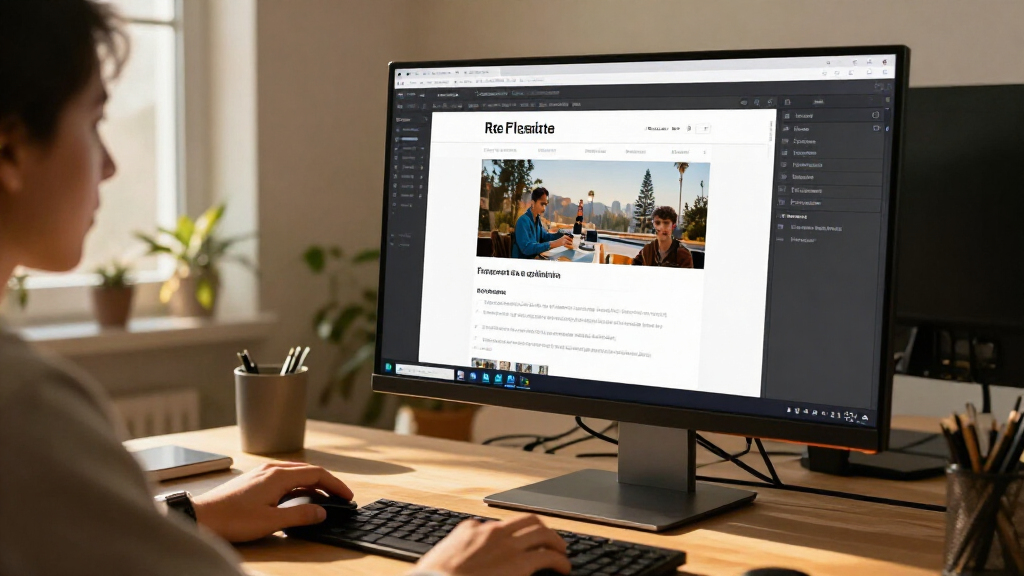

AI website builders can mean hands-off site generators or guides that teach you to make a site with AI tools. In this roundup, AI Website Development and SaaS Creation is the broadest pick for readers who want to move beyond basic sites, while How to Build Your First Website with AI is a clearer starting point for no-code beginners and WordPress Power Toolkit suits readers committed to WordPress. The main tradeoff is breadth versus guided simplicity: learning web apps and APIs offers more room to grow, while a focused builder guide can make a first launch less complicated. These 14 titles also vary in platform, coding expectations, and whether they focus on personal sites or client work. Continue reading for the full breakdown and help matching a guide to your goals.

Get business pricing on tech for your team
- Business-only prices and quantity discounts
- Tax-exempt purchasing
- Multiple users, one account, clear invoices
Key Takeaways
- The roundup’s broadest scope belongs to AI Website Development and SaaS Creation: its focus spans websites, web apps, APIs, and software products, rather than stopping at a standard business site.
- Beginner fit depends on the learning path, not just the word “AI”: How to Build Your First Website with AI and AI Website Builder School signal entry-level teaching, while Cursor and web-app titles point toward more technical work.
- WordPress is a distinct commitment: WordPress Power Toolkit and Build a WordPress Website with AI for Beginners focus on that ecosystem, while Elementor Website Builder User Guide centers on a particular page-building tool.
- Claude-focused guides narrow the tool choice: the two Claude titles suit readers who want a prompt-led workflow, but their focus is less platform-flexible than general AI web design guides.
- Business goals change the right pick: Build and Sell Small Business Websites with AI is aimed at client work, while app-building titles serve readers whose project needs behavior or data beyond a conventional website.
| AI Website Development and SaaS Creation: Build Websites, Web Apps, APIs, and Software Products Without Coding |  | Best for Broad Product-Building Scope | Series: AI-Powered Software Builder | Series position: Book 2 | Topics: AI-assisted website development, web apps, APIs, and software products | VIEW LATEST PRICE | See Our Full Breakdown |
| The Complete Website Builder’s Handbook: From Planning to Launch with WordPress, HTML & Artificial Intelligence |  | Best for Planning a Website from Start to Launch | Coverage: Website planning through launch | Named platforms and methods: WordPress, HTML, and artificial intelligence | Primary subject: Website building | VIEW LATEST PRICE | See Our Full Breakdown |
| AI Can Build Your Website |  | Best for a Direct, Website-Only Starting Point | Stated subject: Building a website with AI | Format: Book | Product description: Not provided | VIEW LATEST PRICE | See Our Full Breakdown |
| Build and Launch a Real Web App Using AI Tools: No Computer Science Degree Required (The AI Builder Series) |  | Best for Turning an AI-Built Project into a Web App | Series: The AI Builder Series | Project focus: Building and launching a web app | Approach: AI tools | VIEW LATEST PRICE | See Our Full Breakdown |
| AI Website Builder School: From Zero to Hero |  | Best for a Beginner-Oriented Learning Concept | Stated subject: AI website building | Intended level: Beginner-oriented, as signaled by the title | Format: Book | VIEW LATEST PRICE | See Our Full Breakdown |
| WordPress Power Toolkit: Harness AI to Build Next-Level Websites |  | Best for WordPress-Focused AI Learning | Format: Toolkit | Topic: Using AI to build websites with WordPress | Platform: WordPress | VIEW LATEST PRICE | See Our Full Breakdown |
| Cursor AI for Web Design: A Beginner’s Guide to Building Websites with AI |  | Best for Beginners Exploring Cursor AI | Topic: Web design with Cursor AI | Skill level: Beginner | Coding required: No | VIEW LATEST PRICE | See Our Full Breakdown |
| Build and Sell Small Business Websites with AI: A Practical Step-by-Step Guide |  | Best for Freelancers Seeking Local Clients | Format: Practical step-by-step guide | Topic: Building and selling small-business websites with AI | Target client: Local small businesses | VIEW LATEST PRICE | See Our Full Breakdown |
| How to Build Your First Website with AI: A Hands-On No-Code Guide |  | Best Overall for a First No-Code AI Website | Format: Hands-on guide | Topic: Building a first website with AI | Coding required: No-code approach | VIEW LATEST PRICE | See Our Full Breakdown |
| Elementor Website Builder User Guide for Beginners 2026 |  | Best for Beginner WordPress Users | Topic: Elementor website building | Platform: WordPress | Audience: Beginners | VIEW LATEST PRICE | See Our Full Breakdown |
| Web Design Using AI: A Simplified Guide to AI-Powered Web Design |  | Best for Comparing No-Code Design Approaches | Subject: AI-powered web design | Approach: Prompt-based design and drag-and-drop builders | Coding requirement: No-code website creation | VIEW LATEST PRICE | See Our Full Breakdown |
| Build a Website with Claude AI: A No-Code Blueprint for Designing, Building, and Deploying Websites with Natural Language Prompts |  | Best for Claude-Prompted No-Code Builds | Subject: Website creation with Claude AI | Approach: Natural-language prompts | Coding requirement: Presented as no-code | VIEW LATEST PRICE | See Our Full Breakdown |
| Build a Website with Claude: A Beginner’s Guide to Designing, Building, and Launching a Professional Website |  | Best for Beginners Learning Claude and Claude Code | Subject: Website creation with Claude AI and Claude Code | Skill level: Beginner | Approach: Step-by-step guidance | VIEW LATEST PRICE | See Our Full Breakdown |
| Build a WordPress Website with AI for Beginners in 2026 |  | Best for Beginner WordPress Site Owners | Subject: WordPress website creation with AI | Skill level: Beginner | Format: Book | VIEW LATEST PRICE | See Our Full Breakdown |
| AI website builder | Format |
|---|---|
| AI Website Development and Saa | Book |
| The Complete Website Builder’s | Handbook |
| AI Can Build Your Website | Book |
| Build and Launch a Real Web Ap | Guide |
| AI Website Builder School: Fro | Book |
| WordPress Power Toolkit: Harne | Toolkit |
| Cursor AI for Web Design: A Be | — |
| Build and Sell Small Business | Practical step-by-step guide |
| How to Build Your First Websit | Hands-on guide |
| Elementor Website Builder User | — |
| Web Design Using AI: A Simplif | Guide |
| Build a Website with Claude AI | — |
| Build a Website with Claude: A | — |
| Build a WordPress Website with | Book |
More Details on Our Top Picks
AI Website Development and SaaS Creation: Build Websites, Web Apps, APIs, and Software Products Without Coding
This book reaches beyond ordinary AI website building: its stated scope includes websites, web apps, APIs, and software products, all framed around building without coding. That makes it a broader choice than AI Can Build Your Website, whose supplied details do not establish coverage beyond its title. The wider scope may help readers thinking about a site that could grow into a software product, rather than a standalone web presence. The tradeoff is focus: readers who only want to create a basic business website may find the app and API topics less relevant. It is also the second book in a series, a useful signal about its place in that collection, but the available product details do not specify prerequisites, tools, or a step-by-step curriculum. I would choose it for breadth, not for a verified beginner workflow.
Pros:- Covers websites as well as web apps, APIs, and software products.
- Frames the subject around building without coding.
- Part of the AI-Powered Software Builder series, with a stated position as its second book.
Cons:- The broad subject range may distract readers focused only on a conventional website.
- The supplied details do not identify specific tools, projects, or a step-by-step teaching format.
Best for: Aspiring no-code creators who want to explore websites alongside web apps, APIs, and software products.
Not ideal for: Readers seeking a narrowly focused, step-by-step guide to launching a simple website, since the book also covers broader software topics.
- Series:AI-Powered Software Builder
- Series position:Book 2
- Topics:AI-assisted website development, web apps, APIs, and software products
- Approach:Building without coding
- Format:Book
- Product type:Instructional guide
Our verdict“Choose this book if you want AI-assisted website building as one part of a wider no-code software toolkit.”
The Complete Website Builder’s Handbook: From Planning to Launch with WordPress, HTML & Artificial Intelligence
The clearest distinction here is its planning-to-launch scope. Rather than centering on one AI workflow, this handbook names three approaches—WordPress, HTML, and artificial intelligence—which may suit readers comparing different ways to build a site. That makes it a more process-oriented choice than AI Website Builder School: From Zero to Hero, whose supplied details do not describe its curriculum. The breadth also creates a tradeoff: WordPress, HTML, and AI can call for different levels of technical comfort, and the product information does not say how deeply each is covered. I would treat this as a potentially useful roadmap for someone who wants to understand the full website project, but not assume it offers a no-code-only path or specific AI builder instructions.
Pros:- Covers the website process from planning through launch.
- Names WordPress, HTML, and artificial intelligence as areas of coverage.
- Can help readers compare multiple approaches instead of focusing on a single tool.
Cons:- The mix of WordPress, HTML, and AI may be broader than a beginner seeking one simple workflow needs.
- The available details do not specify particular AI tools, projects, or the depth of each topic.
Best for: New site owners who want guidance spanning project planning, WordPress, HTML, and AI before choosing a build approach.
Not ideal for: Readers who want a confirmed no-code tutorial for one specific AI website builder, because the stated scope also includes WordPress and HTML.
- Coverage:Website planning through launch
- Named platforms and methods:WordPress, HTML, and artificial intelligence
- Primary subject:Website building
- Planning coverage:Planning
- Launch coverage:Launch
- Format:Handbook
Our verdict“Pick this handbook if you want a broad website-project overview and are open to both traditional and AI-assisted methods.”
AI Can Build Your Website
The title gives this book the most direct AI website-building focus in this group, which may appeal to readers who do not want a guide that branches into APIs or software products. Compared with AI Website Development and SaaS Creation, its title keeps attention on websites rather than a wider software scope. However, the supplied listing includes no description, topics, or stated teaching approach, so that narrow positioning is based on the title alone—not confirmation of specific tools or a complete build process. That missing detail is a real drawback for buyers choosing an instructional guide: I cannot verify whether it covers planning, design, publishing, or ongoing site management. It is a plausible shortlist option for a website-focused reader, but buyers who need a clearly documented roadmap may prefer the handbook that explicitly covers planning through launch.
Pros:- The title is explicitly focused on using AI to build a website.
- Its stated scope appears narrower than books that also cover APIs or web apps.
- Could suit readers seeking a website-centered starting point rather than broader software topics.
Cons:- No product description or topic details were supplied to verify its contents.
- The available information does not confirm tools, skill level, or whether it covers publishing a finished site.
Best for: Readers looking specifically for a book about AI building a website, who are comfortable checking the full listing for details before choosing.
Not ideal for: Buyers who need confirmed tool coverage, project instructions, or a documented path from planning to launch.
- Stated subject:Building a website with AI
- Format:Book
- Product description:Not provided
- Topic details:Not provided
- Named tools:Not specified
- Skill level:Not specified
Our verdict“Consider it only if a website-only focus matters most and you can confirm the book’s contents before buying.”
Build and Launch a Real Web App Using AI Tools: No Computer Science Degree Required (The AI Builder Series)
This guide is aimed at a more ambitious outcome than a standard marketing site: it focuses on building and launching a real web app using AI tools. Its promise to readers without a computer science degree gives it a different entry point from The Complete Website Builder’s Handbook, which covers WordPress and HTML alongside AI. That distinction matters if you want an application rather than a conventional website; the app-focused title points toward a more product-oriented project. The tradeoff is that it may overshoot the needs of someone who simply wants a homepage and contact form. The supplied details also do not identify particular tools, app examples, or hosting steps, so I would not assume a specific technical workflow. Its strongest fit is a non-specialist ready to pursue a web-app build.
Pros:- Centers on building and launching a real web app.
- Explicitly targets readers without a computer science degree.
- AI tools are central to the stated approach.
Cons:- A web-app project may be more involved than a typical website-builder task.
- The supplied details do not name tools, project examples, or deployment methods.
Best for: Non-CS readers who want to use AI tools to build and launch an actual web application rather than a basic informational site.
Not ideal for: Small-business owners who only need a straightforward brochure website and do not plan to build app functionality.
- Series:The AI Builder Series
- Project focus:Building and launching a web app
- Approach:AI tools
- Intended audience:Readers without a computer science degree
- Format:Guide
- Launch coverage:Included in the stated scope
Our verdict“Choose this guide if your goal is an AI-assisted web app and you do not have formal computer science training.”
AI Website Builder School: From Zero to Hero
“From Zero to Hero” positions this book as a beginner-oriented learning option, making it an apparent alternative to the more technically expansive AI Website Development and SaaS Creation. That framing may appeal to someone who wants an accessible introduction rather than a guide spanning APIs and software products. Still, the supplied product information contains no description, lessons, tool names, or examples, so the beginner promise cannot be checked against a documented curriculum. This uncertainty makes it harder to judge whether the book teaches a complete site-building workflow or offers a broad overview. I would keep it on a shortlist only when an introductory tone is the priority, then verify the contents before choosing it over The Complete Website Builder’s Handbook, which at least states its planning-to-launch coverage.
Pros:- Its title signals an introductory, beginner-oriented approach.
- The stated subject is AI website building.
- The school framing suggests a learning-focused option rather than an app-development guide.
Cons:- No product description or curriculum details were supplied.
- The available information does not verify tools, examples, or the depth of instruction.
Best for: First-time learners seeking a book positioned as an introduction to AI website building, provided they verify its contents first.
Not ideal for: Readers who need confirmed tools, detailed lessons, or a clear planning-to-launch process before selecting a guide.
- Stated subject:AI website building
- Intended level:Beginner-oriented, as signaled by the title
- Format:Book
- Product description:Not provided
- Curriculum details:Not provided
- Named tools:Not specified
Our verdict“Choose this only if its beginner framing matches your needs and the full listing confirms the instruction you want.”
WordPress Power Toolkit: Harness AI to Build Next-Level Websites
WordPress-specific focus gives this toolkit a narrower purpose than How to Build Your First Website with AI: A Hands-On No-Code Guide, which spans brand, business, and portfolio sites. That focus may suit readers who already plan to build on WordPress and want to explore AI as part of that process. The available product information, however, does not describe the toolkit’s lessons, tools, or level of detail, so I can’t judge how much practical guidance it provides or whether it is suited to beginners. Compared with Elementor Website Builder User Guide for Beginners 2026, this title signals a broader WordPress-and-AI angle but does not specify a builder or step-by-step publishing coverage. Choose it for its stated topic, not on an assumption that it contains particular workflows or features.
Pros:- Directly focuses on using AI with WordPress
- Aims at building websites rather than general AI topics
- May fit readers who have already chosen WordPress as their platform
Cons:- Available product details do not describe the toolkit’s contents or learning sequence
- No stated skill level, named tools, or specific build outcomes
- The listing does not confirm whether the guidance covers publishing or ongoing site management
Best for: WordPress users looking for a resource focused on applying AI to website building
Not ideal for: Readers who need confirmed beginner instructions, named AI tools, or a clearly described project sequence
- Format:Toolkit
- Topic:Using AI to build websites with WordPress
- Platform:WordPress
- AI focus:AI-assisted website building
- Stated coverage:Website building
- Contents detail provided:No further details supplied
Our verdict“Choose this for its WordPress-and-AI focus, but prefer the Elementor guide if you want stated beginner and publishing coverage.”
Cursor AI for Web Design: A Beginner’s Guide to Building Websites with AI
Beginner-level guidance and a stated no-coding-required approach make this a focused entry point for readers curious about Cursor AI and web design. That separates it from WordPress Power Toolkit: Harness AI to Build Next-Level Websites, which centers on WordPress rather than naming Cursor as its subject. The no-code promise may lower the barrier for newcomers, but the product details do not explain how Cursor is used without coding, what projects the guide walks through, or how sites are published. Readers seeking a broader start-to-finish website process may find How to Build Your First Website with AI: A Hands-On No-Code Guide more clearly scoped across site types. I’d pick this guide when learning Cursor is the main goal, while treating the lack of detail about its contents as a real limitation.
Pros:- Identifies beginners as its intended audience
- Focuses specifically on web design with Cursor AI
- States that coding is not required
Cons:- Available details do not explain the guide’s lessons or project examples
- No publishing workflow or finished website outcomes are specified
- Its Cursor focus may be less useful to readers choosing a different website platform
Best for: First-time web creators who specifically want a beginner-oriented, no-coding-required introduction to Cursor AI
Not ideal for: Readers who want a clearly documented project walkthrough, publishing instructions, or a platform-neutral guide
- Topic:Web design with Cursor AI
- Skill level:Beginner
- Coding required:No
- Stated audience:Beginners
- AI tool focus:Cursor AI
- Stated subject:Building websites with AI
Our verdict“Pick this if you want a beginner-friendly introduction to Cursor AI without coding; choose the hands-on no-code guide for broader site-building coverage.”
Build and Sell Small Business Websites with AI: A Practical Step-by-Step Guide
Client acquisition and delivery are this guide’s defining angle: it covers finding local small-business clients, sending cold emails, building sites with AI, deploying them, and getting paid. That makes it more business-oriented than How to Build Your First Website with AI: A Hands-On No-Code Guide, which is framed around creating sites for several kinds of users rather than selling web services. The step-by-step scope may help aspiring freelancers connect website creation to a client project, not just a personal build. The tradeoff is its local small-business focus; readers interested in portfolios, larger organizations, or building a site only for themselves may not need the outreach and payment material. Product details do not identify specific AI tools or describe the depth of each stage, so buyers should not assume a particular technical workflow.
Pros:- Connects AI website building with a client-service workflow
- Covers cold email outreach to local businesses
- Includes deployment and getting paid, not only site creation
- Describes its approach as practical and step by step
Cons:- Narrowly targets local small-business clients
- Available details do not name the AI tools or explain the technical build process
- The listing does not specify how much guidance is given for ongoing client support
Best for: Aspiring freelance web creators who want to find local small-business clients and take projects from outreach through payment
Not ideal for: Hobbyists, personal-site creators, or freelancers targeting clients outside the local small-business market
- Format:Practical step-by-step guide
- Topic:Building and selling small-business websites with AI
- Target client:Local small businesses
- Outreach coverage:Cold emails
- Build coverage:AI-assisted website creation
- Delivery coverage:Website deployment
- Business coverage:Getting paid
Our verdict“Choose this if your goal is to sell AI-built websites to local businesses, not simply make a site for your own use.”
How to Build Your First Website with AI: A Hands-On No-Code Guide
Hands-on, no-code website creation makes this the broadest fit for readers who want to build a first site without committing to WordPress or a client-business path. Its stated scope includes brands, businesses, and personal portfolios, giving it wider use than Build and Sell Small Business Websites with AI, which concentrates on local clients and earning from projects. It also avoids the platform-specific framing of Elementor Website Builder User Guide for Beginners 2026. That breadth is useful for beginners still deciding what kind of site to make, though the product description does not name its tools, publishing steps, or specific exercises. I’d rank it as the most flexible starting point in this group, but readers who need a detailed platform tutorial or freelance workflow should choose a more specialized guide.
Pros:- Uses a hands-on approach to AI-assisted website creation
- States that the process is no-code
- Covers brand, business, and personal portfolio websites
- Offers broader site-type coverage than the local-client-focused guide
Cons:- Available details do not name the AI or no-code tools
- Specific publishing steps and project exercises are not described
- Its broad scope may be less useful than a platform-specific guide for WordPress users
Best for: First-time creators who want a no-code AI guide adaptable to a business, brand, or personal portfolio website
Not ideal for: WordPress users seeking Elementor-specific instructions or freelancers who need client outreach and payment guidance
- Format:Hands-on guide
- Topic:Building a first website with AI
- Coding required:No-code approach
- Site types:Brand, business, and personal portfolio websites
- Stated activity:Website creation
- AI focus:AI-assisted website building
Our verdict“Start here if you want a flexible no-code guide for building your first AI-assisted site across several common site types.”
Elementor Website Builder User Guide for Beginners 2026
Elementor and WordPress specificity make this the clearest choice for beginners who have already selected that platform. The guide covers drag-and-drop design, responsive pages, templates, AI features, and publishing, giving it a more defined workflow than WordPress Power Toolkit: Harness AI to Build Next-Level Websites, whose available details don’t describe its contents. It is also narrower than How to Build Your First Website with AI: A Hands-On No-Code Guide, which spans several site types without naming a platform. That focus can help readers follow a consistent builder-based path, but it offers less value to people using another website tool or looking for a general introduction to AI website builders. The 2026 edition year is specified; the listing gives no further detail about the guide’s depth or exact AI workflows.
Pros:- Names Elementor and WordPress as its platform focus
- Covers drag-and-drop design and responsive pages
- Includes templates and AI features
- Addresses website publishing step by step
Cons:- Its guidance is tied to Elementor on WordPress
- Available details do not explain which AI features or workflows are covered
- The listing does not specify the guide’s project examples or depth
Best for: New WordPress users who want beginner instructions for designing responsive Elementor pages and publishing a site
Not ideal for: People using a non-WordPress builder or readers who want a platform-neutral introduction to AI website creation
- Topic:Elementor website building
- Platform:WordPress
- Audience:Beginners
- Edition year:2026
- Design approach:Drag-and-drop
- Page coverage:Responsive pages
- Additional coverage:Templates, AI features, and website publishing
Our verdict“Choose this if you want a beginner path through Elementor on WordPress; skip it if you need a tool-neutral AI builder guide.”
Web Design Using AI: A Simplified Guide to AI-Powered Web Design
This guide is the broadest-fit choice for readers who want to understand how AI prompts and drag-and-drop builders can work together, rather than follow instructions for just one named AI platform. Its focus is on no-code web design, making it a closer match for visual site creators than Build a Website with Claude AI, which centers its approach on Claude and natural-language prompts. The tradeoff is that the available description does not identify specific tools, project examples, or deployment steps, so buyers looking for a tightly defined build-to-launch process may prefer the Claude guides. I’d choose this book to learn the general workflow and compare prompt-led design with visual editing, but not as a tool-specific manual. Its stated scope is useful; the level of detail is not specified.
Pros:- Covers AI-assisted web design alongside prompt-based creation
- Includes drag-and-drop builders, offering a visual alternative to prompt-only workflows
- Focuses on creating sites without coding
- Can help readers compare two common approaches to AI-supported design
Cons:- The available description does not identify specific builders or AI tools
- No project examples, publication details, or deployment coverage are provided
Best for: New site creators who want an introduction to AI prompts and drag-and-drop builders without committing to a single platform
Not ideal for: Readers who need named software recommendations, detailed deployment instructions, or a step-by-step project plan
- Subject:AI-powered web design
- Approach:Prompt-based design and drag-and-drop builders
- Coding requirement:No-code website creation
- Format:Guide
- Primary focus:Simplifying the web design process
- Named AI platform:Not specified
Our verdict“Choose this guide for a general introduction to prompts and visual no-code builders, but pick a Claude-focused title if you need a platform-specific build process.”
Build a Website with Claude AI: A No-Code Blueprint for Designing, Building, and Deploying Websites with Natural Language Prompts
Claude is the center of this guide’s workflow: the description presents natural-language prompts as the way to design, build, and deploy a website without coding. That end-to-end scope gives it a clearer destination than Web Design Using AI, which covers prompts and drag-and-drop builders more generally. It may suit readers who want to direct a site through conversation rather than assemble it primarily in a visual editor. The tradeoff is the limited available information: it does not name the tools used for deployment, explain how much coding the workflow may involve behind the scenes, or describe examples and chapter coverage. Compared with Build a Website with Claude, this title specifically emphasizes a no-code blueprint and natural-language prompts; buyers should still verify that its detail level matches their needs.
Pros:- Uses natural-language prompts as the stated building approach
- Covers design, building, and deployment rather than design alone
- Frames website creation as a no-code process
- Provides a more Claude-specific focus than the general AI design guide
Cons:- The available details do not name deployment tools or platforms
- No information is provided about examples, chapter structure, or the guide’s format beyond its blueprint framing
Best for: Beginners who want a Claude-centered, natural-language workflow spanning website design, construction, and deployment
Not ideal for: Readers who want confirmed tool recommendations, documented examples, or a clearly specified technical workflow before choosing a guide
- Subject:Website creation with Claude AI
- Approach:Natural-language prompts
- Coding requirement:Presented as no-code
- Coverage:Design, building, and deployment
- Format description:Blueprint
- Deployment tools:Not specified
Our verdict“Pick this title if you want a Claude-led prompt workflow from design through deployment and are comfortable with limited details about the methods covered.”
Build a Website with Claude: A Beginner’s Guide to Designing, Building, and Launching a Professional Website
Step-by-step beginner guidance is the distinguishing promise here, with coverage that pairs Claude AI and Claude Code across design, building, and launch. That makes this a more direct fit for learners who want to see both a conversational AI and a coding-oriented tool in the same website workflow. Compared with Build a Website with Claude AI, this book names Claude Code and frames its finish as launching a professional site; the other title more explicitly describes a no-code, natural-language blueprint. The tradeoff is that the available description does not explain how the guide handles coding, hosting, or specific project examples. Beginners who want a structured route may find the stated step-by-step approach appealing, while readers seeking a strictly no-code path may prefer a title that makes that promise explicit.
Pros:- Describes a step-by-step path aimed at beginners
- Covers design, building, and launching a website
- Introduces both Claude AI and Claude Code
- Connects the build process to a professional-site goal
Cons:- The description does not clarify how much coding is required
- Specific hosting, deployment tools, and examples are not identified
Best for: New website creators who want an ordered introduction to using Claude AI and Claude Code from design through launch
Not ideal for: Readers who want a clearly no-code method or need confirmed details about hosting, tools, and project examples
- Subject:Website creation with Claude AI and Claude Code
- Skill level:Beginner
- Approach:Step-by-step guidance
- Coverage:Design, building, and launching
- Intended outcome:A professional website
- Coding requirement:Not specified
Our verdict“Choose this guide if you want beginner-oriented steps using both Claude AI and Claude Code, but look elsewhere for an explicitly no-code workflow.”
Build a WordPress Website with AI for Beginners in 2026
This is the WordPress-specific pick in a group otherwise centered on Claude workflows or general AI web design. Its beginner focus and step-by-step promise suit someone who has already chosen WordPress and wants AI to help create, design, and launch a site without coding. That focus separates it from Web Design Using AI, which also discusses drag-and-drop builders but does not name WordPress as its platform. The tradeoff is a meaningful information gap: the product details do not identify which AI tools or WordPress components the guide covers. That makes it harder to judge how transferable its instructions will be to a reader’s setup. I’d favor it over the Claude guides only when WordPress is the intended platform; readers still choosing their site-building system may want a broader guide first.
Pros:- Focuses specifically on building a WordPress website with AI
- Uses a step-by-step approach for beginners
- Covers creating, designing, and launching a site
- Presents a no-code path for website creation
Cons:- The available details do not name the AI platforms or tools covered
- No plugin, hosting, or WordPress setup details are provided
Best for: First-time WordPress site owners who want a beginner-level, AI-assisted process for creating and launching a site without coding
Not ideal for: Readers who have not chosen WordPress or who need the AI platforms, plugins, and hosting workflow identified before buying a guide
- Subject:WordPress website creation with AI
- Skill level:Beginner
- Format:Book
- Series:WordPress and Growth with AI, Book 1
- Approach:Step-by-step guidance
- Coding requirement:Presented as no-code
- Coverage:Creating, designing, and launching a WordPress website
- AI platforms:Not specified
Our verdict“Choose this book if WordPress is already your platform and you want beginner-focused AI guidance, but not if you need named tools or platform comparisons.”
How We Picked
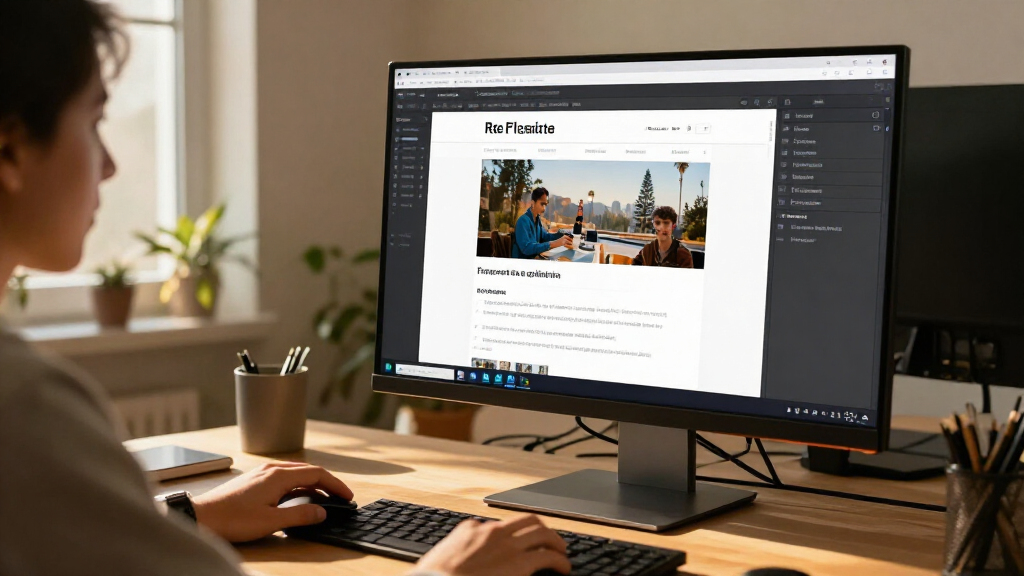
I compared the 14 titles by the kind of outcome they promise, the likely learning curve, their platform or tool focus, and how well their scope matches a reader’s goal. A useful guide should make clear whether it covers a basic website, a WordPress build, a client service, or a web app; those outcomes require different skills and choices. I also weighed how directly each title signals a practical path, such as a first-site walkthrough, a tool-specific workflow, or a wider product-development process.
The ranking favors clear audience fit and useful scope over broad claims about AI. The broad development title leads for readers seeking range, while focused beginner guides rank higher for readers who want a simpler first project. WordPress, Elementor, Cursor, Claude, and small-business titles have narrower roles by design. These are books and learning guides, not hosted website-builder platforms, so readers looking for software that generates and publishes a site on its own should check that distinction before choosing.
| AI website builder | Format |
|---|---|
| AI Website Development and Saa | Book |
| The Complete Website Builder’s | Handbook |
| AI Can Build Your Website | Book |
| Build and Launch a Real Web Ap | Guide |
| AI Website Builder School: Fro | Book |
| WordPress Power Toolkit: Harne | Toolkit |
| Cursor AI for Web Design: A Be | — |
| Build and Sell Small Business | Practical step-by-step guide |
| How to Build Your First Websit | Hands-on guide |
| Elementor Website Builder User | — |
| Web Design Using AI: A Simplif | Guide |
| Build a Website with Claude AI | — |
| Build a Website with Claude: A | — |
| Build a WordPress Website with | Book |
Factors to Consider When Choosing AI Website Builders
Before choosing a guide, decide what you want to publish and what you expect AI to do for you. A title can teach a workflow without providing a builder platform, hosting, or ongoing site maintenance. These broader questions help separate a useful learning resource from a mismatch.
Decide Whether You Need a Guide or a Website-Building Service
Some readers search for AI website builders expecting an online service that creates pages and hosts a finished site. The books in this roundup teach approaches and tools; they are not substitutes for a hosted platform, domain, or support plan. Before buying, check whether you want instruction, software, or both. A guide may explain how to use AI with a platform, but you may still need to choose and pay for that platform separately. A common mistake is treating an instructional title as a turnkey site generator. If your priority is publishing quickly with minimal setup, compare the tool’s publishing workflow and ongoing hosting arrangements before choosing a learning resource.
Match the Project’s Complexity to Your Learning Goal
A portfolio or local business homepage has different needs from a web app with accounts, stored data, or API connections. Guides centered on no-code first sites can reduce the number of decisions for a simple launch, while app-development titles address a wider technical surface. Choosing the most ambitious book for a small project can add unnecessary learning work. Choosing a basic website guide for a product with custom logic can leave major gaps. Write down the pages, features, and integrations your project actually needs before selecting a path. If the requirements are still uncertain, start with a guide that teaches core website structure before committing to a more specialized workflow.
Check Platform Lock-In Before You Start
A guide tied to WordPress, Elementor, Cursor, or Claude may be useful precisely because it gives focused instruction. That focus also means its examples may not transfer cleanly to another tool. Consider what happens if your preferred platform changes, a feature moves, or you later need to hand the site to someone else. Look for material that teaches reusable ideas such as page structure, accessibility, content hierarchy, and responsive design alongside tool-specific steps. The common mistake is choosing by a familiar brand name without checking how much of the method depends on that product. If flexibility matters, favor learning goals that extend beyond a single interface.
Separate AI Drafting From Site Quality
AI can help draft copy, layouts, and code, but generated output still needs editorial and functional review. Think about whether you can check facts, revise generic wording, test links, and inspect how pages behave on phones. A polished first draft does not prove that a site is accessible, secure, or easy to maintain. Budget time for image rights, privacy disclosures, forms, and basic search visibility as well as the initial build. A frequent misstep is treating prompt quality as a replacement for clear requirements and human review. Choose a learning path that leaves room for testing and revision, not just generation.
Look at Ownership, Maintenance, and Handoff
A website is an ongoing responsibility, not just a launch-day deliverable. Find out whether your intended setup lets you export content or code, manage backups, update dependencies, and move the site if your needs change. These details matter especially for client work and businesses that rely on forms, bookings, or customer information. A tool that speeds up creation may still create future maintenance work or make handoff harder. Ask who will update the site after launch and what happens if the AI tool or platform is no longer available. The right guide should fit the people and skills available for upkeep, not only the person who starts the build.
Choose for Your Intended Use, Not Just Your First Build
A personal project, a client service, and a software product call for different lessons. If you plan to sell sites, you will need a repeatable process for scope, revisions, permissions, and support, not only a fast way to create a homepage. If you are building a product, data handling and feature testing matter more than a collection of attractive templates. For a first personal site, a narrower beginner path may be enough and can help you avoid unnecessary tool choices. Think about what you want to be able to do six months after launch. That goal can justify a more technical guide—or confirm that a focused introductory book is the better fit.
Frequently Asked Questions
Are these books AI website builders or guides about using AI to build websites?
These 14 products are books and instructional guides, not hosted website-building software. They can help you learn workflows involving AI, WordPress, Elementor, Cursor, or Claude, but they do not by themselves provide hosting, a domain, or a published site. If you want a service that generates and hosts pages, compare software platforms separately. Check each book’s stated tools and requirements so you know what additional accounts or software may be needed. This distinction is the first filter for avoiding a purchase that does not match your search.
Which type of guide makes sense if I have never built a website?
Look for a title that explicitly centers a first website, beginner instruction, or no-code steps, such as How to Build Your First Website with AI or AI Website Builder School. A beginner-friendly path should explain page planning, publishing, and revision rather than assume you already know web terminology. Decide whether you also want to learn a specific platform, since a WordPress guide will involve different choices from a tool-neutral introduction. You may still need to select hosting or a website service outside the book. If your goal is simply a small first site, avoid starting with a web-app guide unless you want the added technical scope.
Should I choose a WordPress guide or a general AI website guide?
Choose a WordPress-focused title when you have a reason to use WordPress, such as an existing site, a preferred content workflow, or a need for its wider ecosystem. A general guide can make more sense if you have not settled on a platform or want lessons that transfer across tools. Elementor is a more specific choice for someone building with that WordPress page builder, rather than a substitute for learning WordPress as a whole. Check how much the book depends on a particular interface, since software screens and features can change. Your future maintenance and handoff plans matter as much as the initial design process.
Can a no-code AI workflow build a web app as well as a basic website?
It may help create parts of an app, but a web app has requirements that a standard information site does not, including data handling, user access, and feature testing. A no-code label does not remove the need to check how those pieces work or what happens when they fail. The broad development and app-focused titles in this roundup signal a more involved learning path than a first-site guide. Before choosing, list the app behaviors you need and see whether the instruction covers them. For sensitive data or business-critical functions, plan for qualified technical review rather than relying on generated output alone.
What should I check before using an AI-built site for clients or a business?
Confirm who owns the domain, site content, generated code, and any images, and check whether you can export or transfer the site. Test forms, mobile layouts, accessibility, page speed, and all business claims before publishing. For client work, agree on revision limits, approval steps, account access, and who handles future updates. A guide focused on selling small-business websites may help frame the commercial workflow, but it does not remove your responsibility for clear contracts and reliable delivery. If the site collects personal information or handles payments, review the platform’s security and privacy practices as well.
Conclusion
Best overall for range: AI Website Development and SaaS Creation is the broad pick for readers who want to explore websites, apps, APIs, and software products. Best value for a first project: How to Build Your First Website with AI offers the clearest match for a reader seeking a practical no-code entry point. Best for beginners: AI Website Builder School is aimed at readers who want a structured start, while the first-website guide is a strong alternative for a hands-on project. Best premium-level learning path: Build and Launch a Real Web App Using AI Tools suits readers willing to take on more technical complexity for an app-focused outcome. For specific needs, choose WordPress Power Toolkit or Build a WordPress Website with AI for WordPress, Cursor AI for Web Design or a Claude guide for a tool-led workflow, and Build and Sell Small Business Websites with AI for client work. If you want software that directly builds and hosts your site rather than a book that teaches the process, compare website platforms instead.
Black Friday Picks

Amazon Kindle Paperwhite (16 GB, 11th Generation, 2021) – 6.8-inch Display, Adjustable Warm Light, Black
As an affiliate, we earn on qualifying purchases.